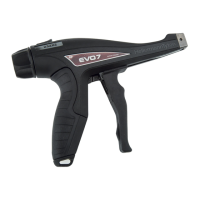
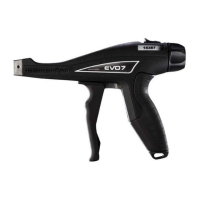
Operating Instructions • EVO9 | EVO9SP | EVO9HT • 06-2017 • 031-93351
Tension force
6
7 Tension force
The tension force that the application tool uses to pull on the cable ties can be set using the
adjustment dial 5 (Figure A).
Quick adjustment (Figure I and J )
7.1 Recommended tension force
The following formula can be used as guideline for the recommended tension force on the
application tool.
Minimum tensile
strength
= recommended tension force
2
The minimum tensile strength is the force that the cable tie can withstand before it deforms or
tears (see cable tie technical specifications).
7.2 Adjustment lock
NOTE
The quick adjustment is possible even when the adjustment lock is activated.
The adjustment lock prevents unintentional adjustment of the tension force.
f Using a T8 Torx screwdriver, unscrew the screw
1 (Figure C ) of the adjustment lock from
position 2 .
f Screw the screw
1 back in front of the thumb lever in position 2 (Figure D ).
7.3 Setting the tension force via the adjustment dial
The tension force is selected in N (Newton) using the tension force scale.
Setting (tension force scale) 0 1 2 3 4 5 6 7 8
Tension force EVO9/
EVO9SP in
53 89 111 138 169 200 240 276 307
Tension force EVO9HT in
120 156 196 245 298 356 418 467 516
f Press the thumb lever 3 (Figure A) to the front in the direction of the arrow and hold it pressed in
this position.
f Using the adjustment dial
5, set the desired value on the tension force scale 4.
f Let go of the thumb lever.
The tension forces specified are only general reference values. Due to the diversity of possible
influences during processing and use, we recommend to check the tension cut off forces with a
conventional force meter (frequency of the data recording should be at least 2 kHz).


 To Next Page
 Loading...