OPERATING INSTRUCTIONS TREND SERIES
FRONT PANEL CONTROLS - OPERATING INSTRUCTIONS
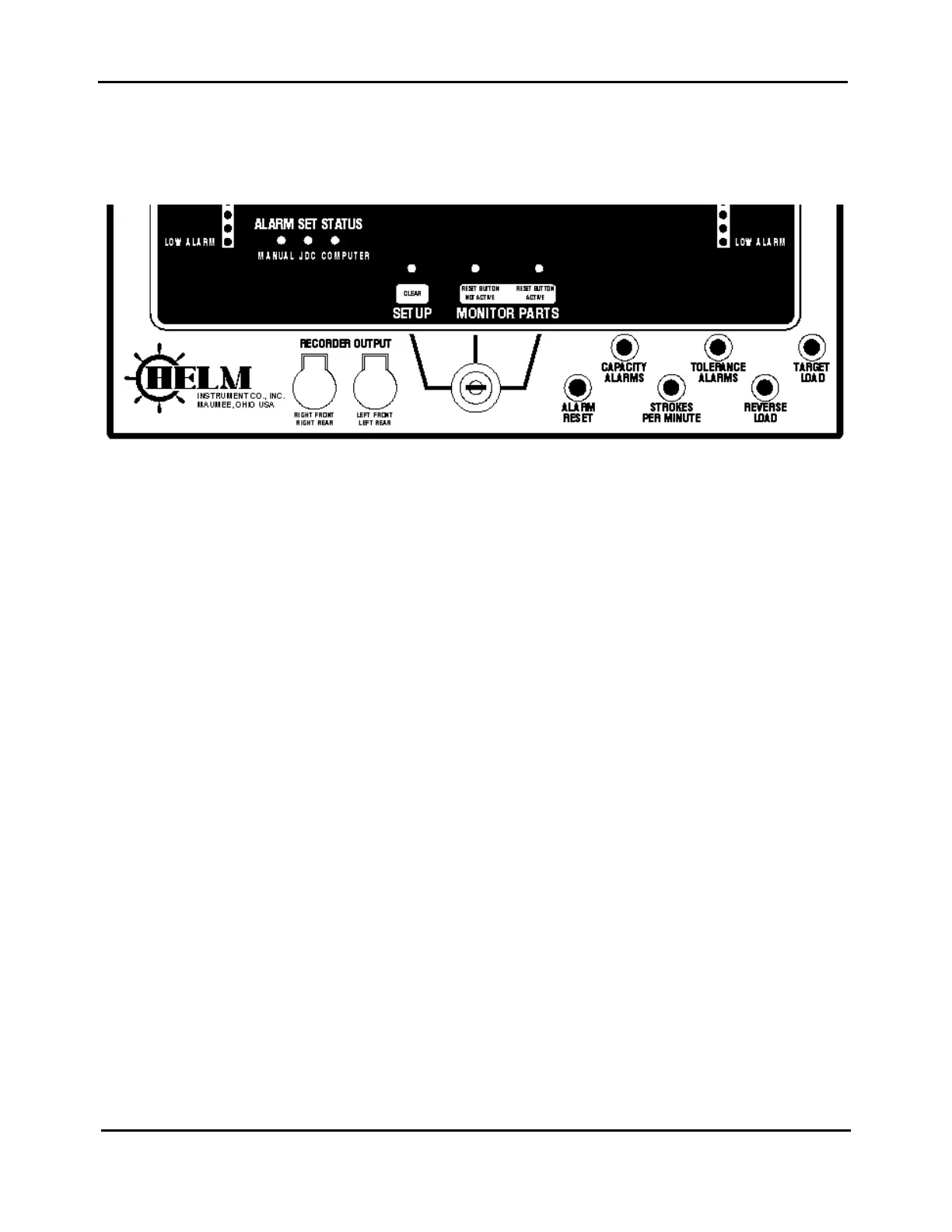
THREE POSITION FUNCTION SELECTOR
• A position marked SETUP (Clear)
• A monitoring position marked MONITOR PARTS (RESET BUTTON NOT ACTIVE)
• A monitoring position marked MONITOR PARTS (RESET BUTTON ACTIVE)
SETUP (CLEAR) KEYSWITCH POSITION
Use this position for machine and die set up. The following conditions are present in SETUP mode:
• Machine capacity alarms are active. Press button labeled “CAPACITY ALARMS” to display
• alarm settings on each channel.
• The alarm RESET button will initiate a PEAK reset.
• The REVERSE LOAD and strokes per minute buttons are not active.
• The TREND display and the TREND alarms are turned OFF.
• Parts counter is not updated.
NOTE: Always power on the instrument in the SETUP position. If the instrument is powered on in either
MONITOR PARTS position, the machine stop relay will prevent the machine from running and the digital
display will flash zeroes. Turn the function switch to SETUP to reset machine stop relay.
15



 To Next Page