Quick Start Guide NETL ink® PRO Compact
If you cannot establish the „LAN connection“, you must adapt the IP address of your computer.
Carry out the steps A to D for this (overleaf).
5. Accessing the integrated web interface:
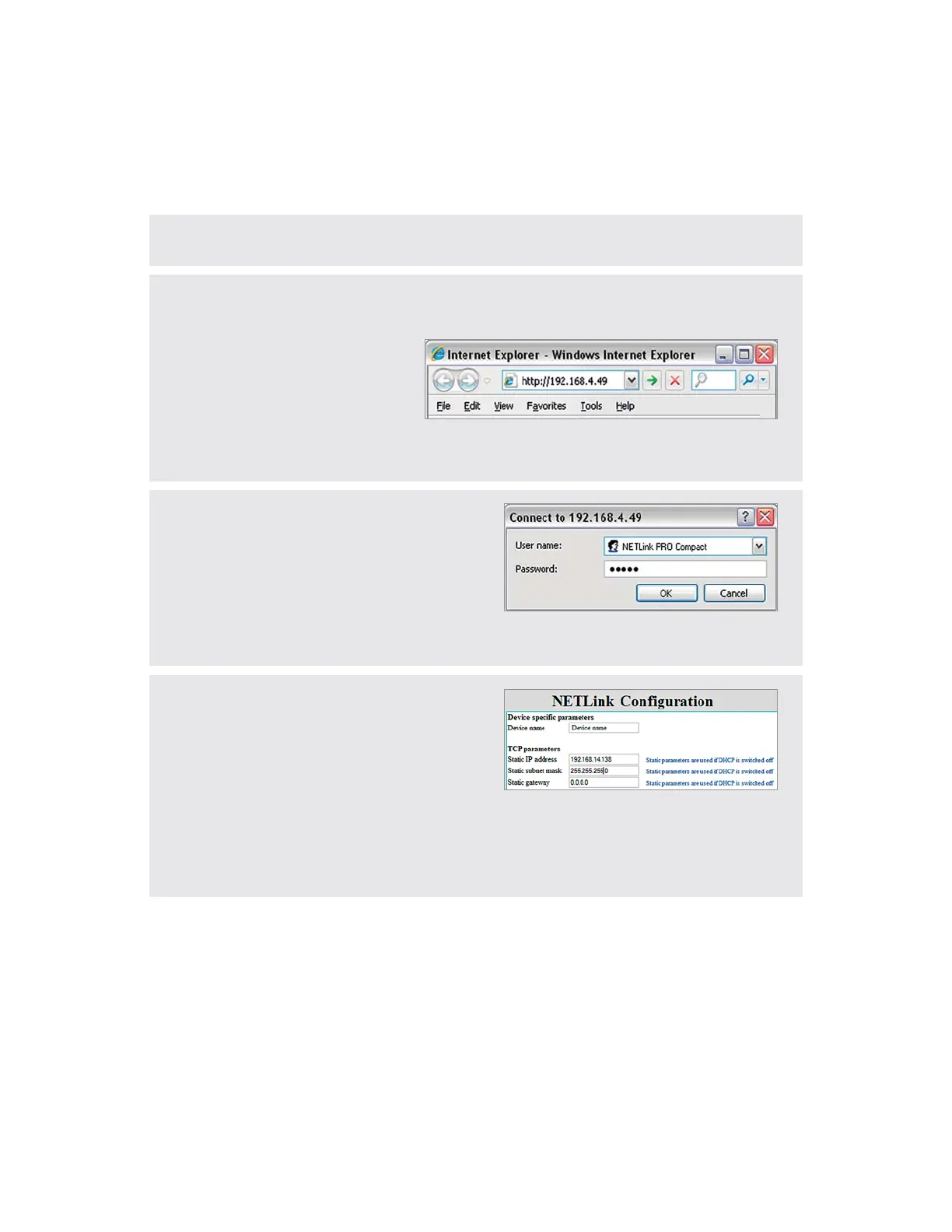
Start your browser (Internet Explorer, Opera, Firefox, …) and input the following URL in the address line:
http://192.168.4.49.
Afterwards, the user interface with the various submenus opens. In order to be able to make device-
URGEKȨEEJCPIGUKPVJGCFCRVGTCUGEWTKV[SWGUVKQPOWUVRTGXKQWUN[DGEQPȨTOGF
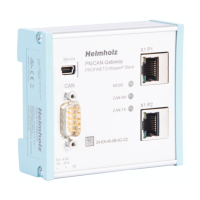
6. Input the following data for the now required login
to the NETL ink® PRO Compact:
Pay attention to uppercase and lowercase!
User name: NETLink PRO Compact
Password: admin
Note: Please note that the password should be changed
after the setting up for the security in the web interface.
This change is also possible for the user names.
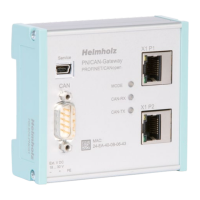
7. 0QYHQTGZCORNGKPVJGEQPȨIWTCVKQPUETGGPQHVJG
device name, the IP address and the subnet mask of the
CFCRVGTECPDGTGEQPȨIWTGFCPFUCXGFKPVJGFGXKEG
The NETL ink® PRO Compact can then be accessed in
the network using an IP address changed here.
Note: If the IP address is changed, the address range
(subnet mask) of your computer must be adapted. See
also steps A to D (overleaf). After you have made and
saved the changes in the device, NETL ink® PRO Compact
restarts automatically.


 To Next Page