Helvar 435 BACnet Gateway: User Guide
13
2. Do the following to add parameters to predetermined BACnet Object types.
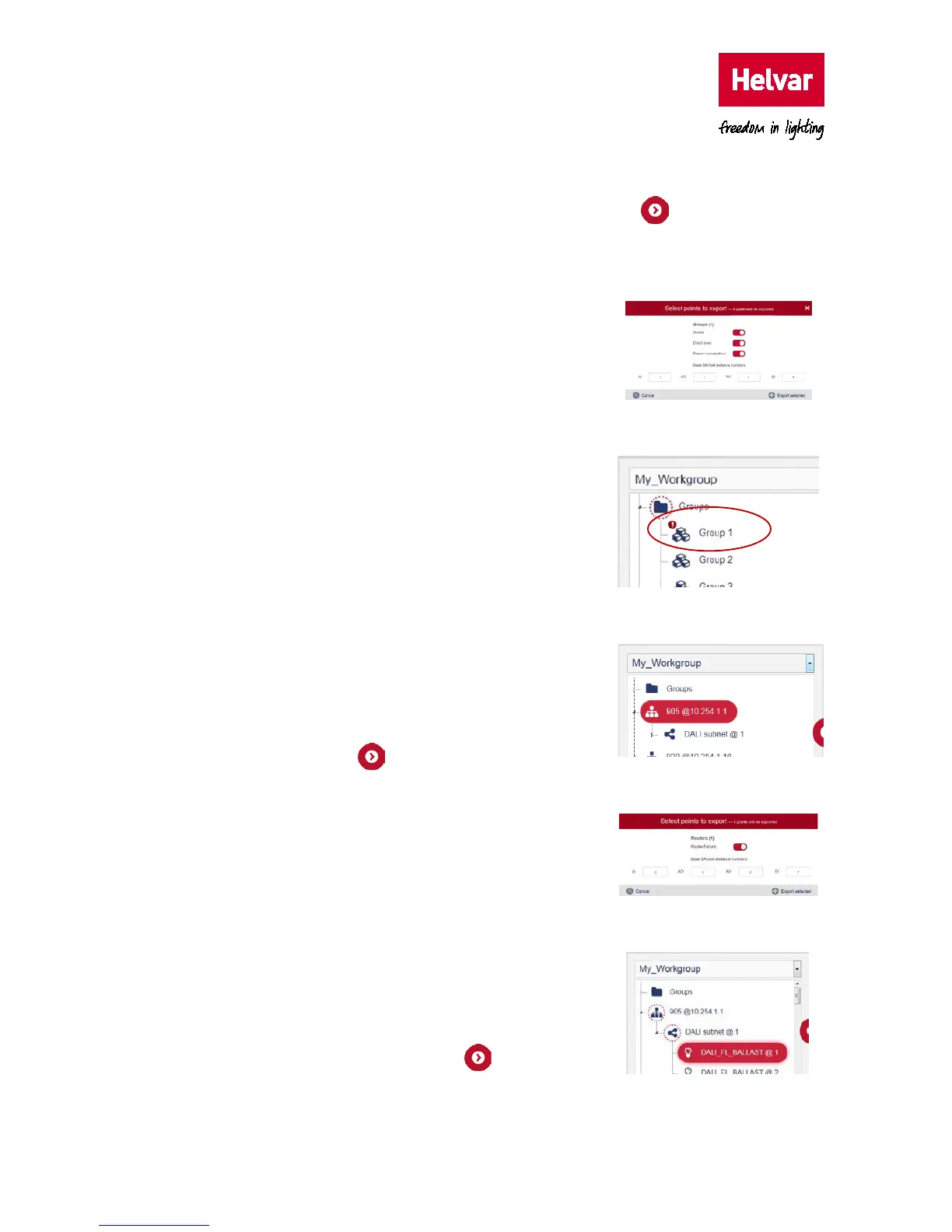
i. Select a group in the applicable workgroup, and then press to display the Select
points to export dialog box.
Tip: To add group parameters from all groups, select the ‘Groups’ folder.
ii. Turn on the switch corresponding to the parameter
that you want to map:
Scene, Direct Level and
Power Consumption.
iii. Define the Base BACnet instance number for the
equivalent group parameters.
iv. Press Export selected to add the enabled
parameters and default properties to the BACnet
table.
Notes: The Groups icon indicates that you have selected
some parameters.
The exclamation mark icon shows that not all
group parameters have been selected/exported.
v. Check the default BACnet configuration applied.
Note: You need to add at least one router to the export
table for control and monitoring of groups.
To add router parameters:
i. Select a router shown in the defined workgroup,
and then press to display a list of points that
can be mapped to BACnet Object types.
ii. Turn on the Router failure switch.
iii. Type the BACnet instance number for the selected
router.
iv. Press Export selected to add the enabled
parameters and default properties to the
configuration table.
v. Check the default BACnet configuration applied.
To add subnet device parameters:
i. Expand the applicable router subnet, select the
required device, and then press to display the
points that can be mapped to BACnet object types.



 To Next Page