EasyManua.ls Logo

HENNESSY INDUSTRIES Coats 1150-2D - User Manual

HENNESSY INDUSTRIES Coats 1150-2D
28 pages
Print Icon
To Next Page IconTo Next Page
Loading...
READ these instructions before placing unit in
service. KEEP these and other materials delivered
with the unit in a binder near the machine for ease
of reference by supervisors and operators.
Safety Instructions
Set-up Instructions
Operation Instructions
Maintenance Instructions
See
ÌBalancing Your
First Tire
on page 4.
Models 1100,
1150-2D
Wheel Balancers
1601 J. P. Hennessy Drive, LaVergne, TN USA 37086 615/641-7533 800/688/6359 www.hennessyind.com
HENNESSY INDUSTRIES INC. Manufacturer of
AMMCO
®
, COATS
®
and BADA
®
Automotive Service Equipment and Tools.
Manual Part No.: 85609415 02
Revision: 6/16
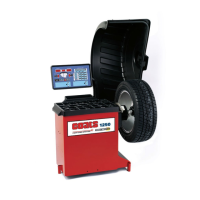
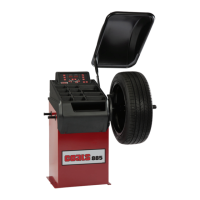
Model 1150-2D
Shown


Questions and Answers

  • R
    Rebecca WhiteAug 17, 2025
    What to do if HENNESSY INDUSTRIES Coats 1150-2D show Overload Protection?
    • B
      Beth Mayer MDAug 17, 2025
      If your HENNESSY INDUSTRIES Wheel Balancer displays an Overload Protection message, allow the fan to cool the motor for at least 30 minutes before resuming use.
  • J
    joshuasantiagoAug 19, 2025
    How to troubleshoot E1 error on HENNESSY INDUSTRIES Coats 1150-2D Wheel Balancers?
    • N
      nicholas37Aug 20, 2025
      To troubleshoot an E1 error on HENNESSY INDUSTRIES Wheel Balancers, check the power supply to the balancer and the motor connection. Verify both are properly connected.
  • B
    Brian ByrdAug 22, 2025
    What to do if HENNESSY INDUSTRIES Coats 1150-2D display error E4?
    • M
      Maria FloresAug 22, 2025
      If your HENNESSY INDUSTRIES Wheel Balancer shows error code E4, disconnect the power supply and correct the wiring.
  • A
    April DillonAug 26, 2025
    What causes E6 error on HENNESSY INDUSTRIES Wheel Balancers and how to fix it?
    • D
      Derrick UnderwoodAug 26, 2025
      The E6 error on HENNESSY INDUSTRIES Wheel Balancers indicates that the encoder is either not connected or has failed. To fix this, disconnect the power supply and repair the encoder.
  • M
    Michael SmithAug 27, 2025
    What does Err Hod mean on HENNESSY INDUSTRIES Coats 1150-2D?
    • A
      Amy PaceAug 28, 2025
      If you see 'Err Hod' on your HENNESSY INDUSTRIES Wheel Balancer, verify the hood switch. Ensure the hood is lowered to spin and that the hood switch is working correctly.
  • A
    Alicia MooreAug 30, 2025
    What should I do if my HENNESSY INDUSTRIES Coats 1150-2D display error E2?
    • E
      Eric ColemanAug 31, 2025
      If your HENNESSY INDUSTRIES Wheel Balancer displays error E2, check the Wheel DIA and power supply. Then press STOP - EXIT.
  • J
    Jose PrattSep 2, 2025
    How do I fix the E3 error on HENNESSY INDUSTRIES Coats 1150-2D Wheel Balancers?
    • K
      kelly53Sep 2, 2025
      To address an E3 error on HENNESSY INDUSTRIES Wheel Balancers, check the motor and encoder function and wiring. Then press STOP - EXIT.
  • F
    Felicia CopelandSep 5, 2025
    What does error E5 mean on HENNESSY INDUSTRIES Coats 1150-2D Wheel Balancers, and how can I resolve it?
    • M
      Madison WelchSep 5, 2025
      Error E5 on HENNESSY INDUSTRIES Wheel Balancers suggests an issue with the power supply or motor connection. To resolve it, verify the power supply and motor connection, then press STOP - EXIT.
  • T
    Thomas KingSep 7, 2025
    What does 'Err Hub' mean on HENNESSY INDUSTRIES Coats 1150-2D and how to solve it?
    • D
      dthompsonSep 7, 2025
      If your HENNESSY INDUSTRIES Wheel Balancer displays 'Err Hub', verify the wheel is mounted properly on the shaft and check repeatability.
  • T
    tiffany91Sep 12, 2025
    What to do if HENNESSY INDUSTRIES Coats 1150-2D show E25 error?
    • A
      Alexander RiveraSep 12, 2025
      If your HENNESSY INDUSTRIES Wheel Balancer shows error E25, tighten the hub nut and respin.

Summary

Important Safety Instructions

Safety Notices and Decals

Set Up Instructions

Balancing Your First Tire

Step-by-Step Balancing Procedure

Detailed steps for performing the initial wheel balance.

Using The Offset Arm

Control Panel Layout

Control Panel Function and Review

Key Group

Mounting Wheel On Balancer Shaft

Standard Back Cone Mounting

Step-by-step guide for mounting wheels using back cones.

Standard Front Cone Mounting

Alternate Mounting

Direct Select Weight Location

Setting Wheel Dimensions (DIM)

Basic Wheel Data Entry

Entering Wheel Dimensions Manually

Balancing A Wheel

Dynamic Balancing

Explains dynamic balancing and weight options.

Static Balancing

Explains static balancing and its application.

Behind Spoke Mode (1150-2 D only)

Corrective Weight Placement

Match Balance (Optimization)

Match Balance Mode

Detailed steps for using the Match Balance mode.

Calibration Program

Machine Calibration

Procedure for calibrating the machine's internal settings.

Arm Calibration

Maintenance Instructions

Diagnostic Procedures

Troubleshooting

HENNESSY INDUSTRIES Coats 1150-2D Specifications

General IconGeneral
Model1150-2D
ManufacturerHENNESSY INDUSTRIES
CategoryWheel Balancers
Wheel Diameter Range10" - 24"
Wheel Width Range1.5" - 20"
Balancing Speed200 rpm
Balancing ModesStatic, Dynamic
Power Supply110V

Related product manuals