STEP 1
4. Install and fasten your display
5. Adjust your handlebar and saddle
Unboxing Guide Unboxing Guide
7 8
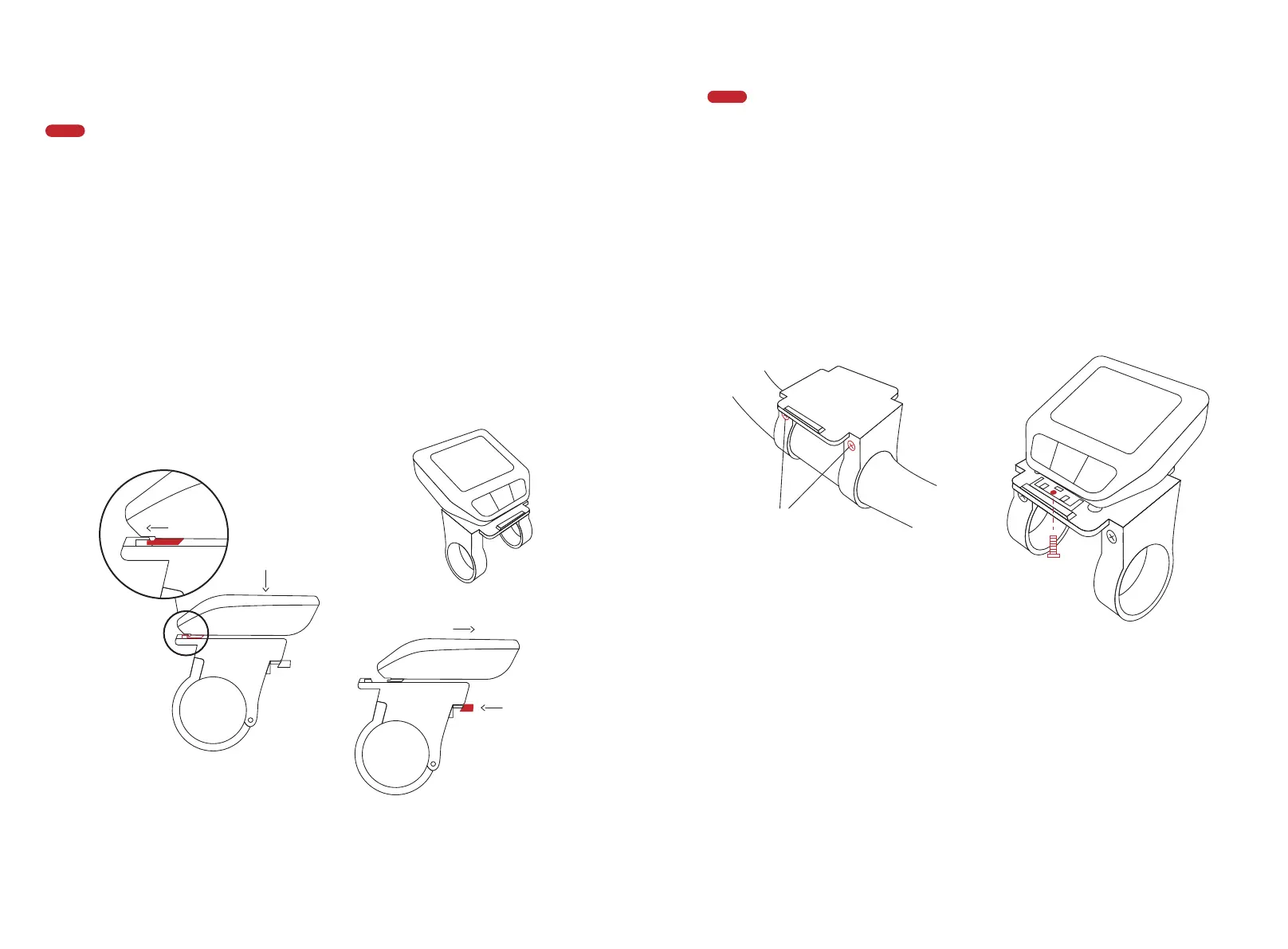
Take the display from the toolbox. Position the lower end to the display holder
correctly, press the upper part onto the holder, and you'll hear a "click".
When parking the bike, remove the display by pressing the raised part of the
display holder. Take the display away.
STEP 2
Fasten the display if you don't want to carry the display with you.
Remove the display holder using Allen key #3. Press the display to your display
holder. Turn to the back of the display holder, take an M3 screw from the
toolbox, and fasten it using Allen key #3. Then install the display holder and the
display back to your handlebar.
See page 09-11 for how to adjust the handlebar and the saddle.
Note: Your bike has activated the Bike Lock Function by default set. That means
your display is the key to your bike. Remove the display and the motor will be
automatically deactivated. To unlock it, install the same display on the bike, and
the motor support will be reactivated. The display shows the Locked status
when motor it is activated or deactivated support through the Lock function.
① insert
② press after
insert the display
① press here
② remove
Install
Uninstall
① unscrew these two
screws and remove
the holder from the
bike
③ fix the screw and
install the holder back
to the bike
② install the display to
the holder before fix
the screw
Install/remove the display
Fasten the display
M3 screw



 To Next Page