28
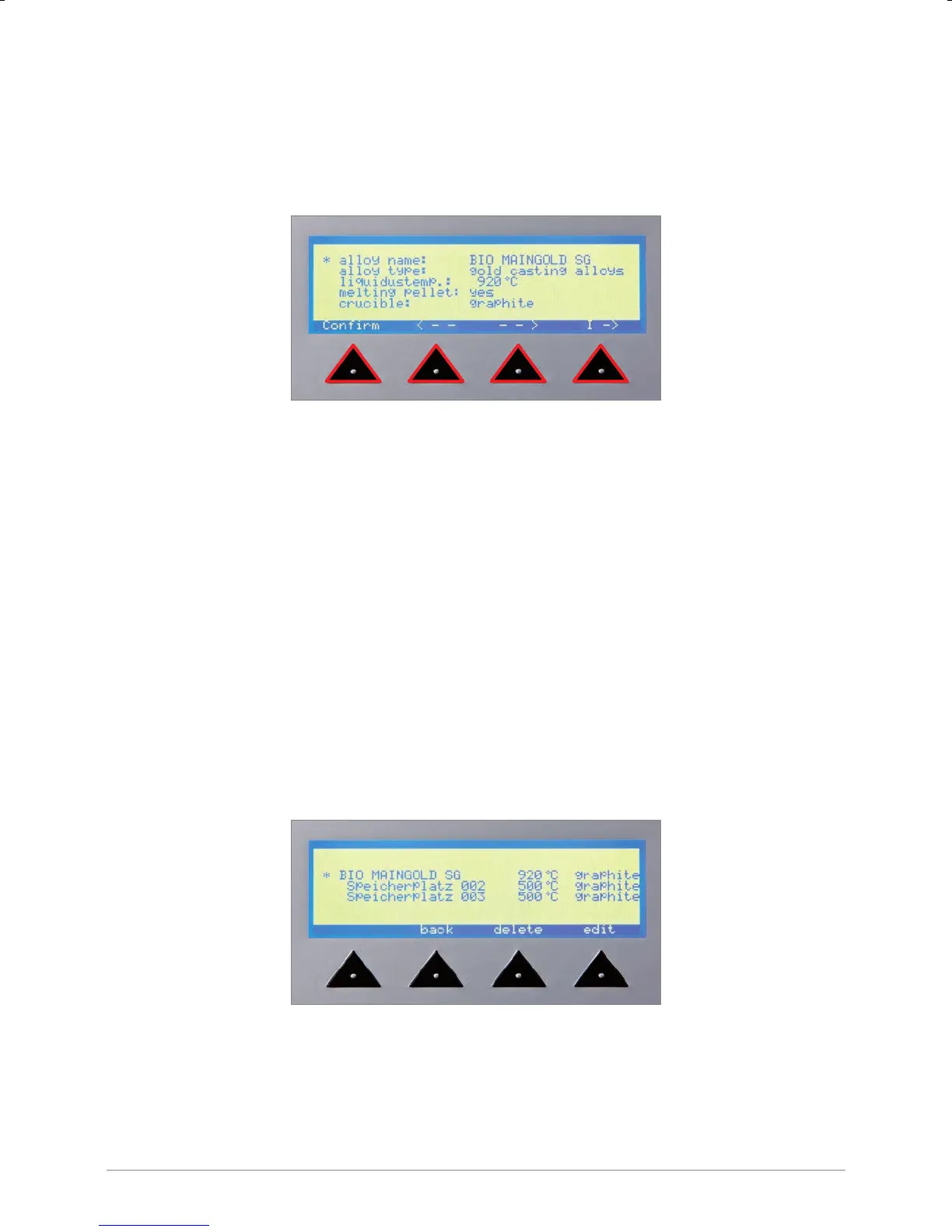
“Conrm” Conrmtheenteredalloyname;entrynalised
“< – –” Back a space
“– – >” Forward a space
“I –>” Insert a space
Onceanentryisnalisedtheprogramautomaticallyjumpstothenextoption.
Enter alloy type
The alloy type can be changed by turning the adjustment knob to the left or right.
Presstheadjustmentknobtoconrmtheselectedvalue.
Depending on the alloy type selected the dependent options also change.
(delay time or liquidustemp, melting pellet, crucible).
Enter liquidus temperature or delay time
The corresponding liquidus value or delay time is changed by turning the adjustment knob.
Enter melting pellet
The automatic presetting can be changed, if necessary, by turning the adjustment knob.
Enter crucible
The automatic presetting cannot be changed.


 To Next Page