30
11 Spruing system
Operating instructions Casting Machine - Heracast iQ
32
By turning the adjustment knob to the left or right you can select between options
Delete selected alloy or Delete all
alloys.
11 Spruing system
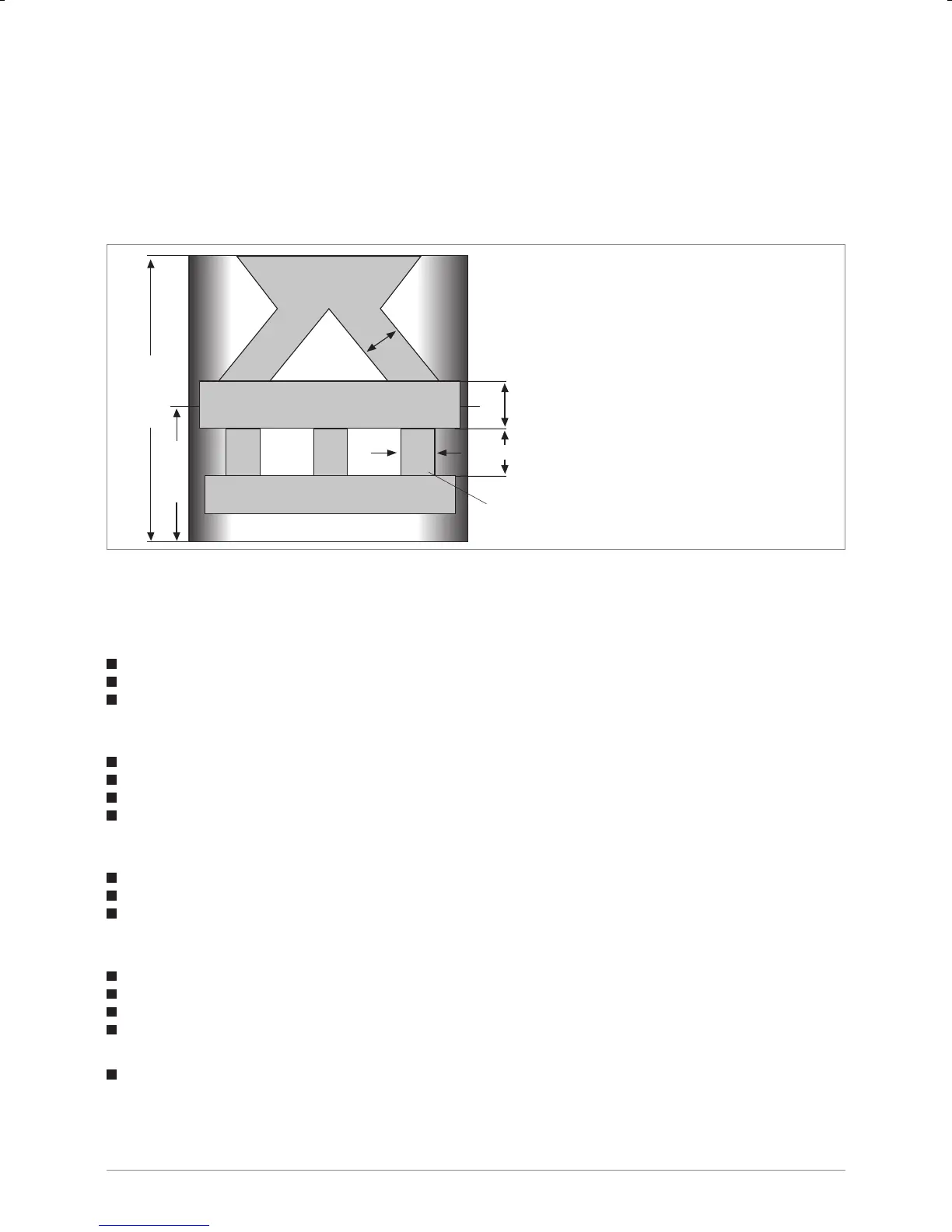
Fig.: 9 Sprues
Back Edit
* Delete selected alloy?
Delete all alloys?
Are you sure?
Sprues
Spruing
Casting objects
d
27,5 mm
I = d
d - 1,5
d
d = diameter of the sprue in mm
d = for ceramic bonding alloys 4.5 - 5.0 mm
d = for gold casting alloys 3.5 mm
I = length of the spruing
11.1 Melt characteristics of Heraenium alloys
11.1.1 Preparations:
Place ceramic crucible into the coil
Fill alloy into the crucible
Close chamber
11.1.2 Premelting (phase 1, 2, 3)
Press key “premelt”
Vacuum between 250 mbar
Observe heating process of the alloy (phase 1, 2, 3)
When phase 3 sets in press “Stop/back” key
11.1.3 Insert the casting mould
Open chamber
Position the casting mould
Close chamber
11.1.4 Main melt
Press key “main”; permanent observation of melting process by eyes (see phase 4, 5)!
Then select between “GS auto.” or “GS man.” (GS = casting)
In “GS auto” mode the delay time expires and the chamber is turned automatically
In “GS man.” mode the delay time expires, beep sound at “0”, timer continues counting until pushing the button
“turning”, which executes manual casting process
Heraenium CE:
Immediately turn casting chamber after reaching phase 6 (disappearance of the shadow) – key „turning“


 To Next Page