12
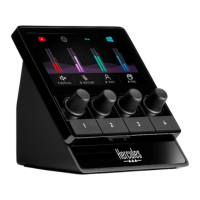
Track icon (display): lets you assign a visual cue to a
track.
− Icon: by default, an icon is automatically assigned
when an audio source is added to a track. You can
replace the default icon with another element from
the icon library (predefined icon or user-added icon).
− Name: lets you name the track.
The track’s volume percentage is displayed instead
of text for 1.5 seconds when the corresponding
encoder is used.
− Mute track: by default, a red bar appears on the
icon.
If you use a custom icon, the OFF status icon is
displayed when the track is muted. To find out how
to define an ON and an OFF status icon, refer to the
Custom icon section.
− Inactive audio source: the icon is grayed out when
the audio source(s) assigned to the track are
inactive or not recognized in Windows.


 To Next Page
 Loading...