18
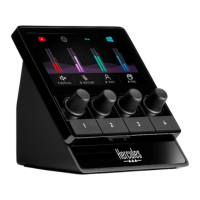
To control a device with Hercules Stream 100:
1. Click on a device in the list.
2. Two labels are displayed:
o : lets you control the volume. Drag
and drop the label into a yellow-lit
area on the image of Hercules Stream 100.
You can adjust the volume using the
encoder corresponding to that track.
o : lets you mute the sound. Drag and
drop the label into a blue-lit area on
the image of Hercules Stream 100. You
can mute the sound using the action button
corresponding to that track.
3. A panel opens on the right-hand side. You can
name the track or action, assign an icon or change
the color of the VU meter.


 To Next Page
 Loading...