EasyManua.ls Logo

Herschel MD2 - Accessing and Modifying Parameter Settings; List of Parameter Settings and Defaults

Herschel MD2
9 pages
Print Icon
To Next Page IconTo Next Page
To Previous Page IconTo Previous Page
Loading...
MD2 WIRED THERMOSTAT
Parameter Settings
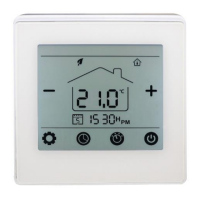
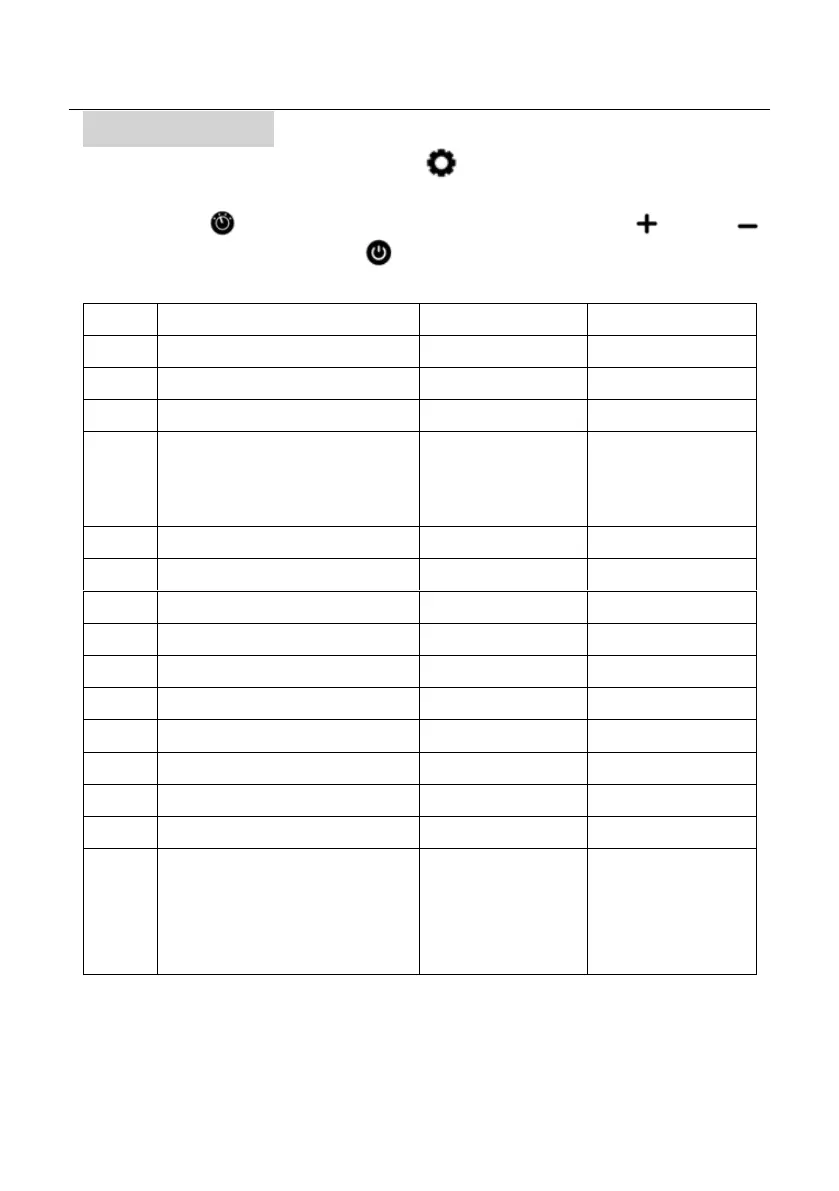
With the MD2 turned Off, press the location of the button for 5 seconds to enter the parameter
setting.
Each press of the button will select the next available parameter. Pressing and
will change the individual parameter. Press to save and exit.
Description
Range
Default Value
Temp. calibration
-8°C - 8°C
0°C
Max Temp setpoint
5°C - 45°C
35°C
Min Temp setpoint
5°C - 45°C
5°C
Sensor select
0 Room only
1 External only
2 Room + External
0 (Room only)
Frost Protection Temp.
5°C - 15°C
5°C
Temp Calibration for external sensor
-8°C - 8°C
0°C
Temp detection by external sensor
Read Only
Overheat protection setting
20°C - 80°C
32°C
Dead Zone
0 - 3°C
0°C
Keypad Lock
1: Lock 0: Unlock
0 (Unlock)
Open Window Detect
1: ON 0: OFF
0 (OFF)
OW Detect Time
2 – 30 mins
15 mins
OW drop temp
2, 3 or 4°C
2°C
OW Stop Time
10 – 60 mins
30 mins
Factory Reset
0: No 1: Yes
(To reset, select 1, then
turn the unit off and on
again)
0

Other manuals for Herschel MD2

Related product manuals