MAINTENANCE
66
9.3.7 Replacement of Separator Element
Regularly replace the separator element once a year. It is impossible to clean this filter. To replace
the separator element:
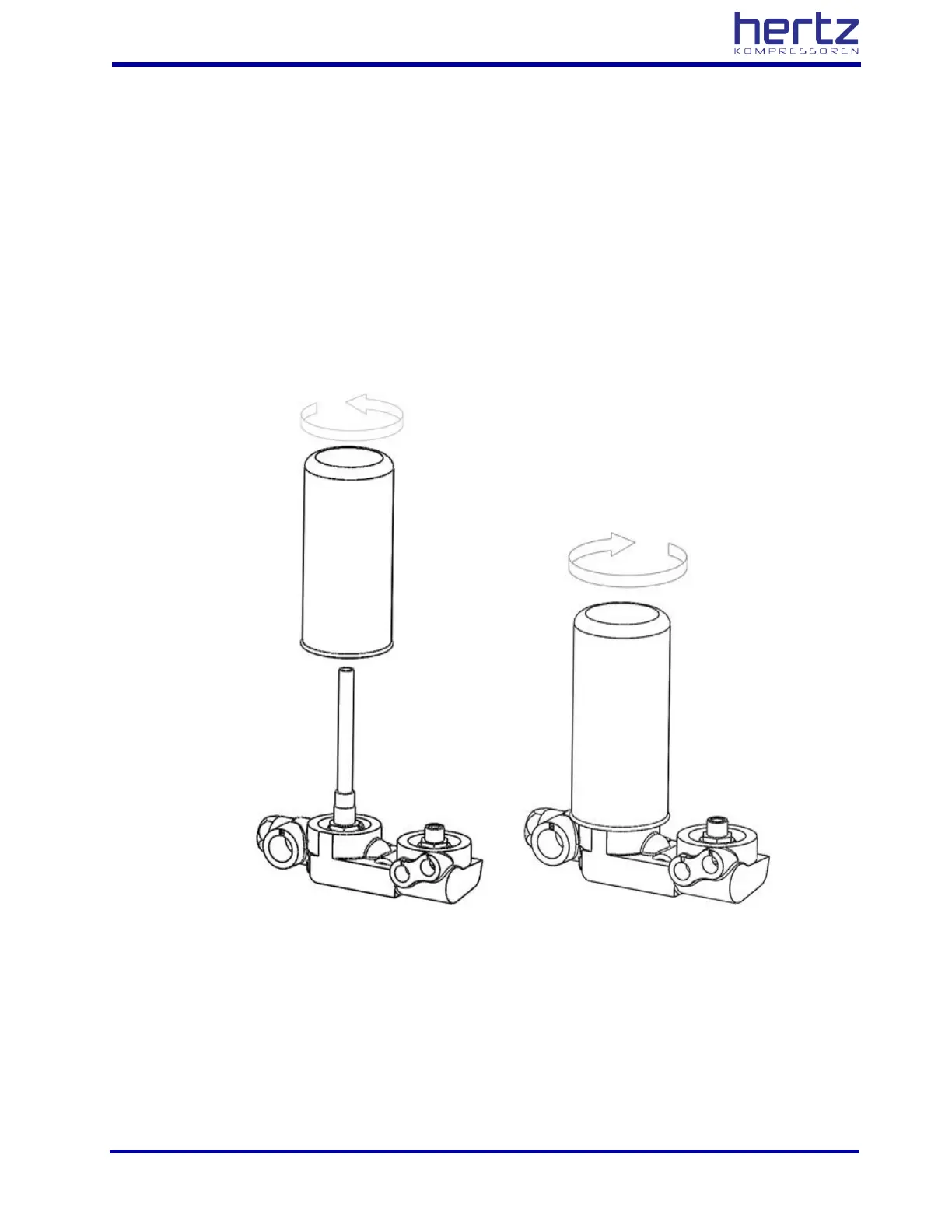
Spin-On type separators used;
• Stop the compressor, and wait for the complete discharge of the internal pressure.
• Use the filter wrench to remove the old separator element.
• Slightly lubricate the new separator seal.
• Place the filter, and thoroughly tighten it by hand.
• Restart the compressor, and check it for leaks from the seals and other connections.



 To Next Page