MAINTENANCE
67
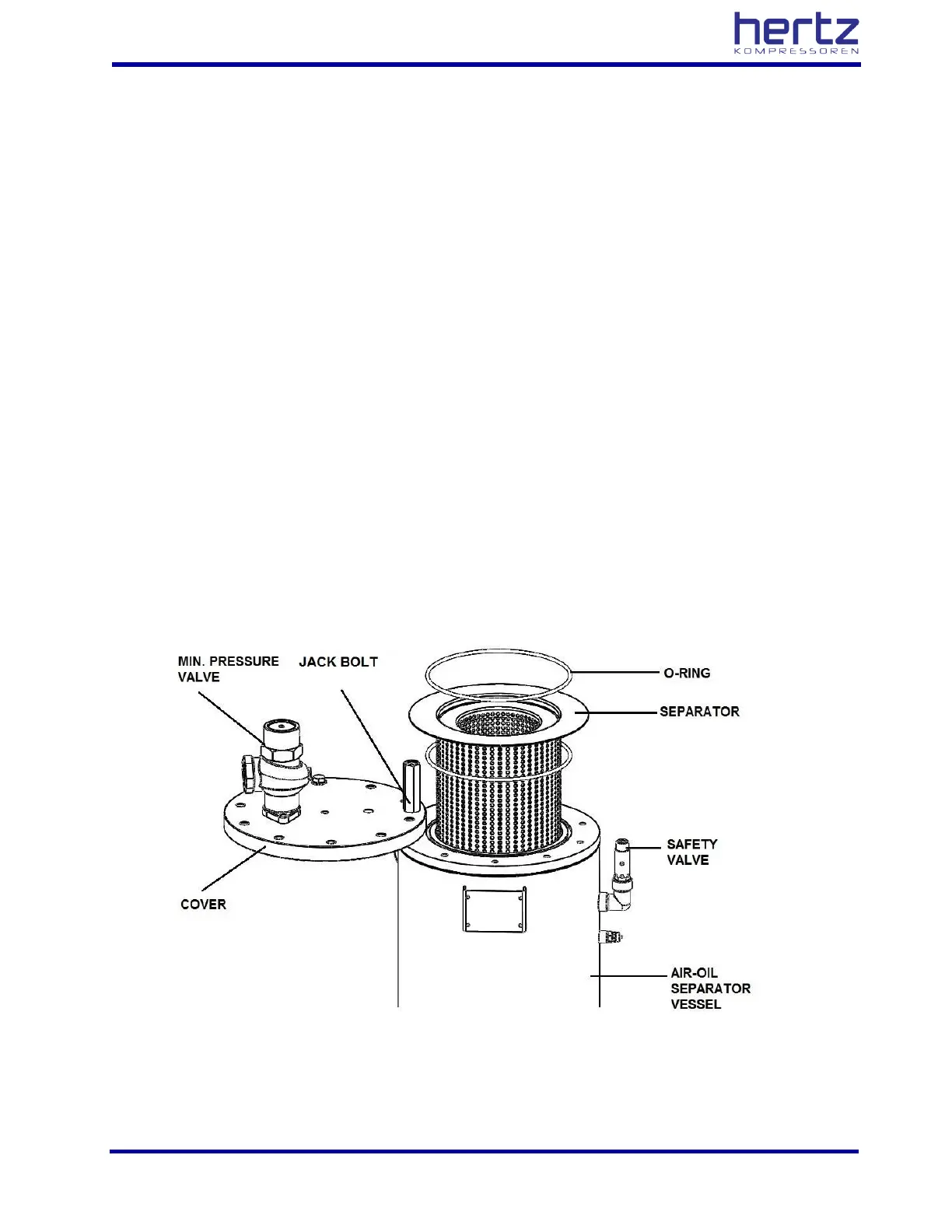
In nested type separators used;
• Stop the compressor and close the outlet valve.
• Check that the inner pressure in the separator tank is released completely.
• Remove connections of all equipment connected to the separator cover, cover bolts and the cover
itself.
• Remove the separator element.
• Check to see whether the inside of the tank is dirty and clean if necessary.
• Make sure that no cloths, foreign matters, etc. get into the separator tank during cleaning.
• Fit the new separator and O-ring set.
• Apply grease to the top O-ring and fit it.
• Place the cover in the same manner as you removed it.
• Apply grease to the cover bolts and tighten them.
• Connect the equipment connections you removed from the separator cover in a proper and secure
manner.
• Start the compressor and check connections for any leaks of oil or air.



 To Next Page