MAINTENANCE
75
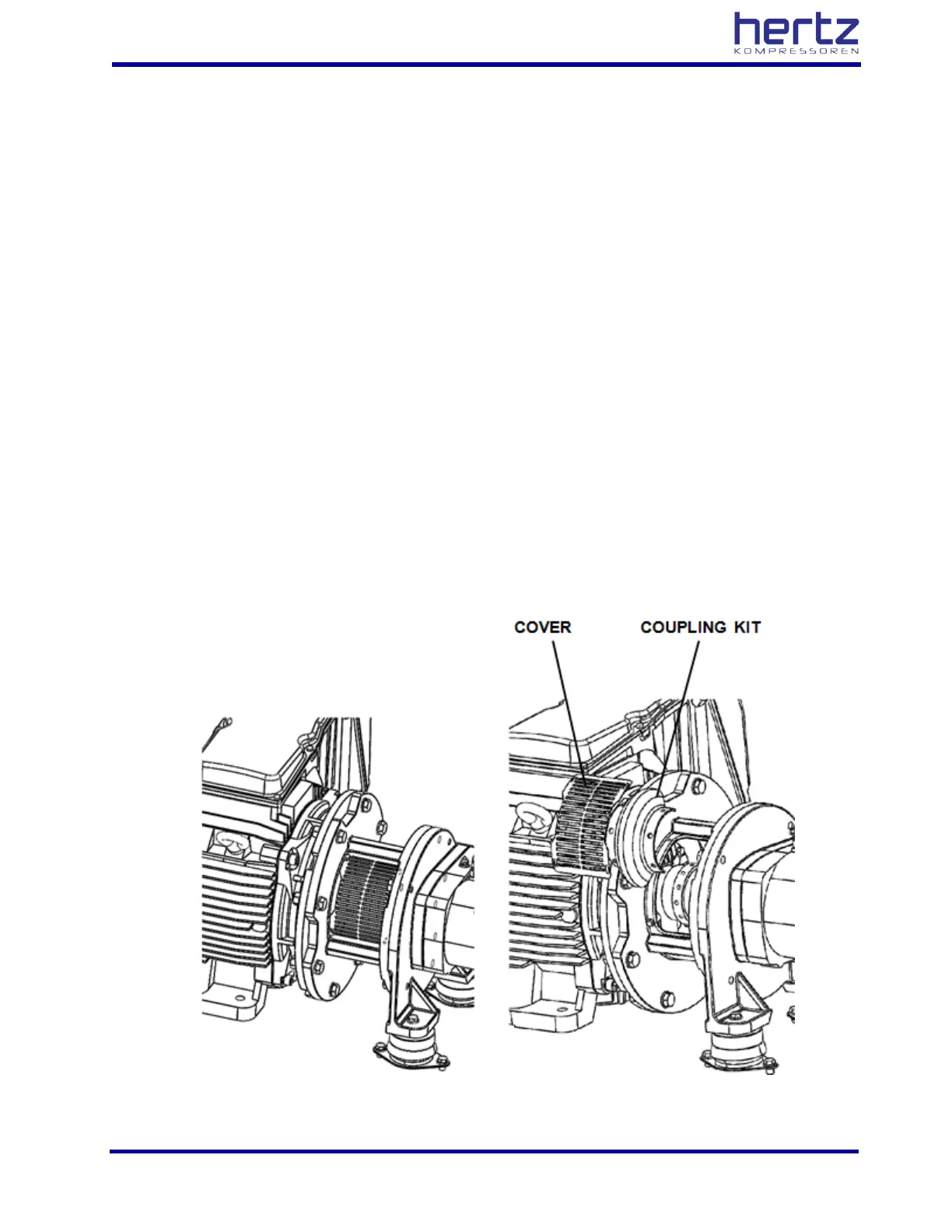
9.3.15 Coupling replacement and adjustment
➢ Stop the compressor and turn off the power
➢ Remove the protection cover.
➢ Turn the spindle by hand to bring the coupling screws to dismount position, and then take out the
screws.
➢ Remove the damaged coupling elastic element.
➢ This process must be applied at other elastic element which have shown up processing dismount.
➢ The process is replaced by a new coupling before the screws are fully tightened.
➢ Assembly covers again, by protection cover.
➢ After switching power on, check if there is any fault indicator. If you have to fault, turn off the power
and inform our authorized service.
➢ Switch off after the compressor by idling for 1-2 minutes, then again check the system operation.
➢ Rotate the motor again and observe operation first minute very carefully. In the case of any unusual
situation, stop the compressor and inform our authorized service. (particularly rising sharp sound)
➢ Continue to operate the compressor for up to 1 hour to make sure that it is safe.



 To Next Page