Basic Operation
Basic Operation
Make sure that [Ready], [Warming Up], or [Lamp Warming Up] is displayed before loading samples and slides. To
stop sampling, touch STOP.
1. Lift front cover.
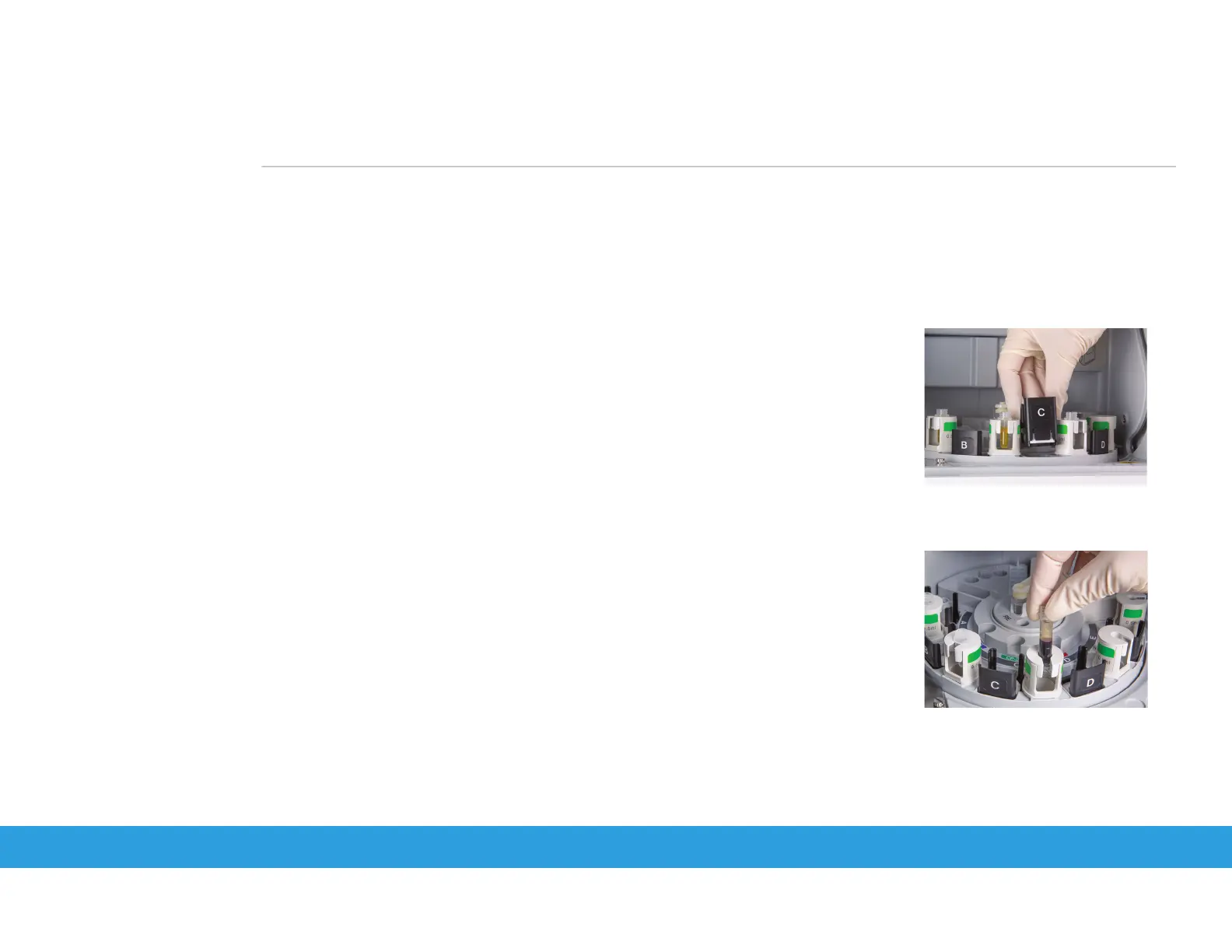
2. Place slides to be tested, barcode surface down, into slide cartridge and place weight on top.
NOTE: Handle slides by outside edges only and if using an E-Wrap panel, remove the clear plastic wrap.
3. Place slide cartridge properly in appropriate sample position.
4. Remove cap from sample tube and place into appropriate sample rack.
5. Place RE fluid if testing electrolytes. (See replacing RE Fluid section).
6. Close sampler cover.
7. Touch appropriate Sample position (A, B, C, D or E).
8. If using Work List, touch the Work List icon and select the desired patient. Touch OK. Go to Step 12.
9. If not using Work List, touch SAMPLE ID.
10. Input sample ID (Example: 100). Touch OK to accept.
11. Touch ANIMAL and select desired species.
12. Make sure sample type is set to Plasma/Serum. Touch OK.
13. Repeat Patient ID entry for samples in additional positions (A–E).
14. Touch START.
qs
quick steps guide
Element DC5X
Veterinary Chemistry Analyzer



 To Next Page