11 / 23
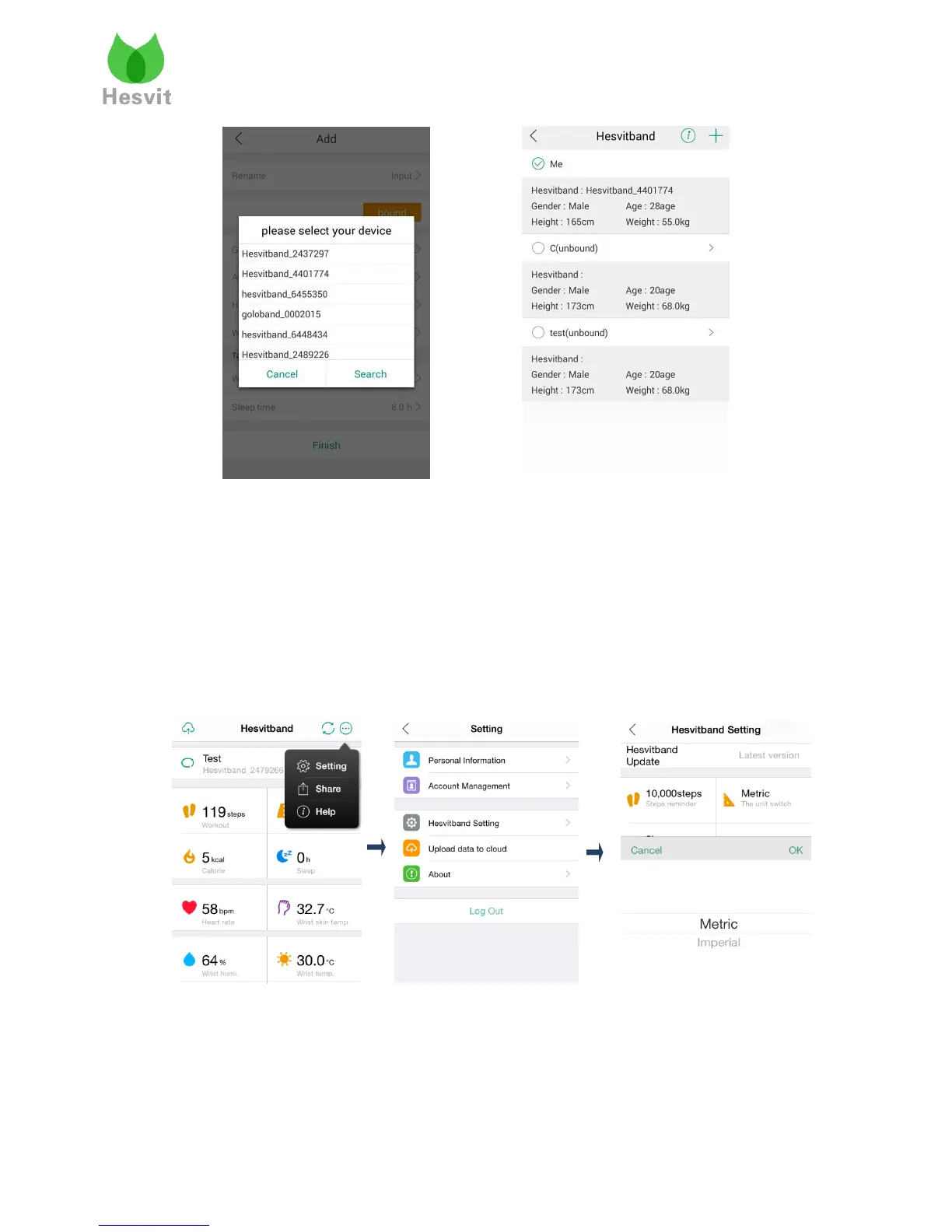
10. Unit Conversion for Workout Parameters
Change units for distance and temperature.
Choose Setting> Hesvitband Setting and find the Unit Conversion section. If you choose
Imperial (Metric) and click “OK”, and then the units for distance will convert to Miles
(Kilometers), and correspondingly the units for wrist temperature and wrist skin temperature will
convert to Fahrenheits (Celsius).
11. Optional reminders
Optional reminders for important dates,steps, heart rate, sleep quality and temperature differences
between wrist skin and wrist, are provided. Users can set the value they want to give them
reminders or use the default setting.



 To Next Page