13
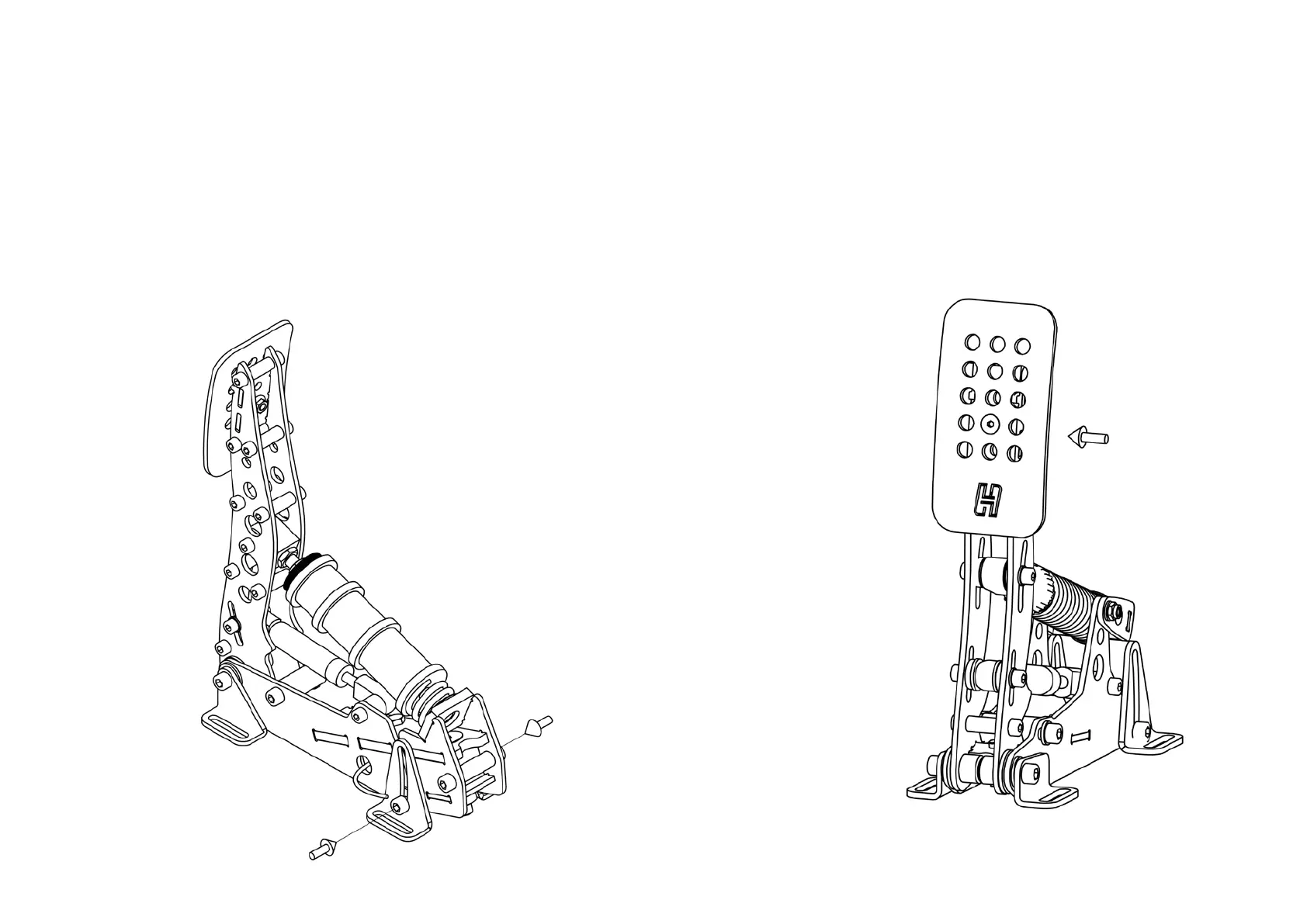
All pedals - pedal plate height adjustment
The pedal plate of each pedal can be set in 3 positions in order to
accommodate different lengths of human feet. By default the pedals are
in their medium position. If you race without shoes and/or have small feet,
you may benefit from a lower pedal height. The pedal height is adjusted as
follows:
2. Move the pedal up or down.
Slightly loosen the 2 bolts in the front feet if the
pedal is difficult to move.
3. Insert the 2 bolts in the inner spacer and
tighten both bolts.
• Using the supplied 2,5mm torx key and
7mm wrench, remove the bolt and nut
which hold the pedal plate.
• Remove and reposition the pedal plate.
The hole for the bolt in the pedal plate
should line up with 1 of the 3 holes in
the pedal arm.
• Re-insert the bolt and nut and tighten.


 To Next Page