8
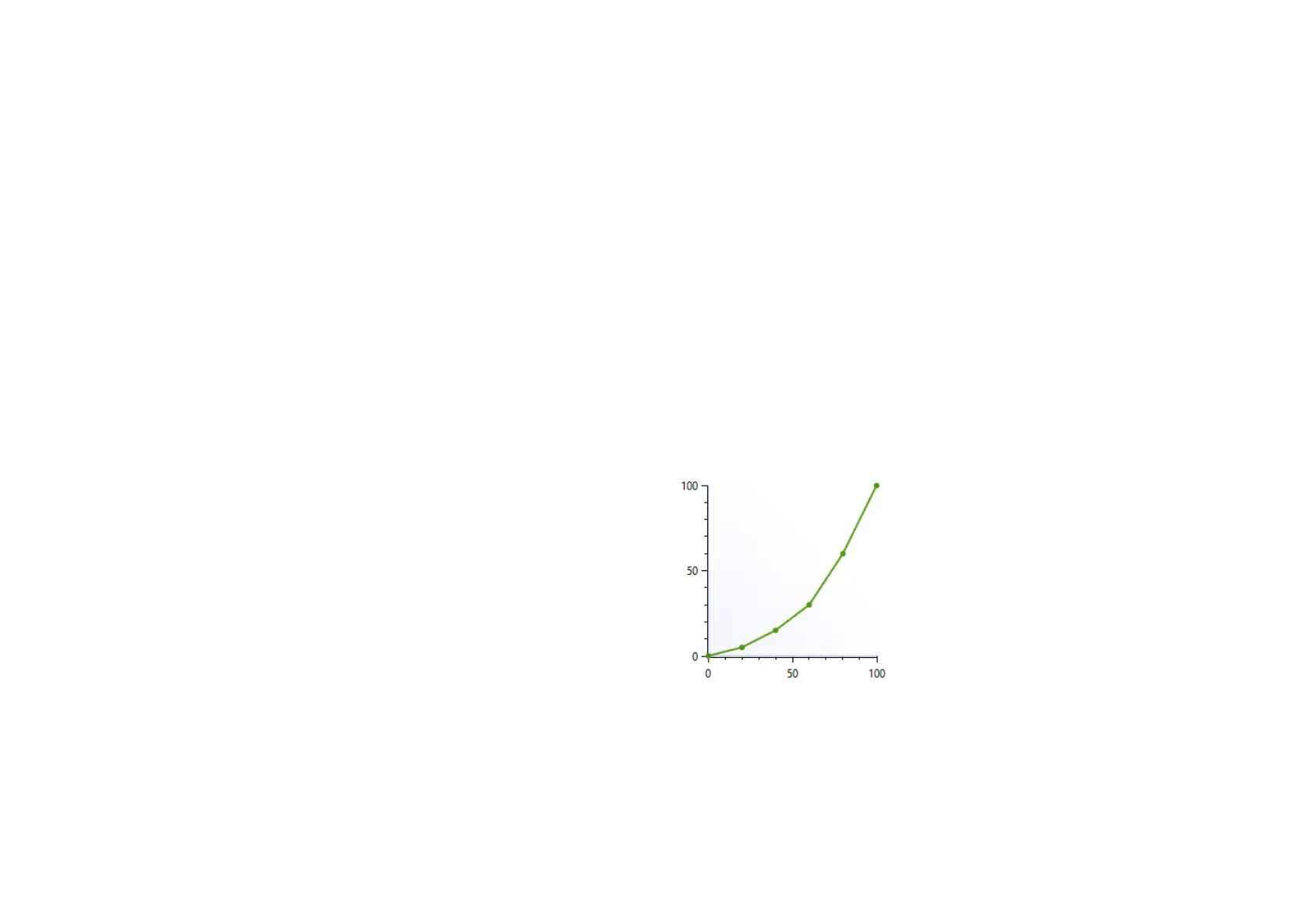
We will illustrate this functionality with a few use cases:
Use case 1: Throle curve in case of rain
Real race car drivers have the option to adjust the throttle
response of their car to be less sensitive on initial input. This
helps to prevent unintended wheelspin when starting to apply
the throttle in slippery conditions, such as rain. SmartControl
allows you to set a lower sensitivity in the early phases of
throttle application.
Throle, brake and clutch mapping
A key feature of SmartControl is the ability to set custom
signal output maps per pedal. Traditionally race simulator
pedal output has had a one-on-one sensitivity in relation to
the pedal input. SmartControl allows you to map nonlinear
output curves using 5 zones (six input parameters).
Each pedal has a Curve Type pull-down menu with
predefined output curves. Here you can also select the option
to make a custom curve and then set the desired pedal
output percentage at the 0%, 20%, 40%, 60%, 80% and 100%
marks of the pedal input. You have complete freedom to set
your own shapes.
Please note that some simulator software offers in-game
options affecting the linearity of certain pedal outputs. In
order for SmartControl to work effectively, always make sure
that all in-game pedal settings are set to linear.


 To Next Page