4.11 Factory reset
4.10.2 Downloading logs
Hourly-separated logs can be found within Device > Export. Each log file will be displayed with a date,
time stamp and also the file size. As the rolling log builds up there may be multiple pages of stored logs.
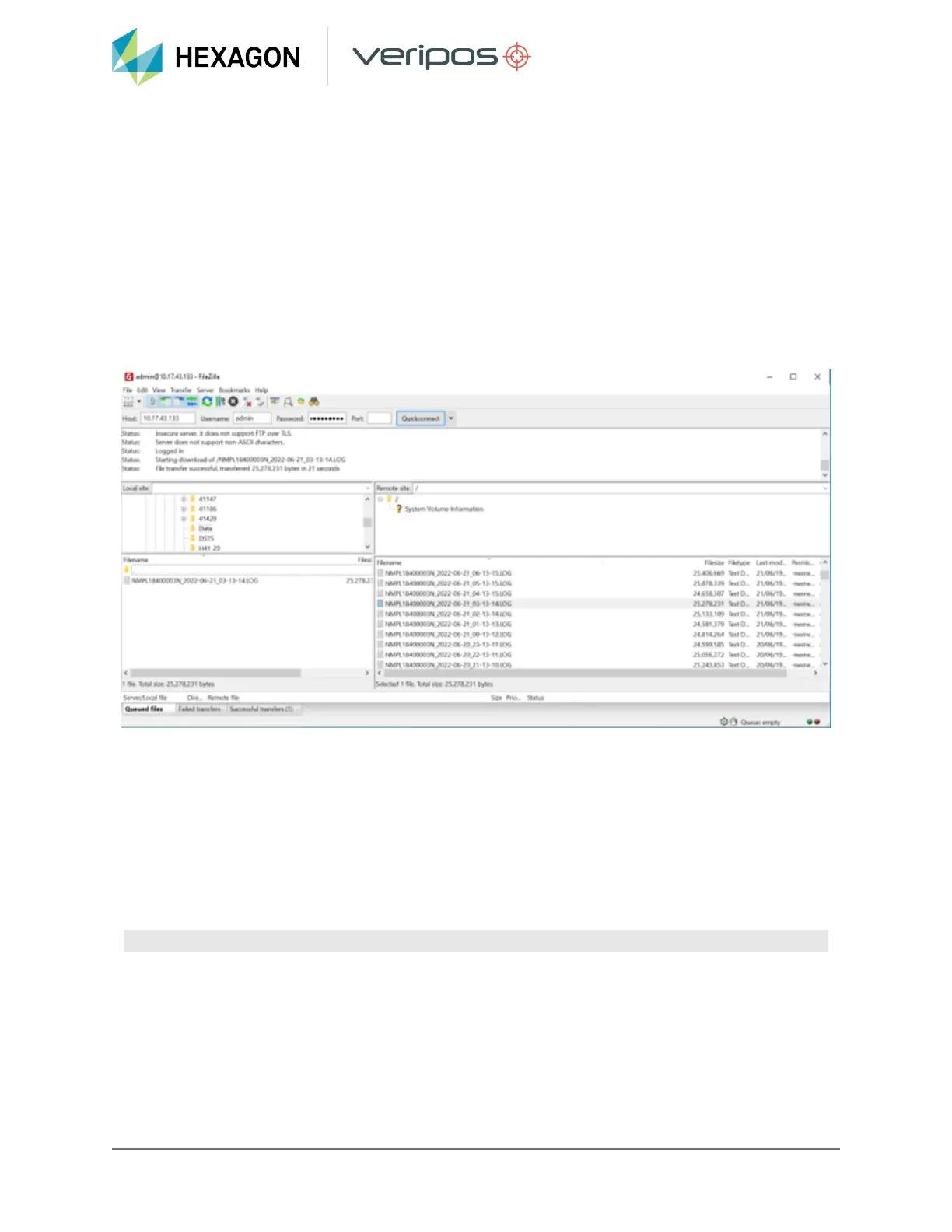
To download logs, an FTP transfer utility such as FileZilla needs to be used. Launch FileZilla then
connect to the LD8 using its IP address as Host, “admin” for the Username and the LD8 serial number for
the password and press Quickconnect. This should establish a connection with the LD8 and will show the
logged files in the right bottom panel of the FileZilla. Drag the required files to the appropriate folder on
your PC which can be selected in the left bottom panel of FileZilla.
If requested to provide logs by Veripos Support, ensure that the logs cover the period that needs
analysing plus 3 hours prior to the event and 1 hour after.
4.11 Factory reset
A factory reset can be performed to revert the LD8 back to default factory settings. This should only be
carried out under the advice of Veripos Support.
4.11.1 Factory resetting via terminal
A factory reset should be performed by issuing the case sensitive command:
LUA START factoryreset.lua
37
LD8 Operations Manual


 To Next Page