English - 64 -
the screen on again.
Note: Screen O option is not available if
the Mode is set to Game.
When the TV is not in use, please switch o
or disconnect the TV from the mains plug.
This will also reduce energy consumption.
Features
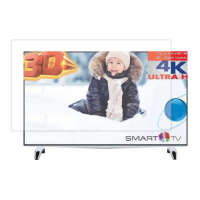
•TV supports Ultra HD (Ultra High
Definition - also known as 4K) which
provides resolution of 3840 x 2160 (4K:2K).
It equals 4 times the resolution of Full HD
TV by doubling the pixel count of the Full
HD TV both horizontally and vertically.
Ultra HD contents are supported from
HDMI, USB inputs and over DVB-T2 and
DVB-S2 broadcasts.
•3D Viewing: This product supports the
viewing of 3D content from devices such
as a High Definition Satellite Receiver or
Blu-ray Player via HDMI, PC, YPBPR,
USB inputs or via an available broadcast.
3D content provided from the portal
applications/ services are also supported
•Remote controlled colour TV
•Fully integrated digital terrestrial/cable/
satellite TV (DVB-T-T2/C/S-S2)
•Fransat Installation Option
•HDMI inputs to connect other devices with
HDMI sockets
•USB input
•OSD menu system
•Scart socket for external devices (such as
DVD Players, PVR, video games, etc.)
•Stereo sound system
•Teletext
•Headphone connection
•Automatic programming system
•Manual tuning
•Automatic power down after up to eight
hours.
•Sleep timer
•Child lock
•Automatic sound mute when no transmission.
•NTSC playback
•AVL (Automatic Volume Limiting)
•PLL (Frequency Search)
•PC input
•Game Mode (Optional)
•Picture o function
•Ethernet (LAN) for Internet connectivity
and service
•802.11n built in WIFI Support
•Audio Video Sharing
•HbbTV
Accessories Included
•Remote Control
•Batteries: 2 x AAA
•Instruction Book
•Side AV Connection Cable
•Mini Scart Adapter Cable
•3D Glasses x 2
•Wall Mount Kit
Standby Notifications
If the TV does not receive any input signal
(e.g. from an aerial or HDMI source) for 5
minutes, it will go into standby. When you
next switch-on, the following message will be
displayed: “TV switched to stand-by mode
automatically because there was no signal
for a long time.” Press OK to continue.
If the TV is on and it isn’t being operated
for a while it will go into standby. When you
next switch-on, the following message will be


 To Next Page