Easy HD Expressway!
WWW.HIDES.COM.TW 15
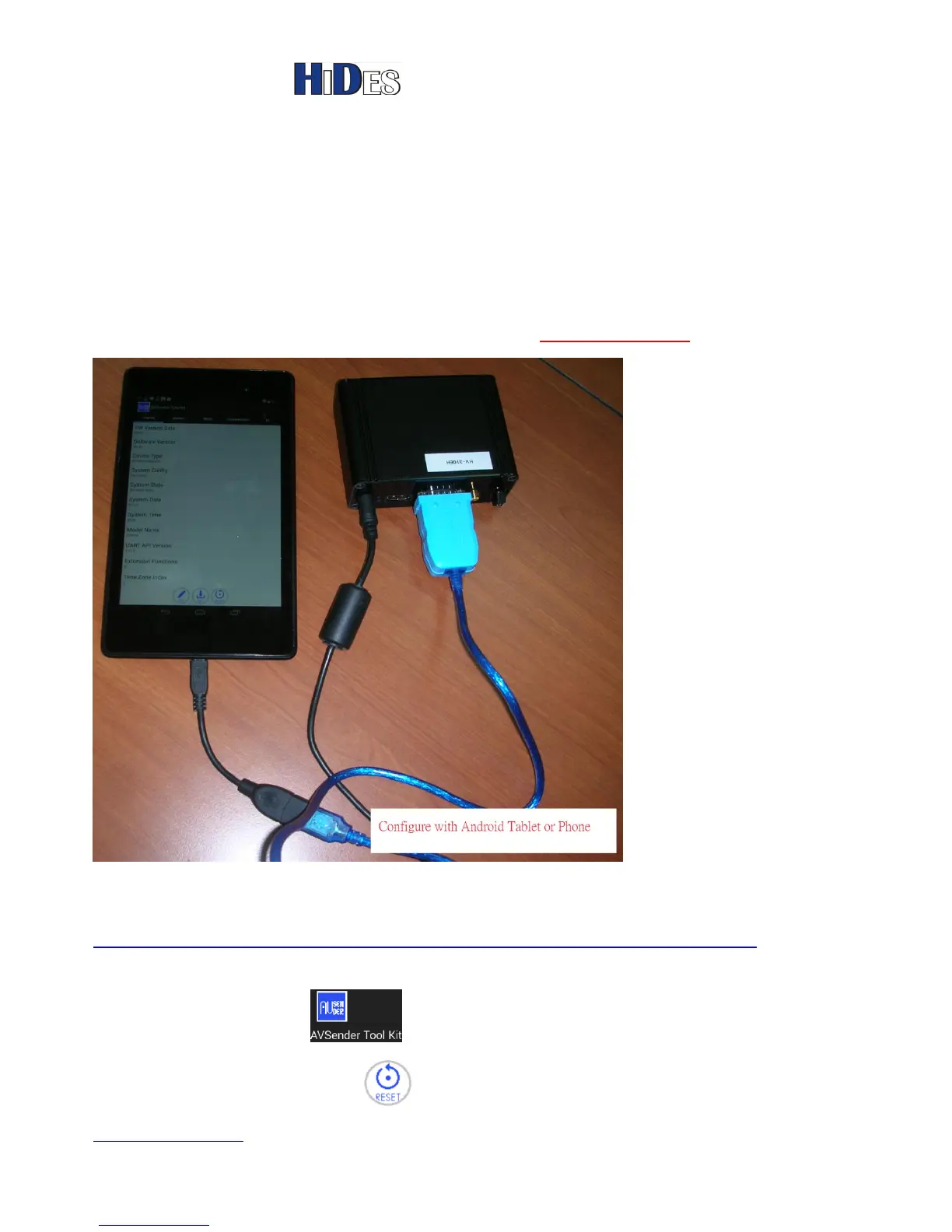
Configure with Android Tablet or Smartphone
An Android App (AVSender Tool Kit.APK) is provided for users to configure HV-320 parameters with an
Android Table PC or smart phone.
Note:
1. The android platform and USB cable should support USB-OTG feature.
(Hint: If the Android platform supports USB-OTG, you should be able to access USB disk via the USB
port)
2. For Nexus 7 or Nexus 10 tablets. Please install OTG Disk Explorer on http://goo.gl/7zBgYx
Please click AVSender Tool Kit.APK on your Android platform to install it.
The APK can also be found on,
https://drive.google.com/folderview?id=0B8b3vTd96xbsNlJWOVROSXZxSGc&usp=sharing
After installation, the tool will pop up when HV-320 is connected to your Android platform.
Or, you may click on the icon to launch the tool.
On the system page, the “Reset” icon can be used to reset HV-320 to system default



 To Next Page