Easy HD Expressway!
WWW.HIDES.COM.TW 22
Customize the Encoded Frame Rate
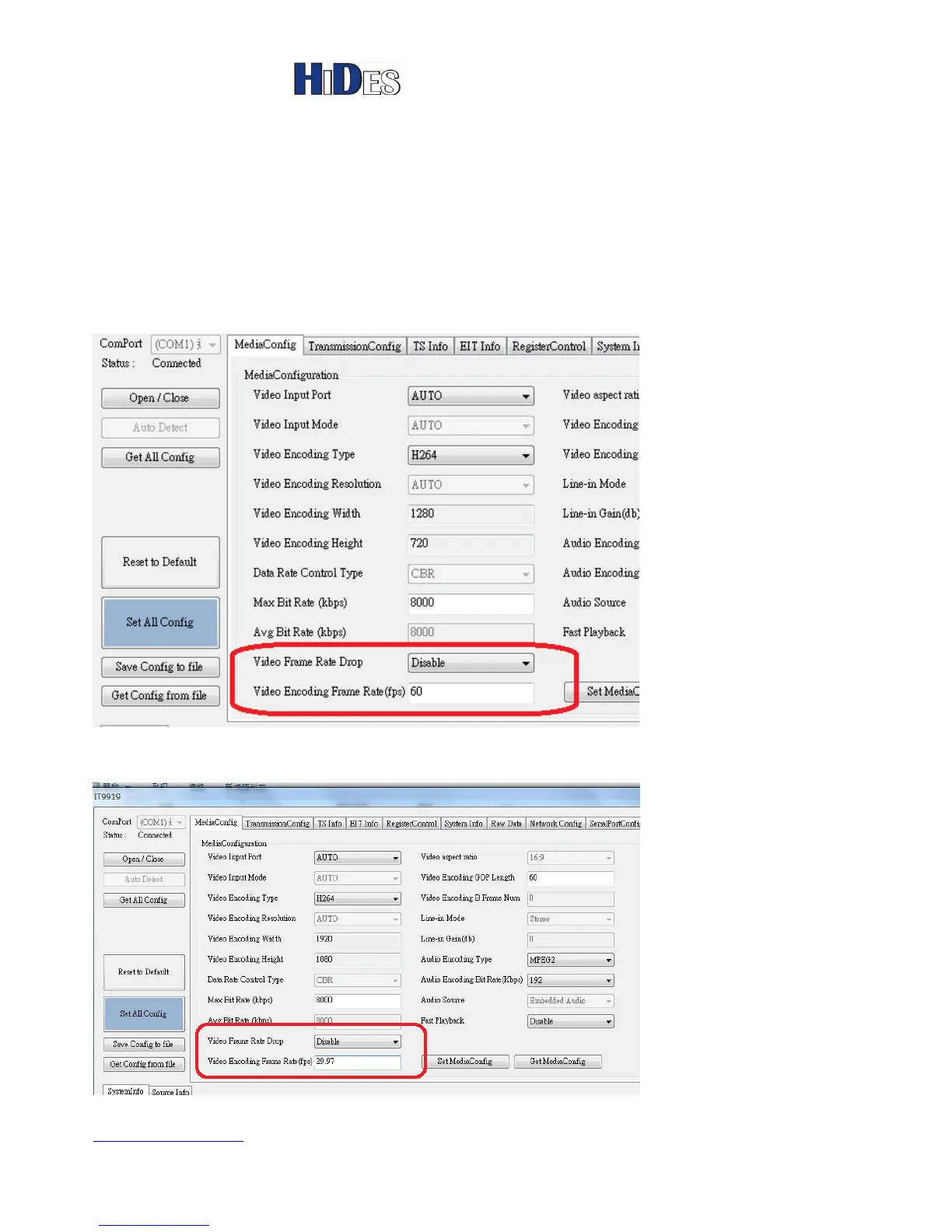
From v2.4.68 on, users may specify the encoded frame rate manually.
In AVSenderGUI, set “Video Frame Rate Drop” to “Disable”, default “Auto”.
Specify the expected frame rate in the field below.
Valid frame rates are 23, 24, 25, 29.97, 30, 59.94 and 60 FPS.
Note: For 1080P video, the maximum FPS allowed is 30FPS.
Some TV’s cannot take 1080p30 well (video glitch or lip-sync failure) , please force the frame rate to
29.97.



 To Previous Page