______________________________________________________________________________________
8 www.hightechpet.com High Tech Pet Products, Inc.
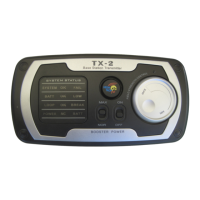
Turning ON/OFF the Transmitter
The Transmitter automatically turns ON and OFF when you press any
button.
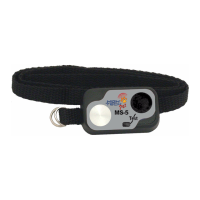
Turning ON/OFF the Collar
Press the CODE button to turn ON or turn OFF the Collar. The ON
code LED ashes when the Collar is ON.
How to Program Your Express Train
You must rst program the collar to be Dog 1, Dog 2, or Dog 3, as
follows. This allows one transmitter to control up to three differ-
ent dog collars.
1. Turn OFF the collar by pressing the CODE button until the CODE
LED is off.
2. Using both hands, simultaneously press and hold one Dog but-
ton (either 1, 2, or 3) on the transmitter and press and hold
the CODE button on the collar.
3. Keep both buttons pressed for about 5 seconds until the CODE
LED on the collar turns OFF and the collar beeps.
4. If the collar does not beep, repeat steps 1 through 3.
Note: If you have additional collars, repeat the sequence above
using a different Dog Number button. Keep track of which collar
is associated with each dog number. We suggest color coding the
collars with colored tape or rubber bands around the strap.
If a collar ever stops responding to the transmitter, repeat the
programming steps 1 - 4 above.
How to Select Dog 1, 2, or 3 For Training
On the transmitter select the dog number to train by pressing that
button once. Thereafter, until the collar battery is completely
discharged, all commands will be sent to that one collar. Press a
different dog number when you want to start sending commands
to a different collar.
Suggestion: Before starting a new training session, press the Dog
button (1, 2, or 3) to make sure you are sending commands to the
desired collar.



 To Next Page