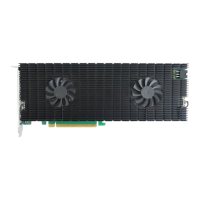
The HighPoint Rocket 1108 (R1108) is an 8x M.2 Port to PCIe 3.0 x16 NVMe Host Bus Adapter (HBA) designed to expand storage capabilities in various computing environments. This quick installation guide provides essential information for setting up and maintaining the device.
Function Description:
The Rocket 1108 serves as an interface card that allows the integration of up to eight M.2 NVMe Solid State Drives (SSDs) into a system via a single PCIe 3.0 x16 slot. This enables high-performance storage solutions for applications requiring fast data access, such as server environments, workstations, and high-end desktops. The card is designed to provide a robust and efficient pathway for NVMe SSDs, leveraging the full bandwidth of the PCIe 3.0 x16 interface. It supports a wide range of operating systems, making it a versatile solution for different platforms.
Important Technical Specifications:
- Interface: PCIe 3.0 x16 Host Interface. The card is also compatible with PCIe 4.0 x16 slots.
- M.2 Ports: 8x M.2 ports for NVMe SSDs.
- Form Factor: Full Height form factor, suitable for standard expansion slots.
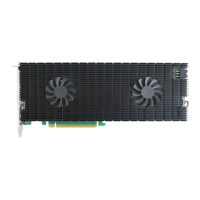
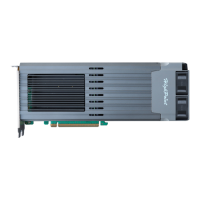
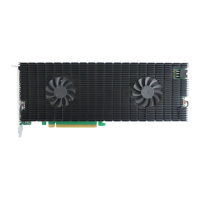
- Cooling: Features a full-length anodized aluminum heat sink and low-noise cooling fans to ensure optimal thermal management for the NVMe SSDs and controller componentry, preventing performance degradation and potential hardware damage due to overheating.
- Power: Relies on two power sources: power supplied through the PCIe bus and an external 6-pin PCIe power cable from the system's PSU. This dual power input ensures sufficient power for all eight SSDs, preventing them from dropping offline or remaining undetected.
- Operating System Support:
- Windows 11, 10 / Server 2022, 2019, 2016, Microsoft Hyper-V
- RHEL/Debian/Ubuntu/Fedora/Proxmox/Xenserver (Linux kernel 3.10 and later)
- macOS 10.13.6 ~ macOS 13.x
- FreeBSD 12.1 and later
- Kit Content: The R1108 kit includes the R1108 Controller Card and a Quick Installation Guide.
Usage Features:
The R1108 is designed for straightforward installation and integration into compatible systems.
- System Requirements: Requires a system with a free PCIe 3.0 (or 4.0) x16 slot.
- SSD Installation:
- Preparation: The installation process begins by removing six screws from the rear of the R1108 to detach the heat sink from the PCB.
- Fan Cable Disconnection: Carefully disconnect the fan's power cable from the right side of the heatsink before flipping the heatsink to the left. It is crucial to handle the heatsink with care to avoid damaging the left fan's power cable.
- Thermal Pad Preparation: After removing the casing, the thermal pads become visible. A blue protective film must be removed from each pad before reinstalling the panel. This film protects the pads during shipping but must be removed to allow proper heat conduction from the NVMe SSDs to the heat sink.
- NVMe SSD Installation: Eight screws are used to install the NVMe SSDs. Users must remove these screws from each M.2 slot, gently insert the SSDs, and then refasten the screws to secure them. If NVMe SSDs have been used previously, ensure their connectors are clean and free of dust before installation. This process is repeated for all eight SSDs.
- Heatsink Reinstallation: After all SSDs are installed, the heatsink is carefully flipped back to the right. It is critical to ensure that the SSDs are securely installed in each M.2 port, as loose connections can lead to stability issues, performance problems, and data loss.
- Fan Cable Reconnection: The power supply cable of the cooling fan, which was disconnected earlier, must be carefully reinserted.
- Cover Reattachment: The six screws removed in the first step are refastened to secure the aluminum cover to the R1108. Proper alignment of the aluminum cover with the controller board (PCB) is essential to ensure full contact with the thermal pad. Incorrect installation can impair the fan and thermal pad's ability to cool the NVMe SSDs and controller componentry, potentially leading to hardware damage, performance loss, unstable I/O, and data loss.
- External Power Connection: The R1108 requires an external 6-pin PCIe power cable to be connected to the system's PSU. This is crucial for providing sufficient power to all eight SSDs. Failure to connect the external power supply can result in SSDs dropping offline or remaining undetected, which may lead to data loss. An exception is noted for 2019 Mac Pro systems, which do not require the external power cord.
Maintenance Features:
The design of the Rocket 1108 incorporates features that contribute to its longevity and stable operation, primarily through its thermal management system.
- Thermal Management: The full-length anodized aluminum heat sink and low-noise cooling fans are critical for maintaining optimal operating temperatures for the NVMe SSDs and the controller. This active cooling system helps prevent thermal throttling, which can degrade performance, and protects the hardware from heat-related damage.
- Proper Installation for Longevity: Adhering to the detailed installation steps, especially regarding thermal pad film removal, secure SSD installation, and correct heatsink reattachment, is paramount for the long-term reliability and performance of the device. These steps ensure that the cooling system functions as intended and that all components are properly connected.
- Power Stability: The requirement for both PCIe bus power and an external 6-pin PCIe power cable highlights the importance of stable and sufficient power delivery. Ensuring the external power cable is connected and the system's PSU can provide adequate power is a key maintenance aspect to prevent unexpected SSD disconnections or data loss.
- Driver and Firmware Updates: While not explicitly detailed in the provided excerpt, typical maintenance for such devices includes regularly checking for and installing the latest drivers and firmware updates from the manufacturer's website. These updates often include performance enhancements, bug fixes, and compatibility improvements.
- Customer Support: HighPoint Technologies provides customer support and resources, including a product page for documentation and a web support portal, which are valuable for troubleshooting and maintaining the device. Users are encouraged to visit the R1108 Series Product Page for the latest documentation and to contact customer support for any issues or questions.

 Need help?
 General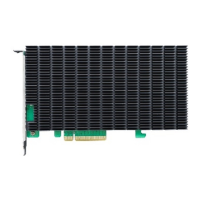



 To Next Page