
 Need help?
Do you have a question about the HighPoint Rocket 1104 and is the answer not in the manual?
Specifies required PCIe slots and compatible operating systems for the NVMe HBA.
Lists the components included in the R1104 controller package.
Lists the components included in the R1204 controller package.
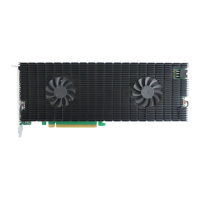
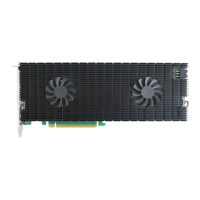
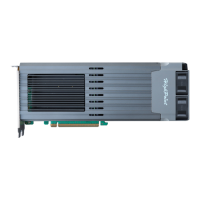
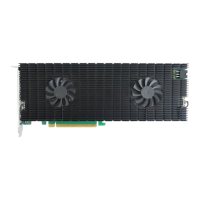
Describes the R1104's fan-less heatsink and PCIe x16 host interface.
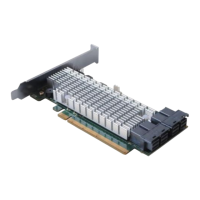
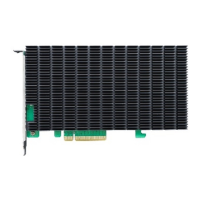
Describes the R1204's fan-less heatsink and PCIe x8 host interface.
Steps for removing the heat sink and preparing the thermal pad before SSD installation.
Procedure for installing NVMe SSDs, including screw fastening and slot insertion.
Instructions for reattaching the heat sink and securing it with screws.
Provides links to download manuals, guides, and FAQs for the NVMe HBA.
Information on how to contact HighPoint Customer Support for assistance.
The HighPoint Rocket 1104 (R1104) and Rocket 1204 (R1204) are high-performance NVMe Host Bus Adapters (HBAs) designed to expand storage capabilities in various computing environments. These devices allow users to integrate multiple M.2 NVMe SSDs into a single PCIe slot, significantly enhancing data transfer speeds and overall system performance. The R1104 and R1204 are versatile, supporting a range of operating systems and M.2 form factors, making them suitable for a wide array of professional and enthusiast applications.
At its core, the Rocket 1104 and Rocket 1204 function as bridges between M.2 NVMe Solid State Drives and a host system's PCIe bus. They are designed to provide 4x M.2 ports, enabling the installation of up to four NVMe SSDs. The R1104 utilizes a PCIe 3.0 x16 host interface, while the R1204 uses a PCIe 3.0 x8 host interface, both featuring Smart Switching technology to optimize data flow. This allows the system to leverage the full potential of NVMe technology, which offers significantly faster read and write speeds compared to traditional SATA-based storage. By consolidating multiple M.2 drives onto a single card, these HBAs help to declutter system interiors, improve airflow, and simplify cable management, especially in systems with limited M.2 slots on the motherboard. They are ideal for creating high-speed storage arrays for tasks such such as video editing, large file transfers, gaming, and database management, where rapid access to data is critical. The cards are compatible with various M.2 form factors, including 2242, 2260, 2280, and 22110, offering flexibility in drive selection.
The Rocket 1104 and R1204 are designed for straightforward integration into existing PC systems. To use these HBAs, a system must have a free PCIe 3.0 (or 4.0) x16 slot for the R1104, or an x8 or x16 slot for the R1204. This ensures that the card has sufficient bandwidth to support the high-speed NVMe drives. The HBAs are compatible with a broad range of operating systems, including Windows 11, 10, and Server editions (2022, 2019, 2016), as well as Microsoft Hyper-V environments. For Linux users, the cards support RHEL, Debian, Ubuntu, Fedora, Proxmox, and Xenserver with Linux kernel 3.10 and later. macOS users can also utilize these HBAs with macOS 10.13.6 through macOS 13.x, and FreeBSD 12.1 and later are also supported. This wide compatibility makes the Rocket series suitable for diverse computing environments, from personal workstations to professional servers and virtualized platforms. The installation process involves physically inserting the M.2 SSDs into the card's ports and then installing the card into a PCIe slot. The design emphasizes ease of use, allowing users to quickly expand their storage capacity and performance without complex configurations. Once installed, the operating system should recognize the NVMe drives, allowing them to be formatted and used like any other storage device. For advanced configurations, such as RAID arrays, users would typically rely on the operating system's built-in software RAID capabilities or third-party solutions, as these HBAs primarily focus on providing the physical interface for the NVMe drives.
The Rocket 1104 and R1204 are designed with a focus on passive cooling and robust construction, minimizing the need for active maintenance. Both cards feature a full-length black anodized aluminum, fan-less heatsink. This heatsink is crucial for dissipating the heat generated by the NVMe SSDs and the controller componentry, ensuring stable operation and longevity of the drives. The fan-less design means there are no moving parts to wear out or accumulate dust, contributing to a quieter system and reducing potential points of failure.
Installation of the NVMe SSDs and the heatsink requires careful attention to detail to ensure proper thermal contact. The installation guide provides clear steps for removing and reattaching the heatsink. A critical step involves removing a protective blue film from the thermal pad before reinstallation. This thermal pad facilitates heat transfer from the NVMe SSDs to the heatsink. Failure to remove this film or improper alignment of the heatsink can severely impede heat dissipation, leading to overheating, performance degradation, unstable I/O, and potentially damage to the SSDs or the HBA itself. Therefore, ensuring the heatsink is properly aligned and makes full contact with the thermal pad is a key maintenance consideration during installation.
The guide also emphasizes the importance of securely installing the M.2 SSDs into their respective ports. Loose connections can lead to various stability and performance issues, and in severe cases, data loss. Users are advised to ensure that the connectors are clean and free of dust, especially if the NVMe SSDs have been used previously. This preventative measure helps maintain optimal electrical contact and data integrity.
For ongoing support and troubleshooting, HighPoint Technologies provides a comprehensive set of resources. Users can access manuals, guides, and FAQs on the company's website. The "Downloads" section of the product's webpage is recommended for obtaining the latest documentation. In case of problems or questions, HighPoint's Customer Support Department can be contacted via their web support portal. This commitment to support ensures that users can find assistance for any issues that may arise during the lifespan of the Rocket 1104 or R1204 HBAs. The robust design, coupled with clear installation instructions and readily available support, aims to provide a reliable and low-maintenance storage solution.
 General
| RAID Support | Yes |
|---|---|
| Max Devices Supported | 4 |
| Operating System Support | Windows, Linux |
| Form Factor | Low Profile |
| Ports | 4 |
| RAID Levels | 0, 1, 10 |



 To Next Page