
 Need help?
Do you have a question about the Hikmicro M10 and is the answer not in the manual?
 General
| Brand | Hikmicro |
|---|---|
| Model | M10 |
| Category | Thermal cameras |
| Language | English |
Instructions for using and managing the Product. Information subject to change.
HIKMICRO's trademarks and logos are its properties. Other trademarks belong to their owners.
Legal disclaimer regarding product use, liability, and warranties.
Information on FCC compliance, rules, and potential interference measures.
Details CE marking and compliance with European directives like EMC, RE, RoHS.
Use of the product must comply with local electrical safety regulations.
Guidelines for transporting the device, including packaging and handling.
Information on purchasing a charger and connecting the power adapter.
Precautions regarding battery use, replacement, storage, and specifications.
Advice on contacting dealers for repair or unauthorized repair consequences.
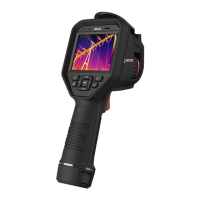
Overview of the thermography camera, its features, and applications.
Details on core functionalities like Thermography, Storage, Fusion, Palette, and Alarm.
Connecting to a headset via Bluetooth for audio playback.
Device supports 1x, 2x, 4x, and 8x digital zoom.
LED light supplement functions as a torch in required scenarios.
Long-distance laser light supplement feature.
Details the function of each button and interface port on the device.
Instructions for charging the device and its RTC battery.
Step-by-step guide to charge the device using the charging base.
Procedures for turning the device on and off.
How to configure the automatic shutdown time for the device.
Explanation of touch-screen and button control methods.
Adjusting the lens focal length for optimal image and temperature accuracy.
Instructions to adjust the screen brightness settings.
How to select display modes like Thermal, Fusion, PIP, and Optical.
Setting parameters like range, emissivity, reflection temperature, distance, environment temp, and humidity.
Setting temperature and distance units.
Adjusting the temperature range for accurate measurements.
How to set Center Point, High-temperature, Low-temperature, and Custom Point rules.
How to set a line rule for temperature analysis.
How to set a frame rule for temperature analysis.
Methods to delete all or specific temperature rules.
How to highlight alarm targets with specific colors on the screen.
Detailed steps for capturing single, continuous, or timed pictures.
Enabling or disabling the LED light supplement.
Enabling or disabling the laser light supplement.
Steps to connect the device to a Wi-Fi network.
Accessing and viewing the device's information.
How to set the date and time on the device.
Instructions for upgrading the device's firmware.
How to restore the device to its default settings.
Table of common materials and their emissivity values.
Information on accessing device serial port commands via QR code.





 To Next Page