
 Need help?
Do you have a question about the HIKVISION 24 series and is the answer not in the manual?
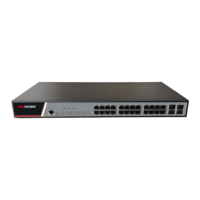
Details the physical ports and their attributes for the standard configuration.
Lists supported standards, protocols, and hardware configurations.
Provides essential precautions to prevent damage to the device during operation.
Outlines critical safety principles and notices for installation and operation.
Specifies environmental, location, cabinet, and power requirements for installation.
Lists the necessary tools and devices required for the installation process.
Presents a step-by-step flowchart for the installation process.
Describes methods for mounting the switch on a desk or in a cabinet.
Explains how to connect the console, SFP, and Ethernet ports.
Details the necessary checks before powering on the switch after installation.
Provides instructions and tools for safely opening the switch's chassis.
Outlines the procedure for correctly closing the switch's chassis after maintenance.
Explains how to systematically identify and separate hardware faults within the system.
Details the meaning and function of the switch's indicator lights.
 General
| Power over Ethernet (PoE) | Yes |
|---|---|
| PoE Standard | IEEE 802.3af/at |
| Operating Temperature | 0°C to 45°C |
| Storage Temperature | -40°C to 70°C |
| Power Supply | 100 to 240 VAC, 50/60 Hz |
| Port Type | Gigabit Ethernet |






 To Next Page