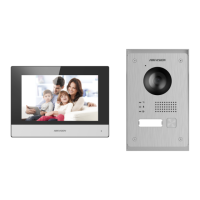
Video Intercom Vandal-Resistant Door Station·Quick Start Guide
x
Table of Contents
1 Introduction ...............................................................................1
1.1 Overview ........................................................................................ 1
1.2 Features ......................................................................................... 1
2 Appearance ................................................................................3
3 Terminals and Wiring ..................................................................4
3.1 Terminals and Interfaces............................................................... 4
3.2 Wiring Description ........................................................................ 5
3.2.1 Door Lock Wiring ................................................................... 5
3.2.2 Door Magnetic Wiring .......................................................... 6
3.2.3 Exit Button Wiring ................................................................. 6
3.2.4 Alarm Device Input Wiring ................................................... 7
4 Installation .................................................................................8
4.1.1 Wall Mounting Plate ............................................................. 8
4.1.2 Wall Mounting ....................................................................... 9
5 Remote Operation .................................................................... 12
5.1 Activating Device ......................................................................... 12
5.1.1 Activation via Web Browser ............................................... 12
5.1.2 Activation via Batch Configuration Tool............................. 13
5.2 Editing Network Parameters ...................................................... 15
5.3 Adding Device .............................................................................. 16
5.3.1 Adding Online Device.......................................................... 16
5.3.2 Adding Device by IP Address .............................................. 18
5.4 Accessing via Web Browser ........................................................ 19
6 Local Operation ........................................................................ 21
7 Appendix .................................................................................. 23
Installation Notice ............................................................................. 23
Wiring Cables ..................................................................................... 23


 To Next Page
 Loading...