
 Need help?
Do you have a question about the HIKVISION DS-MP3516-RH and is the answer not in the manual?
This document serves as a Quick Start Guide for a Digital Video Recorder (DVR) manufactured by Hikvision, providing essential information for its installation, connection, activation, and basic operation. The guide emphasizes safety, proper environmental considerations, and step-by-step instructions to ensure correct setup and functionality.
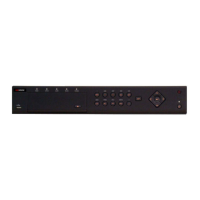
The Hikvision Digital Video Recorder is designed for video surveillance applications, capable of recording and managing video feeds. It supports the connection and activation of IP cameras, allowing users to monitor and record footage from multiple sources. The device is particularly suited for mobile environments, such as vehicles, given its detailed instructions for installation in automobiles and rail traffic, including specific wiring for vehicle power systems and positioning antenna setup. It functions by receiving electrical signals for alarm inputs and providing alarm outputs, integrating with broader security systems. The DVR also features indicators for power status, camera connection, recording activity, network transmission, and HDD status, providing immediate visual feedback on its operational state. Its core function is to provide reliable digital video recording and management, with options for both local and remote activation and configuration.
The DVR offers several features to facilitate its use and integration into various environments. For installation, the guide provides detailed instructions on selecting an appropriate, anti-vibration, well-ventilated, and dust-free environment, emphasizing the need for sufficient space for heat dissipation and component access. It specifies horizontal placement to prevent damage. The device's power cord wiring is designed to integrate with automobile ignition systems, allowing it to start up when the vehicle ignites and shut down when it turns off, utilizing the vehicle's positive pole ignition switch. This feature makes it suitable for mobile surveillance applications.
Alarm input connections are designed to be triggered by high/low-level electrical signals (6 to 36 VDC for high, 0 to 5 VDC for low), with a built-in tolerance (5 to 6 VDC) to prevent false alarms from voltage fluctuations. Alarm output connections allow the device to interface with external alarm devices, with a recommendation to use a relay if the connected device's voltage exceeds the DVR's valid output range, ensuring protection.
For initial setup, the device requires activation by setting an administrator password, a crucial security measure. This activation can be performed remotely via a web browser or locally through a display and mouse. The guide provides default IP address (192.168.1.64) and username (admin) for remote access. After activation, users can log in via a web browser to manage the device, which may require installing a plug-in for live video viewing and camera management.
Connecting IP cameras involves a two-step process: activation and addition. Cameras must first be activated by setting a password, and then added to the DVR. The guide stresses the importance of ensuring both the DVR and IP cameras are within the same network segment for seamless integration. It also provides an option to modify the IP camera's address if it is in a different network segment, offering flexibility in network configuration. The "Quick Add" feature simplifies the process if the camera's password matches the device's.
Maintenance of the DVR is primarily focused on ensuring continuous operation and data integrity. The guide highlights the importance of proper power supply and fuse installation, advising users to check these components if the power indicator (PWR) is unlit. If the PWR indicator is red, it suggests locking the dummy HDD, implying a potential issue with the storage unit that needs attention.
For positioning functionality, the guide emphasizes the correct installation of the positioning antenna, recommending vertical placement on the automobile roof without obstruction to ensure optimal signal reception. In cases where the antenna needs to be installed inside the automobile, specific instructions are provided for placement under the front windshield, along with a recommendation to fix it with neutral silica gel. Users are advised to check the GPS signal status (Configuration > Vehicle > Position Settings > Location Status) to ensure at least four satellites have a signal strength above 35 dB, which is crucial for accurate positioning.
The device also incorporates an audible warning system to alert users to potential issues, such as HDD errors. If the device emits a beeping sound after startup, the guide suggests installing and formatting at least one HDD. Users can check the HDD status under Configuration > Storage > Storage Management > HDD Management and replace faulty drives. For scenarios where the device is used without an HDD, the guide provides instructions to disable the "Audible Warning for HDD Error" feature under Configuration > Event > Basic Event > Exception, preventing unnecessary alerts.
Security is a significant aspect of maintenance, with a strong recommendation for users to create robust passwords (8-16 characters, including at least three types: uppercase, lowercase, numbers, and special characters) and to reset them regularly, especially in high-security environments, to protect the product from unauthorized access and cyber threats. The guide also advises using a factory-recommended HDD for optimal performance and reliability. In case of smoke, odor, or noise from the device, immediate power-off and unplugging are recommended, followed by contacting the service center, indicating a critical maintenance procedure. The use of an Uninterruptible Power Supply (UPS) is also suggested to protect the device from power fluctuations.
 General
| Model | DS-MP3516-RH |
|---|---|
| Video Input | 16 channels |
| Audio Input | 16 channels |
| Audio Output | 1 channel |
| Dual Stream | Support |
| Hard Disk | SATA |
| Video Compression | H.264 |
| Network Interface | 1 RJ45 10M/100M self-adaptive Ethernet interface |
| USB Interface | USB 2.0 × 2 |
| Alarm Input | 16 channels |
| Consumption | ≤40W (without HDD) |
| Power Consumption | ≤40W (without HDD) |
| Working Temperature | -10 °C to 55 °C (14 °F to 131 °F) |
| Operating Temperature | -10 °C to 55 °C (14 °F to 131 °F) |
| Operating Humidity | 10% ~ 90% |




 To Next Page
