
 Need help?
Do you have a question about the HIKVISION HOT Series and is the answer not in the manual?
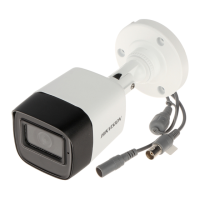
This document describes the H0T Series Audio Bullet Camera, a versatile surveillance device designed for various monitoring applications. It offers a range of features to enhance image quality, adaptability to different lighting conditions, and ease of installation.
The H0T Series Audio Bullet Camera is primarily a video surveillance camera equipped with a high-performance CMOS sensor. Its core function is to capture video footage, which can be output in multiple formats including TVI, AHD, CVI, and CVBS, making it compatible with a wide array of DVR systems. A key distinguishing feature is its built-in microphone and support for audio over coaxial cable, allowing for simultaneous audio and video recording. This capability is crucial for comprehensive surveillance, providing not only visual evidence but also auditory context. The camera also incorporates Smart IR technology, which intelligently adjusts infrared illumination to prevent overexposure in low-light conditions, ensuring clear night vision without washing out subjects. The camera's OSD (On-Screen Display) menu allows users to configure various parameters directly, offering flexibility in tailoring the camera's performance to specific environmental needs. The "4 in 1 video output" feature signifies its ability to switch between different analog video standards, providing broad compatibility with existing surveillance infrastructures.
The camera offers several usage features that enhance its adaptability and performance in diverse environments.
Video Output and Switching: The camera supports multiple video output formats (TVI, AHD, CVI, CVBS), which can be switched by pressing and holding a dedicated button for 5 seconds. This flexibility ensures compatibility with various DVRs and monitoring systems, making it a versatile choice for upgrades or new installations.
Exposure Control: Users can adjust the exposure mode to GLOBAL, BLC (Backlight Compensation), HLC (Highlight Compensation), or DWDR (Digital Wide Dynamic Range).
Day/Night Mode: The camera can operate in COLOR, B&W (Black and White), or AUTO mode for day/night switching.
Video Settings: A comprehensive set of video settings allows for detailed image customization:
Audio Settings: The camera's audio function can be turned ON or OFF, and the LEVEL can be adjusted to control the volume, which is essential for capturing clear audio alongside video.
Installation Flexibility: The camera supports both ceiling and wall mounting, with or without a junction box. The 3-axis adjustment mechanism (Pan, Tilt, Rotation) allows for precise positioning of the camera to achieve the desired viewing angle. The installation process is designed to be straightforward, with clear steps for securing the camera and routing cables.
Menu Navigation: The OSD menu is accessed via PTZ control on a TVI DVR. Users can navigate the menu using up/down directional buttons, confirm selections with Iris+, and adjust values with left/right directional buttons, providing an intuitive interface for configuration.
The H0T Series Audio Bullet Camera is designed with several considerations for maintenance and longevity, though direct user repair is discouraged.
Durability and Environmental Protection: The manual emphasizes keeping the camera away from extreme temperatures (-40°C to 60°C), dust, damp locations, and high electromagnetic radiation. This guidance is crucial for preventing damage and ensuring the camera's long-term operational stability. Good ventilation is also recommended to avoid heat accumulation, which can degrade performance and shorten the lifespan of electronic components.
Cleaning: For cleaning, the use of a clean cloth with a bit of ethanol is recommended for gentle wiping. This prevents damage to sensitive components like the sensor module. Users are specifically advised not to touch sensor modules with fingers to avoid smudges or damage.
Protection Against Physical Damage: Users are cautioned against dropping the camera or subjecting it to physical shock. This highlights the importance of careful handling during installation and operation to maintain the integrity of the device.
Laser Protection: A critical maintenance note is to ensure that the sensor surface is not exposed to laser beams, as this can permanently burn out the sensor. This is particularly relevant in environments where laser equipment might be in use.
Power Supply Management: The manual stresses the importance of using a power supply that matches the camera's specifications (SELV and Limited Power Source with 12 VDC according to IEC60950-1 standard). It also warns against connecting multiple devices to a single power adapter to prevent overheating or fire hazards due to overload, which is a key aspect of electrical safety and device longevity. Ensuring the plug is firmly connected to the power socket is also highlighted as a safety and operational best practice.
Troubleshooting and Support: In case of smoke, odor, or noise from the device, users are instructed to immediately turn off the power, unplug the cord, and contact the service center. This proactive measure prevents further damage and ensures safety. Crucially, users are explicitly warned against attempting to disassemble or repair the camera themselves, directing them to contact the dealer or nearest service center for any malfunctions. This policy ensures that repairs are performed by qualified personnel, maintaining product integrity and warranty.
Packaging for Delivery: For delivery, the camera should be packed in its original packing or packing of the same texture. This ensures that the device is protected from damage during transit, minimizing the risk of issues upon arrival.
Firmware Updates and Improvements: The manual notes that content is subject to change without notice and that updates will be added to new versions. This implies ongoing product development and potential firmware updates that can improve performance or add new features, which would typically be managed through official service channels.
Factory Default Reset: The camera includes a "FACTORY DEFAULT" option in its menu, allowing users to reset all settings to their original state. This feature is useful for troubleshooting configuration issues or preparing the camera for a new installation.
 General
| Thermal Module Resolution | 256 × 192 (NETD < 40 mK, @ 25 °C, F# = 1.0) |
|---|---|
| NETD | Less than 40 mK (@ 25 °C, F#=1.0) |
| Power | 12 VDC ± 20%, PoE (802.3af) |
| Resolution | 256 × 192 |
| Weather Resistance | IP66 |
| Power Supply | 12 VDC ± 20%, PoE (802.3af) |
| Day/Night | Thermal imaging, no day/night switch |


 To Next Page