This document describes the HD Turret and Bullet Camera, a surveillance device designed for various monitoring applications. The manual covers installation, operation, and menu descriptions for four types of cameras: Type I, Type II, Type III, and Type IV.
Function Description
The HD Turret and Bullet Camera is a high-performance surveillance camera equipped with a CMOS sensor. Its primary function is to capture video footage, offering different video output formats and adjustable image settings to suit diverse environmental conditions. The camera supports both day and night modes, with features like IR cut filter with auto switch and SMART IR for enhanced visibility in low-light scenarios. An OSD (On-Screen Display) menu allows users to configure various parameters, ensuring optimal image quality and operational efficiency. The camera also includes auto white balance and internal synchronization for consistent performance.
Important Technical Specifications
The manual provides a table outlining the models covered:
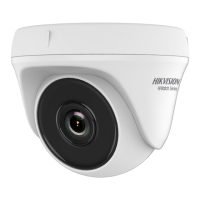
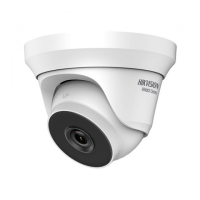
- Type I Camera: HWT-T223-M
- Type II Camera: HWT-T123-M
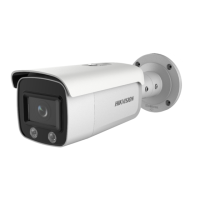
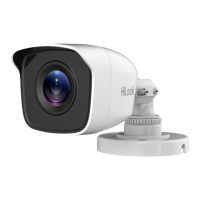
- Type III Camera: HWT-B123-M
- Type IV Camera: HWT-B223-M
Key electrical specifications and safety guidelines are highlighted:
- Input Voltage: Must meet SELV (Safety Extra Low Voltage) and Limited Power Source with 12 VDC according to IEC60950-1 standard.
- Output Current: The power adapter's output current must not exceed 6A.
- Operating Temperature: The camera is designed to operate within a temperature range of -40°C to 60°C.
- Video Format: Supports 2MP@25fps or 2MP@30fps. When switching to CVBS output, users can set the video format to PAL or NTSC.
- 3-axis Adjustment: All camera types feature 3-axis adjustment, allowing for flexible positioning. For Type I and Type II cameras, pan position is 0° to 360°, tilt position is 0° to 75°, and rotation position is 0° to 360°. For Type III and Type IV cameras, pan position is 0° to 360°, tilt position is 0° to 180°, and rotation position is 0° to 360°.
The device is compliant with various regulatory standards:
- FCC Information: This equipment has been tested and found to comply with the limits for a Class A digital device, pursuant to part 15 of the FCC Rules. It generates, uses, and can radiate radio frequency energy.
- EU Conformity Statement (CE Mark): The product and applicable accessories are marked with "CE" and comply with the applicable harmonized European standards listed under the Low Voltage Directive 2014/35/EU, the EMC Directive 2014/30/EU, and the RoHS Directive 2011/65/EU.
- WEEE Directive (2012/19/EU): Products marked with this symbol cannot be disposed of as unsorted municipal waste in the European Union. Users are advised to return the product to their local supplier upon the purchase of equivalent new equipment, or dispose of it at designated collection points.
- Battery Directive (2006/66/EC): This product contains a battery that cannot be disposed of as unsorted municipal waste in the European Union.
- Industry Canada ICES-003 Compliance: This device meets the CAN ICES-3 (A)/NMB-3(A) standards requirements.
Usage Features
The camera offers several features to enhance usability and image quality:
- Video Output Switching: Users can press and hold the switch button for 5 seconds to switch between four video outputs: TVI, AHD, CVI, and CVBS.
- OSD Menu: The OSD menu is accessible via the PTZ Control interface or by calling preset No. 95. It allows for detailed configuration of camera settings.
- Exposure Modes:
- GLOBAL: Normal exposure mode that adjusts lighting distribution and variations.
- BLC (Backlight Compensation): Compensates for strong light in the background to make foreground objects clearer, though it may over-expose the background.
- WDR (Wide Dynamic Range): Provides clear images even under backlight conditions by balancing brightness levels across the entire image.
- Day/Night Modes:
- COLOR: Image remains colored in day mode.
- B/W (Black White): Image is black and white, recommended with IR LIGHT on in poor light conditions.
- AUTO: Automatically switches between day and night modes.
- IR LIGHT: Can be turned on/off to meet different lighting requirements.
- SMART IR: Adjusts IR light intensity to prevent over-exposure. Two modes are available: MODE 1 (default, suitable for indoor and outdoor) and MODE 2. The LEVEL (0-3) determines the effect's intensity.
- D-N THRESHOLD (Day to Night Threshold): Controls the sensitivity of switching from day to night mode (value 1-9). Higher values mean greater sensitivity.
- N-D THRESHOLD (Night to Day Threshold): Controls the sensitivity of switching from night to day mode (value 1-9). Higher values mean greater sensitivity.
- Video Settings:
- IMAGE MODE: Adjusts image saturation (STD or HIGH-SAT).
- BRIGHTNESS: Adjusts image brightness (value 1-9).
- CONTRAST: Enhances color and light differences (value 1-9).
- SHARPNESS: Determines image detail reproduction (value 1-9).
- SATURATION: Changes color saturation (value 1-9).
- 3DNR: Decreases noise effect for more accurate and sharp images (value 1-9).
- AGC (Auto Gain Control): Optimizes image clarity in poor light conditions (HIGH, MEDIUM, or LOW). Note: Higher AGC levels amplify noise.
- SLOW SHUTTER: Increases exposure time for better images in low lux conditions (OFF, x2, x4, x6, x8, x10, x12, x14, or x16).
- MIRROR: Flips the image (OFF, H for horizontal, V for vertical, HV for both).
- Factory Default: Resets all settings to their original factory defaults.
Maintenance Features
The manual provides guidelines for proper handling and maintenance to ensure the longevity and performance of the device:
- General Precautions:
- Avoid dropping the camera or subjecting it to physical shock.
- Do not place the camera in extreme temperatures (-40°C to 60°C), dusty, or damp locations.
- Protect the camera from high electromagnetic radiation.
- Do not touch sensor modules with fingers.
- If cleaning is necessary, use a clean cloth with a bit of ethanol and wipe gently.
- Do not aim the camera at the sun or extra bright places.
- Ensure the sensor is not exposed to laser beams, as it can cause damage.
- Ensure good ventilation to avoid heat accumulation.
- Keep the camera away from liquid if it is not a water-proof device.
- When transporting, pack the camera in its original packing or equivalent.
- Troubleshooting: If the product does not function properly, users are advised to contact their dealer or the nearest service center. Users should NOT attempt to disassemble the camera for repair or maintenance themselves.
- Power Management:
- Do not connect multiple devices to one power adapter to avoid overheating or fire hazards.
- Ensure the plug is firmly connected to the power socket.
- If smoke, odor, or noise occurs, immediately turn off the power, unplug the cord, and contact the service center.
- Installation: Ensure the wall or ceiling is strong enough to support three times the camera's weight and the mount. Use appropriate screws (self-tapping for wood, expansion bolts for cement).

 Need help?
 General

 To Next Page