3.3 Function Control Panel
For AFTs equipped with air functions, the control panel (photo 3) has a power
button, drop-selector buttons and a thoracic-breakaway button. After power,
press in any order to activate the corresponding function.
3.4 Thoracic Release / Thoracic Breakaway
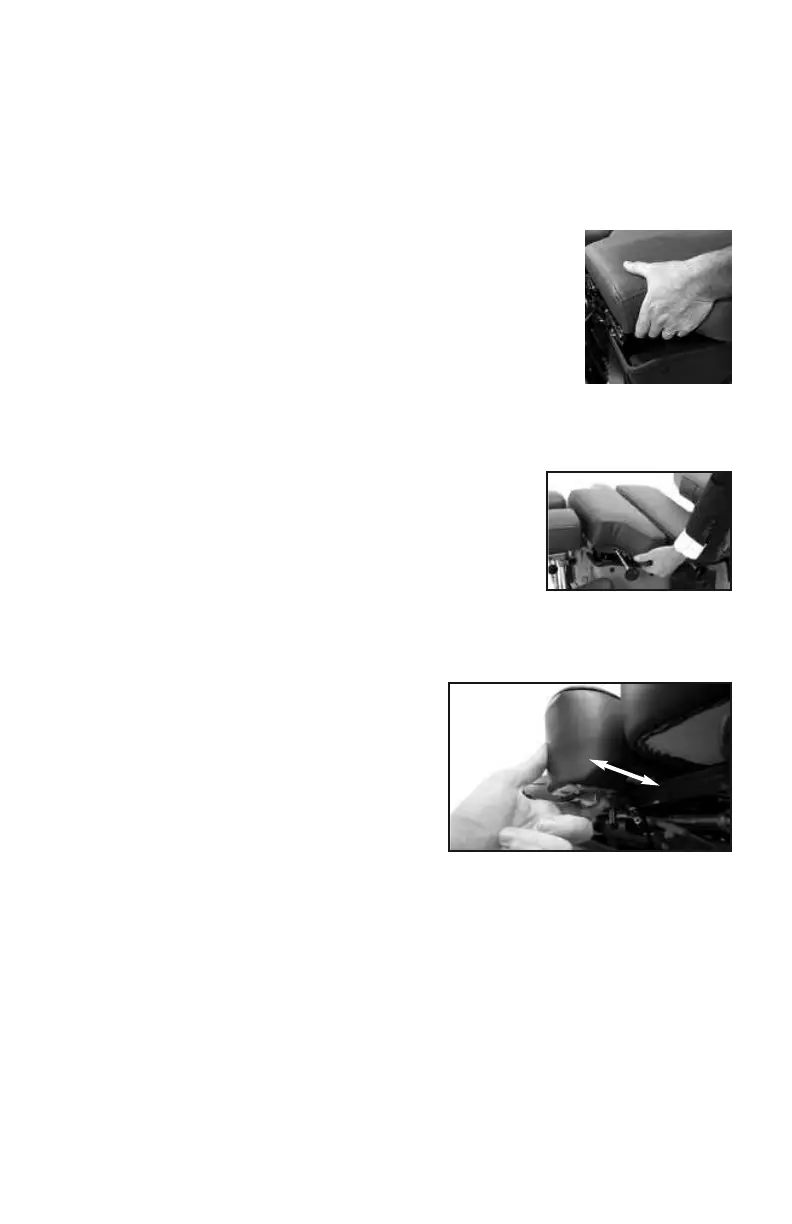
Caution:
To avoid any potential pinching hazard, patients should not
grasp the thoracic cushion as shown when the table is
equipped with a thoracic release or a thoracic breakaway.
Thoracic Release
To operate the Thoracic Release, pull the lever towards you
while holding the cushion; adjust to the desire depth.
Release the lever to lock the cushion.
Thoracic Spring-Breakaway (Option)
The manual Thoracic Breakaway (non-air) uses a
fixed-tension gas shock to create a recoil movement
when the thoracic cushion is unlocked (see photo 4).
Thoracic Air-Breakaway
For tables with a Thoracic Air-Breakaway, it is necessary to regulate the air-
pressure before treating your patient. Follow these steps:
1. Select the ‘BRKY’ (breakaway) button
on the main control panel (photo 3).
2. Unlock the thoracic breakaway
switch by pulling toward you until it
clicks (photo 4). This will allow the
cushion to move freely up and down.
3. Press the right side of the Pressure
Pedal (#13, page 2) to increase the air-pressure or left side to decrease
in the thoracic section. Push down on the cushion as you add air to test
for desired firmness.
4. Lock the cushion at any point by pushing the thoracic lock switch
towards the table until it clicks.
photo 4
Unlock
Lock
5
© Copyright 2020, Hill Laboratories


 To Next Page