9
© Copyright 2020, Hill Laboratories
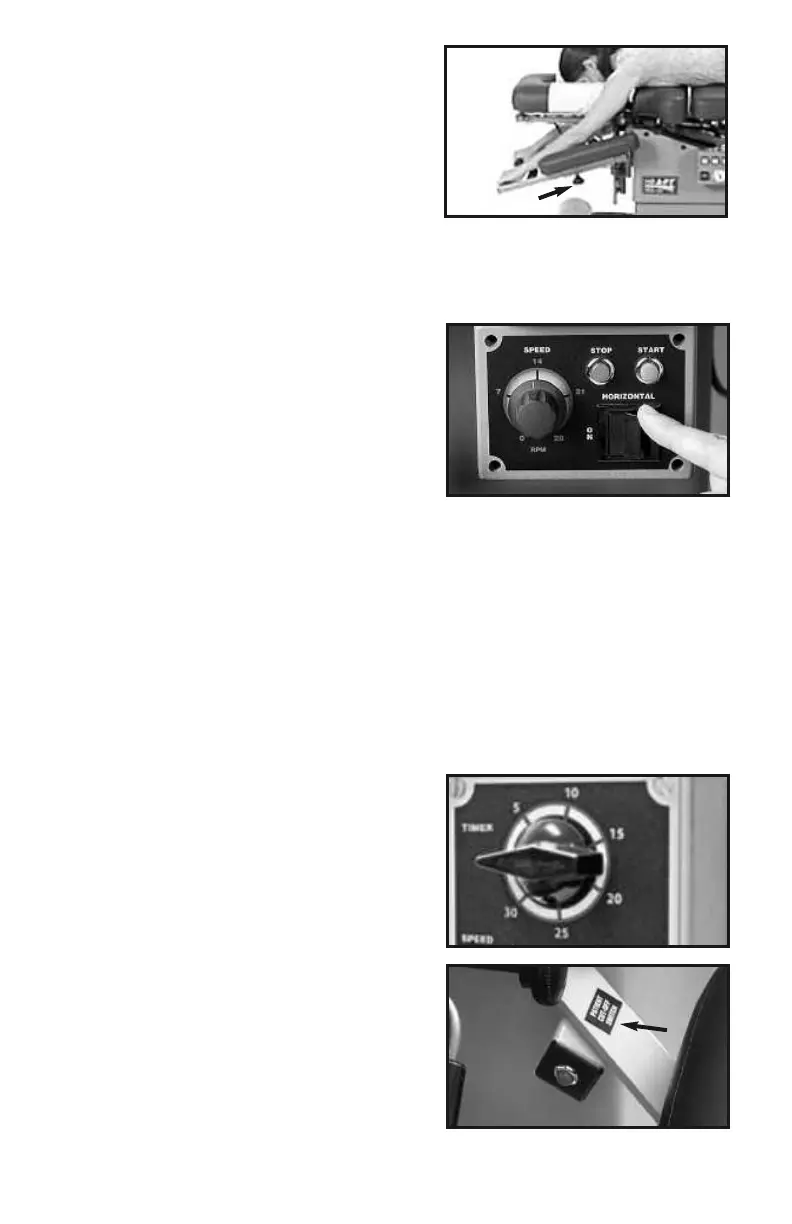
Now, have your patient grasp the gripper
bars. The Gripper Bars keep the patient
from sliding during flexion treatment.
Adjust length with knob (photo 16 - “A”)
6.2 Using Flexion
Using the Flexion Control Panel
All of the controls for flexion are conveniently located at the foot end of the
AFT (see ‘8’, under ‘Product Features’).
Speed Setting - The Auto Flex has a
fixed rate of movement from 1-28 cy-
cles per minute (photo 17). Set to
desired speed and press ‘Start’ (always
start with a low speed if there is any
concern about a patient’s flexibility).
Speed can be changed at any time
during the cycle.
Horizontal Switch - The Horizontal Switch controls how the table behaves
when the Stop Button is pushed. If you want the table to cycle back to the
horizontal position when the Stop Button is pushed, set the ‘Horizontal
Switch’ to ‘ON’. If you want the table to stop immediately at any point in the flexion
cycle when the Stop Button is pushed, set the Horizontal Switch to ‘OFF’.
Start Button - Push to start the flexion treatment.
Stop Button - Push to stop the flexion treatment.
Important: See Horizontal Switch (above) for setting Stop Button behavior.
Timer - For tables equipped with a timer,
flexion can be set to run automatically
for up to 30 minutes (photo 18).
Patient Cut-Off Switch
The patient can stop treatment immedi-
ately at anytime using the ‘Patient Cut-
Off Switch’. The PCO switch is located
on the left armrest support (photo 19).
Instruct the patient as to the location
and function of the switch. To resume
treatment after stopping, press the
green Start Button on the flexion
control panel.
photo 19
photo 18
photo 17
photo 16
A


 To Next Page