EasyManua.ls Logo

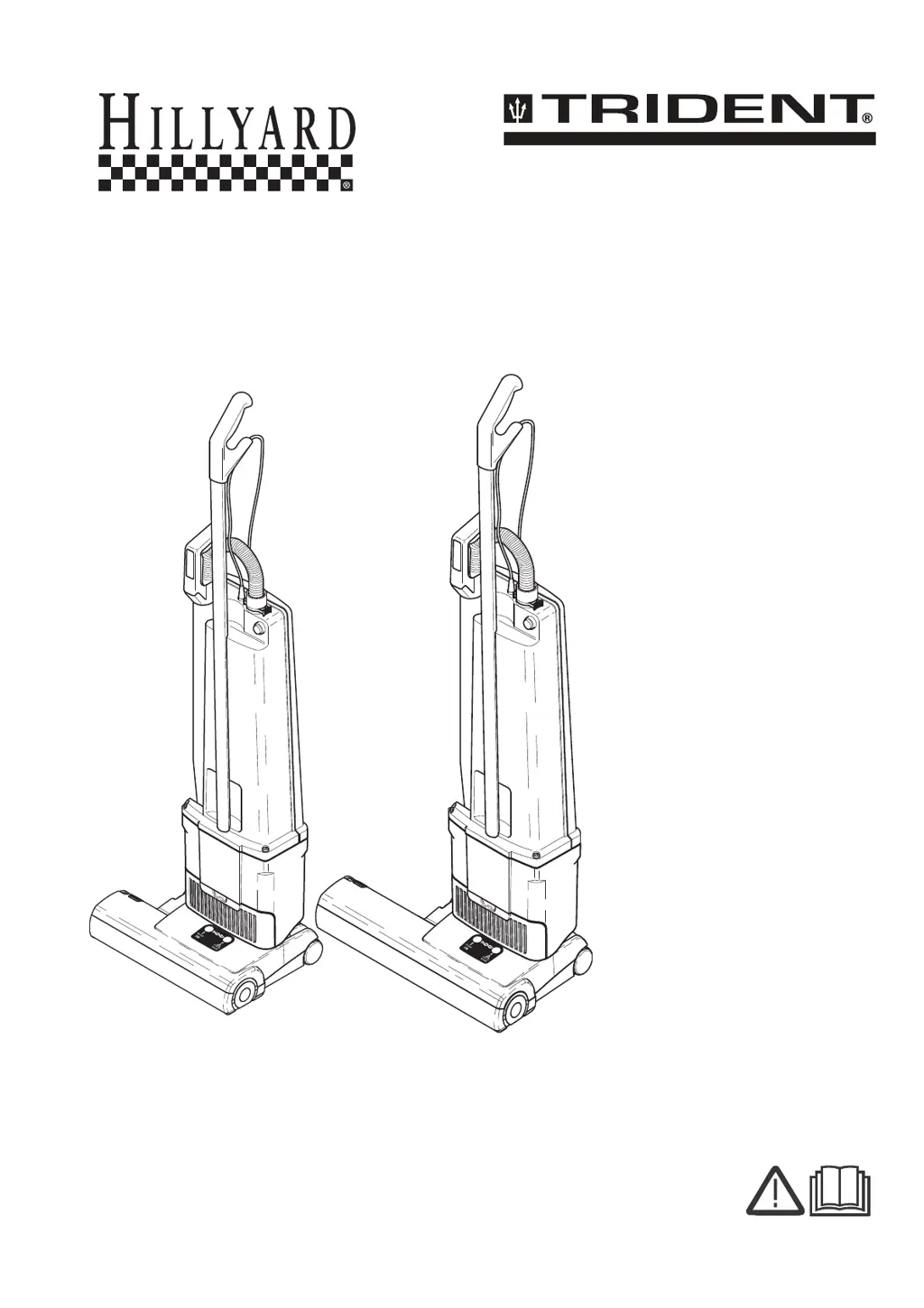
Hillyard TRIDENT V14D - User Manual

Hillyard TRIDENT V14D
60 pages
Print Icon
To Next Page IconTo Next Page
Loading...
8.643-087.0-A 11/1/18
by HILLYARD
Vacuum
HIL 56082 / HIL 56083
Operating Instructions (ENG)
MODEL: 1.012-604.0
V14D
1.012-605.0
V18D

Table of Contents

Questions and Answers

  • L
    Lauren LarsonAug 7, 2025
    Why does my Hillyard TRIDENT V14D Vacuum Cleaner have poor suction or the full bag light is on?
    • D
      danaescobarAug 7, 2025
      Poor suction or a lit full bag light on your Hillyard Vacuum Cleaner can be due to several reasons: * A full dust bag - replace the bag. * A clogged hose - remove and clean the hose. * A clogged neck - disconnect the floor head from the vac tank and clean the neck. * The bag not properly installed - re-insert the bag correctly. * A clogged exhaust or motor filter - clean or replace the filter. * Air leaking from the back cover - re-install the dust bag, motor filter, and back cover to ensure a tight fit.
  • R
    Roger RoseAug 13, 2025
    How to fix a Hillyard Vacuum Cleaner brush that is not turning?
    • H
      Heather WashingtonAug 13, 2025
      If the brush on your Hillyard Vacuum Cleaner isn't turning, here are a few things to check: * Make sure the hose nozzle is fully inserted into the neck; reposition if necessary. * The brush might be jammed; turn off the machine, clear any obstructions, and restart. * Ensure the brush strip is fully inserted; push it in all the way. * The belt could be broken; if so, replace it.
  • A
    Andrew Wall DVMAug 18, 2025
    What to do if the back door of my Hillyard TRIDENT V14D won’t close?
    • H
      Heather OsborneAug 18, 2025
      If the back door of your Hillyard Vacuum Cleaner won’t close, check the following: * Ensure the bag is properly installed; re-insert it correctly if needed. * Make sure the motor filter is correctly positioned; re-insert the filter if necessary.
  • N
    Nicholas DanielAug 25, 2025
    What to do if the full bag light is off when the vacuum hose is blocked or the bag is full in my Hillyard Vacuum Cleaner?
    • J
      julianbriggsAug 25, 2025
      If the full bag light is off even when the vacuum hose is blocked or the bag is full on your Hillyard Vacuum Cleaner, the sensor may be out of adjustment. To fix this, remove the back door and use a small screwdriver to turn the screw behind the light counter-clockwise.
  • B
    Brian CookAug 30, 2025
    Why does the red light stay on at the lowest brush setting on my Hillyard Vacuum Cleaner?
    • L
      lori73Aug 30, 2025
      If the red light stays on at the lowest brush setting (#1) on your Hillyard Vacuum Cleaner, it likely means the brush is worn and needs to be replaced.

Summary

How To Use This Manual

Manual Sections Overview

Explains the purpose and content of each section within the manual.

Safety Instructions

Important Safety Instructions

Crucial safety guidelines for operating the vacuum cleaner safely.

Grounding Instructions

Proper grounding procedures to prevent electric shock hazards.

Important Safeguards

Additional safety precautions and warnings for safe usage.

Vacuum Operations

Component Identification

Lists and identifies the main components of the vacuum cleaner.

Vacuum Cleaner Assembly

Step-by-step guide for assembling the vacuum cleaner.

Attaching Suction Hose

Instructions on how to connect the suction hose.

Swivel Neck Operation

How to use the swivel neck latch for maneuverability.

Power Head Operation

Instructions for switching on and operating the power head.

Brush Control System

Explanation of the electronic brush controller and indicators.

Filter Level Indicator

Understanding the filter level warning light.

Maintenance Procedures

Changing The Paper Bag

Procedures for replacing the dust bag.

Changing Filters

Instructions for cleaning or replacing filters.

Silencer Maintenance

Information on cleaning or replacing the silencer component.

Clearing Blockages

Steps to identify and clear blockages in the vacuum.

Replacing The Brush Strip

How to replace the brush strip on the vacuum.

Removing Dust Bag Housing

Guide for removing the dust bag housing for access.

Removing Switch Housing Cover

Steps to remove the switch housing cover.

Replacing Vacuum Motor

Instructions for replacing the vacuum motor.

Changing Brush Roller

Procedure for changing the brush roller.

Removing Brush Roller Pulley

Guide to remove the brush roller pulley.

Removing Swivel Neck

Steps for removing the swivel neck assembly.

Removing Swivel Neck Cover

How to remove the swivel neck cover.

Changing Electronic Controller

Instructions for replacing the electronic controller.

Replacing Foot Pedal

Procedure for replacing the foot pedal.

Troubleshooting Guide

Common problems, causes, and solutions for the vacuum.

Technical Data

Specifications and technical details for the models.

Spare Parts Information

Tools, Bags & Filters

Lists and diagrams of optional tools, bags, and filters.

Upper Housing Parts

Exploded view and parts list for the upper housing.

Power Head Parts V14 D

Exploded view and parts list for the V14D power head.

Power Head Parts V18 D

Exploded view and parts list for the V18D power head.

Hillyard TRIDENT V14D Specifications

General IconGeneral
BrandHillyard
ModelTRIDENT V14D
CategoryVacuum Cleaner
LanguageEnglish

Related product manuals