12
Maintenance and repairs
must be done by qualified personnel.
To reduce risk of electric
shock unplug before cleaning or servicing.
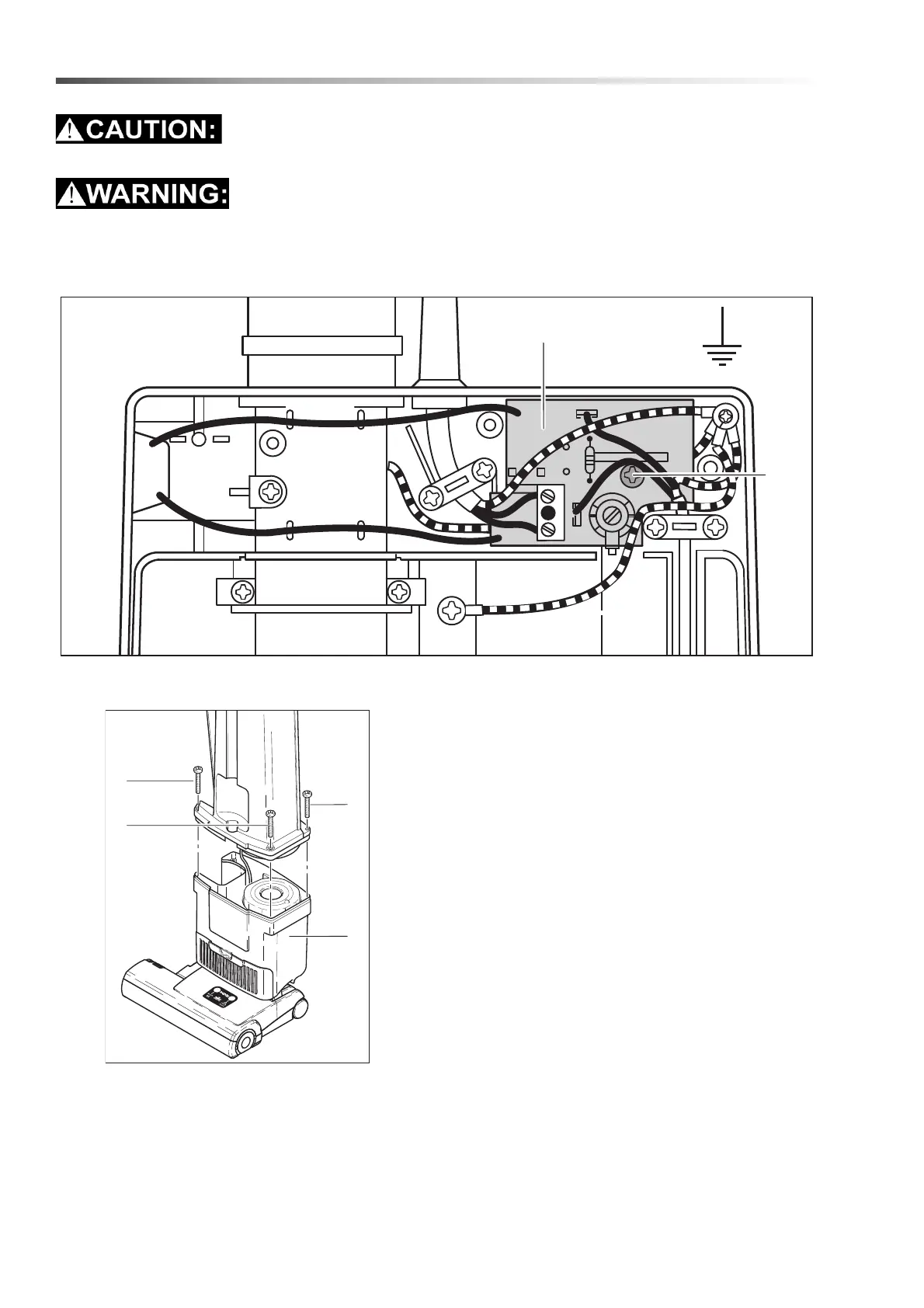
Removing the Switch Housing Cover
Remove the three screws then lift cover off. Circuit
board (33) can be removed by loosening screw (32).
Removing The Dust Bag Housing
Remove the back cover, then remove the 4 screws
(2). Carefully lift the dust bag housing off the power
head.
NOTE: The power cord remains attached between
the dust bag housing and the power head.
HIL 56082 / HIL 56083 - Operators Manual - Trident V14D / V18D
Maintenance


 To Next Page