PowerGem Plus User Manual
15
3.1.5 Engineering coordination
The following items should be noted before construction:
l Power line specification.
The power line specification shall meet the requirements of maximum discharge current
for each product.
l Mounting space and bearing capacity.
Make sure that the battery has enough room to install, and that the brackets have enough
load capacity.
l Wiring.
Make sure the power line and ground wire are reasonable. Not easy to short-circuit, water
and corrosion.
3.2 Equipment installation
Table 3-2 Installation steps
Fix the bracket to the wall,then hang the battery,indication is
as below figure 3-2.
Confirm that the SW button on the front panel is off state.
Connect the parallel cable and comm cable between batteries
correctly.
Confirm the DC breaker between batteries and inverter is off.
Connect power cable between battery and DC
breaker,between breaker and inverter’s battery interface
correctly,confirm no reverse connection and no short circuit.
Connect comms cable between battery and inverter.
1.Turn on the DC breaker between inverter and battery firstly
2. Press the SW button to wake up battery
3. Check the battery system output voltage and led status
Turn on the inverter and setup to make it communicate to the
battery
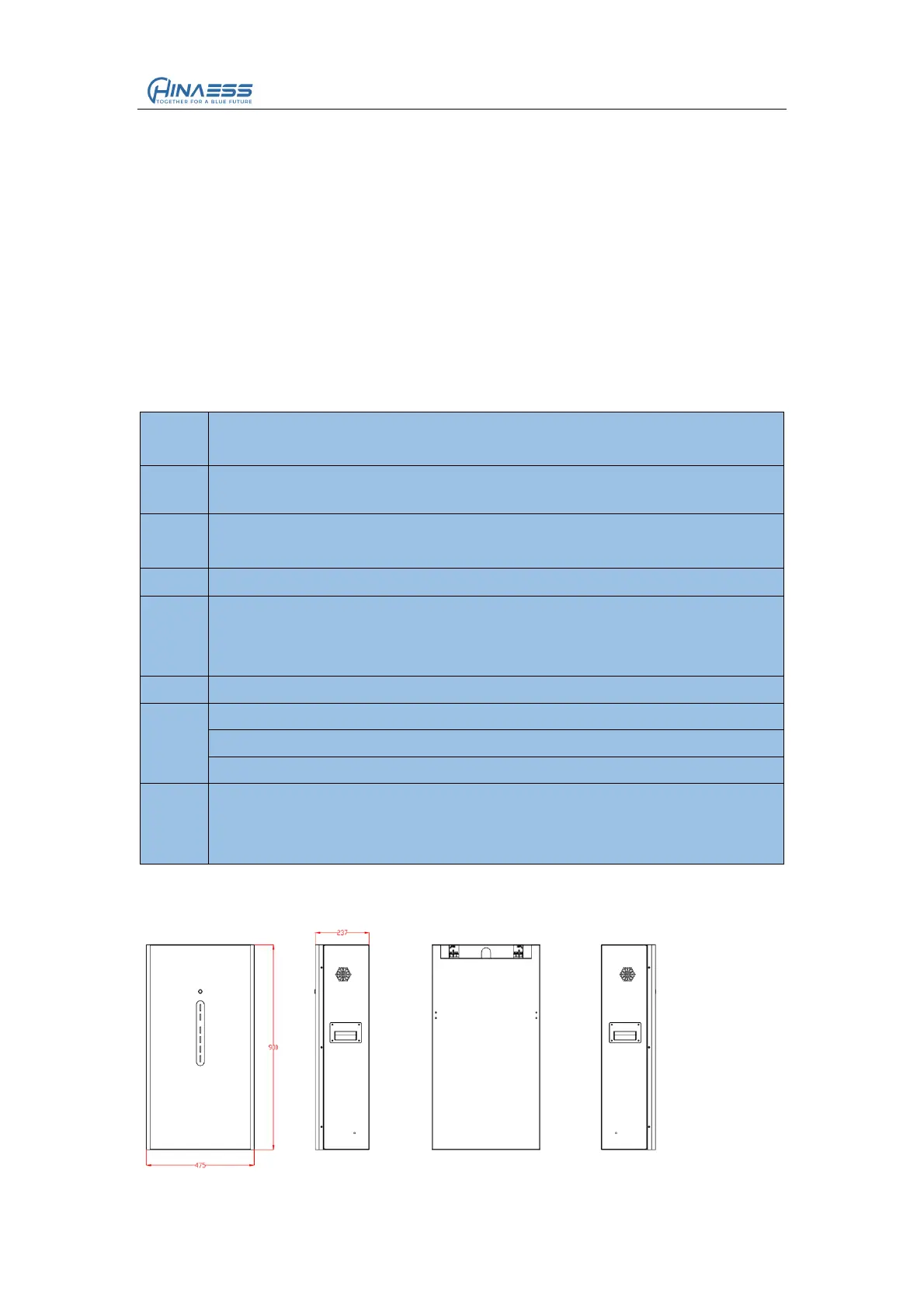
Figure 3-2
Product Size:


 To Next Page