12
STEP 3. Begin using your remote
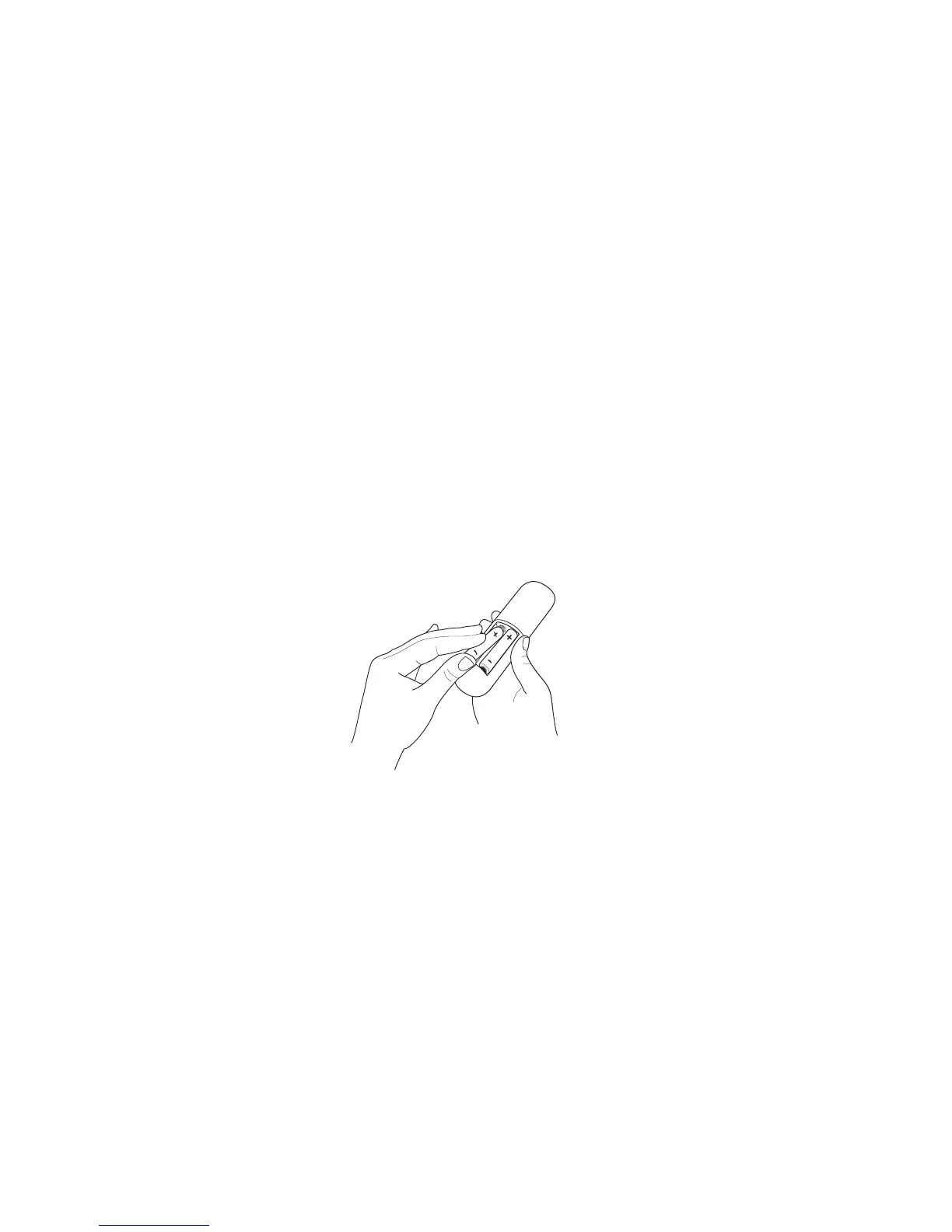
Power up your TV remote by inserting the included batteries.
CAUTION
• Dispose of the batteries in a designated disposal area. Do not throw them into a fire.
• Remove old batteries immediately to prevent them from leaking into the battery compartment.
• If you do not intend to use the remote control for a long time, remove the batteries.
• Battery chemicals can cause a rash. If the batteries leak, clean the battery compartment. If chemicals touch your skin, wash it
immediately.
• Do not mix old and new batteries.
• Do not mix alkaline, standard (carbon-zinc) or rechargeable (for example, NiCd or NiMH) batteries.
• If your remote gets warm/hot during use, discontinue use and contact customer support immediately at
www.hisense-usa.com/support.
UsingYourCableSet-topBoxorSatelliteReceiverRemoteasa‘Universal’Remote.
IfyouprefertouseyourCableSet-topBoxorSatelliteReceiverRemoteasa‘UniversalRemote’,pleaserefertothemanualthat
yourcableorsatelliteserviceprovided.Itwillincludeinstructionsonhowtoprogramtheirremotetoyourtelevision.Youcannd
codesthatworkwithyourHisenseRokuTVandthemostcommoncableandsatelliteprovider’suniversalremotecontrolat
www.roku.com/universalremote.



 To Next Page