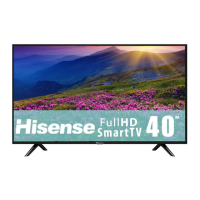
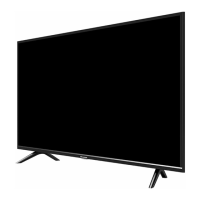
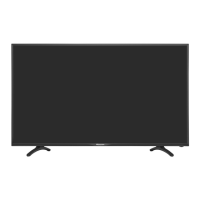
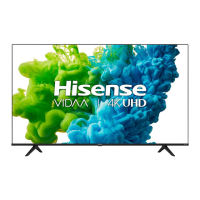
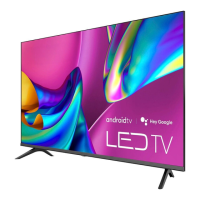
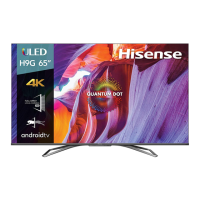
This document describes a Hisense TV, covering its setup, features, troubleshooting, and specifications.
Function Description
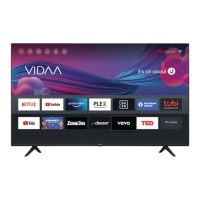
The Hisense TV is designed for home entertainment, offering a range of functionalities including video display, audio output, and smart TV capabilities. It supports various input sources, allowing users to connect external devices like set-top boxes, gaming consoles, and media players. The TV includes built-in Wi-Fi for internet connectivity, enabling access to streaming services and other online content. It also features Text-to-Speech (TTS) and Video Description functionalities to enhance accessibility for visually impaired users, providing audio narration for menus and relevant programs.
Important Technical Specifications
The document details specifications for several models: 32A4KV/32A45KV, 40A4KV/40A45KV, and 43A4KV/43A45KV.
For the 32A4KV/32A45KV model:
- Dimensions (W x H x D):
- Without Stand: 28.6 x 16.9 x 3.3 inches (726 x 430 x 84 mm)
- With Stand: 28.6 x 18.6 x 6.3 inches (726 x 472 x 159 mm)
- Weight:
- Without Stand: 8.2 lbs (3.7 kg)
- With Stand: 8.4 lbs (3.8 kg)
- TV Stand Width (W x D): 26.5 x 6.3 inches (672 x 159 mm)
- Active Screen Size (Diagonal): 31.5 inches (80.0 cm)
- Screen Resolution: 1366 x 768
- Audio Power: 6W + 6W
- Power Consumption: 50 W
- Power Supply: 120 V~60 Hz
For the 40A4KV/40A45KV model:
- Dimensions (W x H x D):
- Without Stand: 35.4 x 20.3 x 3.3 inches (900 x 515 x 85 mm)
- With Stand: 35.4 x 22.2 x 7.2 inches (900 x 565 x 182 mm)
- Weight:
- Without Stand: 11.9 lbs (5.4 kg)
- With Stand: 12.1 lbs (5.5 kg)
- TV Stand Width (W x D): 31.8 x 7.2 inches (807 x 182 mm)
- Active Screen Size (Diagonal): 39.5 inches (100.3 cm)
- Screen Resolution: 1920 x 1080
- Audio Power: 7W + 7W
- Power Consumption: 60 W
- Power Supply: 120 V~60 Hz
For the 43A4KV/43A45KV model:
- Dimensions (W x H x D):
- Without Stand: 38.0 x 22.2 x 3.5 inches (965 x 563 x 88 mm)
- With Stand: 38.0 x 24.1 x 7.2 inches (965 x 611 x 182 mm)
- Weight:
- Without Stand: 13.4 lbs (6.1 kg)
- With Stand: 13.7 lbs (6.2 kg)
- TV Stand Width (W x D): 32.0 x 7.2 inches (814 x 182 mm)
- Active Screen Size (Diagonal): 42.5 inches (107.9 cm)
- Screen Resolution: 1920 x 1080
- Audio Power: 7W + 7W
- Power Consumption: 75 W
- Power Supply: 120 V~60 Hz
All models feature built-in Wireless (2x2, 2.4GHz) connectivity.
Receiving Channels: VHF: 2-13, UHF: 14-69, CATV: 1-125, Digital Terrestrial Broadcast (8VSB): 2-69, Digital cable (64/256 QAM): 1-135.
Tuner Type: Frequency synthesized.
Receiving System: Analog: NTSC, Digital: ATSC/QAM.
Operating Temperature: 41°F - 95°F (5°C - 35°C).
Operating Humidity: 20% to 80% non-condensing.
Storage Temperature: 5°F to 113°F (-15°C to 45°C).
Storage Humidity: 10% to 70%, non-condensing.
Usage Features
- Initial Setup: The TV guides users through a first-time setup process to connect to the internet and configure basic settings.
- Remote Control: A remote control is included for navigating menus and controlling TV functions. It operates within a range of up to 26 feet (792.5 cm) and at a 30-degree horizontal or vertical angle.
- Connectivity: The TV supports multiple HDMI inputs, USB ports, and an Ethernet port. It has built-in Wi-Fi for wireless network connections.
- Wall Mounting: The TV can be mounted on a wall using a VESA-compliant wall mount bracket. Specific VESA dimensions are provided for different screen sizes (e.g., 100 x 200 mm for 32-inch, 200 x 200 mm for 40/43-inch).
- Accessibility Features: Text-to-Speech (TTS) and Video Description (VD) can be enabled through the settings menu. TTS converts on-screen text into voice, while VD provides audio narration for visual elements in programs.
- Troubleshooting Guide: The manual includes a comprehensive troubleshooting section to address common issues like no picture/sound, distorted images, or remote control malfunction.
- Power On/Off: The TV can be powered on by plugging it into an AC outlet and pressing the power button on the remote or TV. A slight delay before the picture appears is normal during startup.
- Input Selection: Users can select the appropriate input mode for external sources through the TV's menu.
- Audio Technologies: The TV supports Dolby Audio and DTS-HD Master Audio, enhancing the sound experience.
Maintenance Features
- Battery Replacement: Instructions are provided for replacing batteries in the remote control, including precautions against mixing old/new or different types of batteries and proper disposal.
- Cleaning: The manual advises against pressing or hitting the TV screen during unpacking, mounting, or handling to prevent damage. While not explicitly detailed, general TV maintenance typically involves cleaning the screen and cabinet with a soft, dry cloth.
- Environmental Protection: The product is marked for responsible recycling, indicating it should not be disposed of with general domestic waste. Users are encouraged to use available return systems for recycling.
- Firmware Updates: While not explicitly mentioned, Hisense TVs often receive firmware updates to improve reliability, function, and design. The disclaimer states that "All products, product specifications, and data are subject to change without notice to improve reliability, function, design or otherwise," implying potential for updates.
- Troubleshooting: The troubleshooting section serves as a maintenance feature, guiding users to diagnose and resolve minor issues without professional assistance. This includes checking power connections, volume settings, input selections, and antenna connections.
- Remote Control Care: Advice is given to remove batteries if the remote will not be used for a long time to prevent leakage, and to clean the battery compartment if leakage occurs.
The TV is designed to be user-friendly with a focus on accessibility and environmental responsibility.

 Need help?

 To Next Page
 General