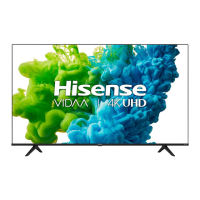
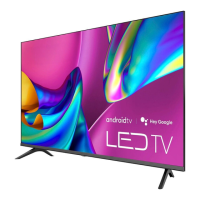
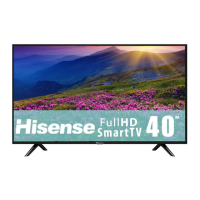
This document is a Quick Setup Guide for Hisense 4K HDR Smart TVs, covering various models including 43H6G, 50H6G, 55H6G, 65H6G, and their variants (H77G, V6G, A60G, A60H, A60GMV, A6010GMV, A6030GMV, A6050GMV, A6070GMV, A6090GMV). The guide emphasizes environmental responsibility by encouraging users to access the full User Manual online or via the E-manual in the TV to reduce paper waste. It provides essential information for setting up and using the TV, including physical installation, device connections, remote control setup, initial configuration, network connection, and basic troubleshooting.
Function Description:
The Hisense 4K HDR Smart TV is designed to provide a variety of entertainment options, including watching live channels, accessing video on demand, and utilizing smart TV features. It supports 4K resolution and High Dynamic Range (HDR) for enhanced picture quality. The TV integrates Text-to-Speech (TTS) and Video Description functionalities to assist visually impaired users by narrating menus and describing relevant program visuals. It also features built-in wireless connectivity (2x2 dual band) for internet access and supports various external devices through multiple ports.
Important Technical Specifications:
Model Name (Examples):
- 43H6G / 43H77G / 43V6G / 43A60G / 43A60H / 43A60GMV / 43A6010GMV / 43A6030GMV / 43A6050GMV / 43A6070GMV / 43A6090GMV
- 50H6G / 50H77G / 50V6G / 50A60G / 50A60H / 50A60GMV / 50A6010GMV / 50A6030GMV / 50A6050GMV / 50A6070GMV / 50A6090GMV
- 55H6G / 55H77G / 55V6G / 55A60G / 55A60H / 55A60GMV / 55A6010GMV / 55A6030GMV / 55A6050GMV / 55A6070GMV / 55A6090GMV
- 65H6G / 65H77G / 65V6G / 65A60G / 65A60H / 65A60GMV / 65A6010GMV / 65A6030GMV / 65A6050GMV / 65A6070GMV / 65A6090GMV
Dimensions (W × H × D):
- 43" models: Without Stand: 37.8 × 22.0 × 3.3 inches (961 x 560 x 83 mm); With Stand: 37.8 x 24.1 x 7.7 inches (961 × 613 × 196mm)
- 50" models: Without Stand: 43.9 x 25.5 x 3.2 inches (1 116 × 648 × 82 mm); With Stand: 43.9 x 27.9 x 8.9 inches (1 116 × 709 × 226 mm)
- 55" models: Without Stand: 48.4 × 28.0 × 3.4 inches (1 230 × 712 × 86 mm); With Stand: 48.4 x 30.4 x 8.9 inches (1 230 × 773 × 226 mm)
- 65" models: Without Stand: 57.0 × 32.8 × 3.2 inches (1 448 × 834 × 81 mm); With Stand: 57.0 x 35.2 x 11.4 inches (1 448 × 894 × 290 mm)
Weight:
- 43" models: Without Stand: 15.0 lbs (6.8 kg); With Stand: 15.2 lbs (6.9 kg)
- 50" models: Without Stand: 21.6 lbs (9.8 kg); With Stand: 21.8 lbs (9.9 kg)
- 55" models: Without Stand: 27.1 lbs (12.3 kg); With Stand: 27.8 lbs (12.6 kg)
- 65" models: Without Stand: 36.8 lbs (16.7 kg); With Stand: 37.5 lbs (17.0 kg)
TV Stand Width (W × D):
- 43" models: 30.5 x 7.7 inches (775 × 196 mm)
- 50" models: 37.9 x 8.9 inches (963 x 226 mm)
- 55" models: 40.1 x 8.9 inches (1 018 x 226 mm)
- 65" models: 47.6 x 11.4 inches (1 208 × 290 mm)
Class / Active Screen Size (Diagonal):
- 43" models: 43"(109.2cm) / 42.5 inches (108.0cm)
- 50" models: 50"(127.0cm) / 49.5 inches (125.7cm)
- 55" models: 55"(139.7cm) / 54.6 inches (138.8cm)
- 65" models: 65"(165.1cm) / 64.5 inches (163.8cm)
Screen Resolution: 3840 × 2160
Audio Power: 7 W + 7 W (43"/50"/55" models), 8 W + 8 W (65" models)
Power Consumption: 100 W (43" models), 130 W (50" models), 150 W (55" models), 160 W (65" models)
Power Supply: 120 V ~ 60 Hz
Connectivity: Built-in Wireless feature (2x2 dual band)
Ports:
- 3 HDMI ports (HDMI 1 with ARC support)
- 1 USB port (DC 5V 0.5A MAX)
- 1 LAN port for Ethernet
- 1 Digital Audio Output
- 1 RF Input (ANT/CABLE)
- 1 Headphone Audio Output
- 1 RCA Composite Video Input (AV IN: L, R, VIDEO)
- 1 SERIAL CONTROL port
- 1 RESET button (quick press for power off/restart, long press for factory reset)
Receiving Channels:
- VHF: 2 - 13
- UHF: 14 - 69
- CATV: 1 - 125
- Digital Terrestrial Broadcast (8VSB): 2 - 69
- Digital cable (64/256 QAM): 1 - 135
Tuner Type: Frequency synthesized
Receiving System: Analog: NTSC; Digital: ATSC/QAM
Operating Conditions:
- Operating Temperature: 5°C - 35°C (41°F - 95°F)
- Operating Humidity: 20% to 80% non-condensing
- Storage Temperature: -15°C to 45°C (5°F to 113°F)
- Storage Humidity: 10% to 70%, non-condensing
Usage Features:
- Easy Setup: A guided first-time setup process helps users connect to the internet and configure the TV.
- Multiple Input Sources: Supports various external devices through HDMI, AV IN, and USB ports.
- Network Connectivity: Offers both wired (LAN) and wireless (Wi-Fi) network connections, with options for automatic or manual IP address configuration.
- Remote Control: A dedicated remote control with specific buttons for power, input source, channel/volume control, menu access, quick access to apps (VIDAA SPORTS, VIDAA Free, VIDAA ART, Youtube Music), and media content control. The remote has a range of up to 26 feet and works within a 30-degree horizontal or vertical angle.
- Accessibility Features: Text-to-Speech (TTS) and Video Description (Narration/Voice Guide) can be enabled through the Settings menu to assist visually impaired users.
- Universal Remote Compatibility: Provides codes for programming universal cable or satellite remotes (for USA users) to operate the Hisense TV.
- Wall Mount Option: The TV can be wall-mounted using a third-party bracket (not included), with specific instructions and screw dimensions provided for secure installation.
Maintenance Features:
- Troubleshooting Guide: The manual includes a troubleshooting section to help users resolve common issues like no sound/picture, distorted images, or remote control malfunctions.
- Factory Reset: The remote control's RESET button allows for a quick power off/restart or a long press for a factory reset.
- Battery Replacement: Instructions are provided for inserting and replacing AAA batteries in the remote control, along with important safety information regarding battery disposal and handling.
- Environmental Protection: The product is marked for responsible recycling, encouraging users to dispose of the device through available return systems to prevent environmental damage.
Important Notes:
- Always check all foam in the carton box for accessories to prevent accidental discarding.
- Disconnect the A/C power cord before installing the stand or wall mount.
- Ensure the TV screen is not scratched or damaged during installation.
- Use appropriate spacers and screws for wall mounting to prevent damage and ensure security.
- Loose cable connections can affect picture and color quality.
- Hard disks with total current consumption or impulse current consumption greater than 500mA are not supported via USB.
- Headphones with microphones are not supported.
- The SERIAL CONTROL port is recommended for professional custom installers for home automation or integrated A/V systems.
- All products, specifications, and data are subject to change without notice for improvement.


 To Next Page
 General