EasyManua.ls Logo

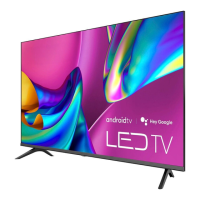
Hisense 43A6GV - User Manual

Hisense 43A6GV
23 pages
Print Icon
To Next Page IconTo Next Page
Loading...
4K HDR Smart TV
Quick Setup Guide
Help Hisense improve the environment by reducing paper
waste. For detailed instructions and feature descriptions, ac-
cess the full User Manual online or refer to the E-Manual in
TV. Before using the TV, please read this guide carefully and
keep it for future reference.
English
ES--1

Questions and Answers

Summary

Copyright statement

Disclaimer

Whats in the box

Getting started

Step 1. Attach stand or mount

Instructions for physically attaching the TV stand or preparing for wall mounting.

Step 2. Connect devices to your TV

Details on connecting external audio and video devices to the TV's various ports.

Step 3. Get your remote ready

Explanation of remote control buttons, battery installation, and pairing.

Step 4. Power on the TV

Procedure for connecting the power cord and turning the TV on.

Step 5. Complete the first-time setup

Guidance for the initial on-screen setup process.

Step 6. Establish a network connection

Steps for configuring wired and wireless network connections for internet access.

Step 7. Enjoy your TV!

Overview of basic operation, Home screen, and accessibility features.

Troubleshooting

Product Specifications

Certification and Compliance

Summary

Copyright statement

Disclaimer

Whats in the box

Getting started

Step 1. Attach stand or mount

Instructions for physically attaching the TV stand or preparing for wall mounting.

Step 2. Connect devices to your TV

Details on connecting external audio and video devices to the TV's various ports.

Step 3. Get your remote ready

Explanation of remote control buttons, battery installation, and pairing.

Step 4. Power on the TV

Procedure for connecting the power cord and turning the TV on.

Step 5. Complete the first-time setup

Guidance for the initial on-screen setup process.

Step 6. Establish a network connection

Steps for configuring wired and wireless network connections for internet access.

Step 7. Enjoy your TV!

Overview of basic operation, Home screen, and accessibility features.

Troubleshooting

Product Specifications

Certification and Compliance

Hisense 43A6GV Specifications

General IconGeneral
Screen shapeFlat
Response time- ms
Display diagonal42.5 \
Display brightness- cd/m²
Display technology-
Native aspect ratio16:9
Operating system installedAndroid
High Dynamic Range (HDR) technologyDolby Vision, High Dynamic Range 10 Pro (HDR10 Pro)
Audio decodersDTS Virtual:X
RMS rated power14 W
Number of speakers2
AC input voltage120 V
AC input frequency50 - 60 Hz
Power consumption (standby)0.5 W
Power consumption (typical)100 W
PC in (D-Sub)No
HDMI ports quantity4
USB 2.0 ports quantityUSB 2.0 ports have a data transmission speed of 480 Mbps, and are backwards compatible with USB 1.1 ports. You can connect all kinds of peripheral devices to them.
Ethernet LAN (RJ-45) ports1
USB 3.2 Gen 1 (3.1 Gen 1) Type-A ports quantity0
Product colorBlack
Panel mounting interface200 x 300 mm

Related product manuals