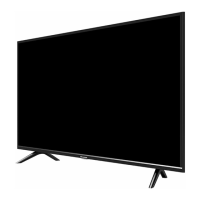
This document is a Quick Start Guide for Hisense 4K UHD Smart TVs, covering various models including the 55H9908, 65H9908, 55H9E Plus, 65H9E Plus, 55H9100E Plus, 65H9100E Plus, and numerous other "E Plus" and "E" series models (e.g., 55H9E1 Plus, 65H9E1 Plus, 55H9E2 Plus, 65H9E3 Plus, 55H9000E Plus, 65H9020E Plus, 55H9030E Plus, 55H9040E Plus, 55H9050E Plus, 55H9070E Plus, 55H9080E Plus). The guide aims to provide essential information for setting up and beginning to use the television, with a recommendation to access the full User Manual online for detailed instructions and feature descriptions.
Function Description:
The Hisense 4K UHD Smart TV is designed to provide a high-resolution viewing experience with smart TV capabilities. It allows users to watch live television channels, access Video on Demand for movies, and utilize various other entertainment options through its Home screen interface. The TV supports both wired and wireless network connections for internet access, enabling smart features and application usage. It is equipped with multiple input and output ports to connect a wide range of external devices, including antennas, VCRs, DVD players/recorders, video cameras, set-top boxes, audio amplifiers, speakers, headphones, and USB devices. The remote control facilitates navigation through menus, volume and channel control, and quick access to specific applications and features like Google Assistant, Closed Captioning, and audio language settings.
Important Technical Specifications:
The guide provides specifications for both 55-inch and 65-inch models.
- Screen Resolution: All listed models feature a 3840 × 2160 (4K Ultra-HD) resolution.
- Active Screen Size (Diagonal):
- 55-inch models: 54.6 inches
- 65-inch models: 64.5 inches
- Dimensions (W x H x D):
- 55-inch models:
- Without Stand: 48.4 × 28.3 × 2.0 inches (1230 × 719 × 52 mm)
- With Stand: 48.4 × 31.3 × 8.8 inches (1230 × 790 × 223 mm)
- 65-inch models:
- Without Stand: 57.1 × 33.3 × 2.1 inches (1450 × 845 × 54 mm)
- With Stand: 57.1 × 36.3 × 14.8 inches (1450 × 921 × 376 mm)
- Weight:
- 55-inch models:
- Without Stand: 39.7 lbs (18 kg)
- With Stand: 41.2 lbs (18.7 kg)
- 65-inch models:
- Without Stand: 58 lbs (26.3 kg)
- With Stand: 60.2 lbs (27.3 kg)
- Audio Power:
- 55-inch models: 10 W + 10 W
- 65-inch models: 15 W + 15 W
- Power Consumption:
- 55-inch models: 170W
- 65-inch models: 190W
- Power Supply: 120 V~60 Hz for all models.
- Connectivity: Built-in Wireless feature (2x2 dual band).
- Ports:
- 4 HDMI ports (HDMI 1 & HDMI 2 are high-powered HDMI 2.0 for 4K@60Hz; HDMI 3 & HDMI 4 are HDMI 1.4 for 4K@30Hz)
- 2 USB ports (USB 1: DC 5V 1A(MAX), USB 2: DC 5V 0.5A(MAX). USB 3.0 devices can be connected to USB 2.0 ports, but at USB 2.0 speeds)
- 1 LAN port for Ethernet
- 1 Digital Audio Output
- 1 RF Input (ANT/CABLE)
- 1 Earphone Audio Output (AUDIO OUT)
- 1 RCA Composite Video Input (VIDEO, L-AUDIO-R via AV IN)
- 1 left/right Audio Input for Composite
- A SERVICE port is also present, but it is for factory testing purposes only and not for external device connection.
- Wall Mount Hole Pattern (VESA): 400 × 200 mm for both 55" and 65" models.
- Wall Mount Screw Size: M6.
- Wall Mount Screw Length: 9.5 - 11.5 mm (from the attaching surface of the rear cover).
Usage Features:
- Quick Setup: The guide outlines a step-by-step process for initial setup, including attaching the TV stand or wall mount, connecting external devices, establishing a network connection (wired or wireless), powering on the TV, and completing the setup wizard.
- Remote Control: The TV comes with a remote control that requires two AAA batteries. It can operate up to 26 feet from the TV and within a 30-degree horizontal or vertical angle. The remote supports pairing with the TV by pressing and holding the menu button for at least 3 seconds. It includes dedicated buttons for power, virtual keyboard, Google Assistant, Closed Caption, Live TV, Menu, D-pad navigation, Confirmation, Back, Home, Volume, and Channel control, as well as Mute, MTS (audio language), NRT (Video description), and APP quick access buttons.
- Network Connectivity: Supports both wired (Ethernet via LAN port) and wireless (Wi-Fi via built-in adapter) network connections. Users can automatically obtain an IP address via DHCP or manually enter static IP settings.
- External Device Support: Comprehensive port selection allows connection of various audio/video sources, including 4K Ultra-HD devices via HDMI 2.0 ports, older AV devices via composite inputs, and digital audio systems via optical output. USB ports enable transfer of photos, music, and movies.
- Universal Remote Programming: Instructions are provided for programming universal cable or satellite remote controls to operate the Hisense TV, including a list of common codes for DIRECTV and Time Warner Cable.
- Smart TV Interface: After setup, the Home screen serves as the central hub for navigating live channels, Video on Demand, and other applications.
Maintenance Features:
- Troubleshooting Guide: A "Quick Problem-Solving Tips" section addresses common issues such as no sound/picture, external source connection problems, delayed picture on startup, sound without picture, black and white picture, distorted picture, blurry picture, and remote control malfunction. Solutions often involve checking connections, power, volume settings, input modes, antenna direction, and battery installation.
- Battery Handling: Important information regarding remote control batteries is provided, including instructions for proper insertion, immediate removal of old batteries to prevent leakage, cleaning the battery compartment if leakage occurs, and avoiding mixing old/new or different types of batteries. Batteries should be discarded in a designated disposal area and not thrown into fire.
- Environmental Responsibility: Hisense encourages reducing paper waste by accessing the full User Manual online.
- FCC and Industry Canada Compliance: The device complies with FCC and Industry Canada regulations for Class B digital devices, ensuring reasonable protection against harmful interference. It is designed to be installed and operated with a minimum distance of 20 centimeters between the radiator and the user's body.
- Dolby Technologies: The TV supports Dolby Audio and Dolby Vision, indicating advanced audio and visual processing capabilities.
- dbx-tv Technology: Incorporates dbx-tv Total Sonics, Total Surround, and Total Volume technologies for enhanced sound quality.
- HDMI Licensing: The TV uses HDMI technology, with trademarks owned by HDMI Licensing LLC.
The guide emphasizes that all product specifications and data are subject to change without notice to improve reliability, function, design, or otherwise. It also includes a disclaimer regarding application services, noting that subscriptions or other payments may be required, and Hisense disclaims responsibility for the functioning or content of these applications.

 Need help?

 To Next Page
 General