EasyManua.ls Logo

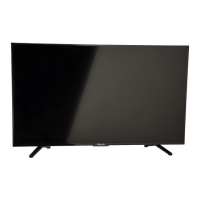
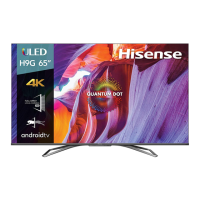
Hisense 50Q7G - User Manual

Hisense 50Q7G
23 pages
Print Icon
To Next Page IconTo Next Page
Loading...
4K HDR Smart TV
Quick Setup Guide
Help Hisense improve the environment by reducing pa-
per waste. For detailed instructions and feature descrip-
tions, access the full User Manual online. Before using
the TV, please read this guide carefully and keep it for
future reference.
English
ES-G194998-1

Questions and Answers

  • M
    Margaret YoungAug 9, 2025
    Why is there no sound or picture on my Hisense Smart TV?
    • A
      Alejandro MooreAug 9, 2025
      If your Hisense Smart TV has no sound or picture, try these steps: * Ensure the power cord is properly plugged into a working AC outlet. * Press the Power button on the remote to take the TV out of 'Standby' mode. * Check if the LED light on the TV is illuminated, indicating it's receiving power. * Verify the output connection of your external source and the input connection on the TV. * Confirm you've selected the correct input mode for the incoming signal.
  • H
    Heidi SharpAug 14, 2025
    Why does my Hisense 50Q7G remote control not work?
    • P
      Paula WilliamsAug 15, 2025
      If your Hisense Smart TV remote control isn't working, try these steps: * Replace the batteries in the remote control with new ones. * Ensure the batteries are installed correctly, matching the polarity markings.
  • L
    lisa95Aug 19, 2025
    What to do if my Hisense Smart TV has sound but no picture?
    • N
      Nicole WilkinsonSep 12, 2025
      If your Hisense Smart TV has sound but no picture, or if the picture is black and white: * Unplug the TV from the AC outlet, wait 60 seconds, and then plug it back in. * Check that the Color setting is set to 50 or higher.
  • V
    Victoria PinedaAug 25, 2025
    How to fix distorted sound and picture on Hisense 50Q7G?
    • R
      Richard TownsendAug 25, 2025
      If the sound and/or picture on your Hisense Smart TV is distorted or appears wavy, try the following: * Try switching to different TV channels. * Turn off any nearby electrical appliances or move them away from the TV, as they may be causing interference. * Plug the TV's power cord into a different power outlet. * If you're using an external antenna, check its direction, position, and connections. * Adjust the antenna's direction, or reset or fine-tune the channel. * Check for any nearby appliances or electric tools that could be causing interference.
  • D
    Dawn ColemanAug 29, 2025
    What to do if my Hisense 50Q7G Smart TV picture is normal but there is no sound?
    • A
      Austin WillisAug 29, 2025
      If your Hisense Smart TV has a normal picture but no sound, check the following: * Check the volume settings to ensure they are not set too low or muted. * Make sure that 'Mute' mode is not turned on.
  • C
    christopherwilkinsonSep 4, 2025
    Why does my Hisense 50Q7G Smart TV make a clicking sound?
    • C
      Christina CastilloSep 4, 2025
      The 'click' sound from your Hisense Smart TV can occur when the temperature of the television changes. This change causes the television cabinet to expand or contract, which makes the sound. This is normal and the TV is OK.

Hisense 50Q7G Specifications

General IconGeneral
Screen Size50 inches
Audio Output20W
USB Ports2
BluetoothYes
Refresh Rate60Hz
ProcessorQuad-Core
RAM2GB
Storage16GB
EthernetYes
Resolution4K (3840 x 2160)
HDR SupportHDR10, HLG, Dolby Vision
HDMI Ports3
Wi-FiYes
Smart FeaturesVoice Control
Weight12.5 kg

Related product manuals