EasyManua.ls Logo

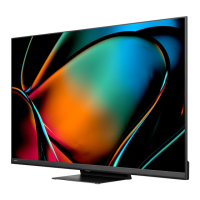
Hisense 55U68KM - User Manual

Hisense 55U68KM
16 pages
Print Icon
To Next Page IconTo Next Page
Loading...
ES-A23031M-1
English
Before using the TV, please read this guide thoroughly and
retain it for future reference.

Questions and Answers

  • M
    Misty JohnsonAug 6, 2025
    What to do if my Hisense 55U68KM has no sound or picture?
    • S
      Shari ObrienAug 6, 2025
      If your Hisense LED TV shows no sound or picture, try these steps: Ensure the power cord is properly plugged into a working AC outlet. Press the Power button on the remote to take the TV out of 'Standby' mode. Check if the LED light on the TV is lit, indicating it's receiving power. Verify the connection between the external source and the TV, and confirm you've selected the correct input mode for the incoming signal.
  • T
    tylerbeckerAug 10, 2025
    What to do if the remote control of my Hisense 55U68KM does not work?
    • J
      Joshua MillerAug 10, 2025
      If the remote control for your Hisense LED TV isn't working, first, replace the batteries. If that doesn't solve the problem, check to make sure the batteries are installed correctly.
  • T
    Thomas BlairAug 14, 2025
    Why is there sound but no picture on my Hisense 55U68KM?
    • K
      Kimberly LyonsAug 14, 2025
      If you hear sound but see no picture, or the picture is in black and white on your Hisense LED TV, try unplugging the TV from the AC outlet, wait 60 seconds, and then plug it back in. Also, check that the Color setting is set to 50 or higher.
  • E
    ereedAug 18, 2025
    What to do if my Hisense 55U68KM LED TV picture is normal but there is no sound?
    • B
      Breanna KnoxAug 18, 2025
      If your Hisense LED TV shows a picture but has no sound, check the volume settings to ensure they are at an audible level. Also, verify that 'Mute' mode is not enabled.
  • M
    Mary LarsonAug 23, 2025
    Why does the sound and picture on my Hisense LED TV appear distorted or wavy?
    • H
      hollowayjamesAug 23, 2025
      If the sound and/or picture on your Hisense LED TV is distorted or appears wavy, try switching to different TV channels. It's also possible that an electric appliance is interfering with the TV's signal. Try turning off nearby appliances or moving them further away from the TV.
  • M
    markdavisAug 27, 2025
    What causes blurry or cut out sound and picture on Hisense 55U68KM?
    • E
      Elizabeth IrwinAug 27, 2025
      If the sound and picture on your Hisense LED TV are blurry or cutting out, try plugging the TV into a different power outlet. If you're using an external antenna, check its direction, position, and connections. You may also need to adjust the antenna's direction or reset/fine-tune the channel. Additionally, check for any nearby appliances or electric tools that might be causing interference.
  • E
    ericamillerAug 31, 2025
    Why does my Hisense 55U68KM LED TV make a clicking sound?
    • J
      jordan87Aug 31, 2025
      The 'click' sound from the plastic cabinet of your Hisense LED TV is normal. It occurs when the temperature changes, causing the cabinet to expand or contract. This does not indicate a problem with the TV.

Summary

Getting Started

Step 1. Attach Stand or Mount

Instructions on attaching the TV stand or wall mount bracket.

Attach the TV Stand

Detailed steps for attaching the TV stand legs to the TV.

Attach the Wall Mount Bracket

Guide for attaching a wall mount bracket, including precautions and specifications.

Connect Devices to Your TV

TV Controls and Features

Get Your Remote Ready

Initial TV Setup

Powering On the TV

Instructions on how to connect the power cord and power on the TV.

First-Time Setup and Network Connection

Guides through the initial setup, including network connection options (wired/wireless).

Troubleshooting and Specifications

Hisense 55U68KM Specifications

General IconGeneral
BrandHisense
Model55U68KM
CategoryLED TV
LanguageEnglish

Related product manuals