5
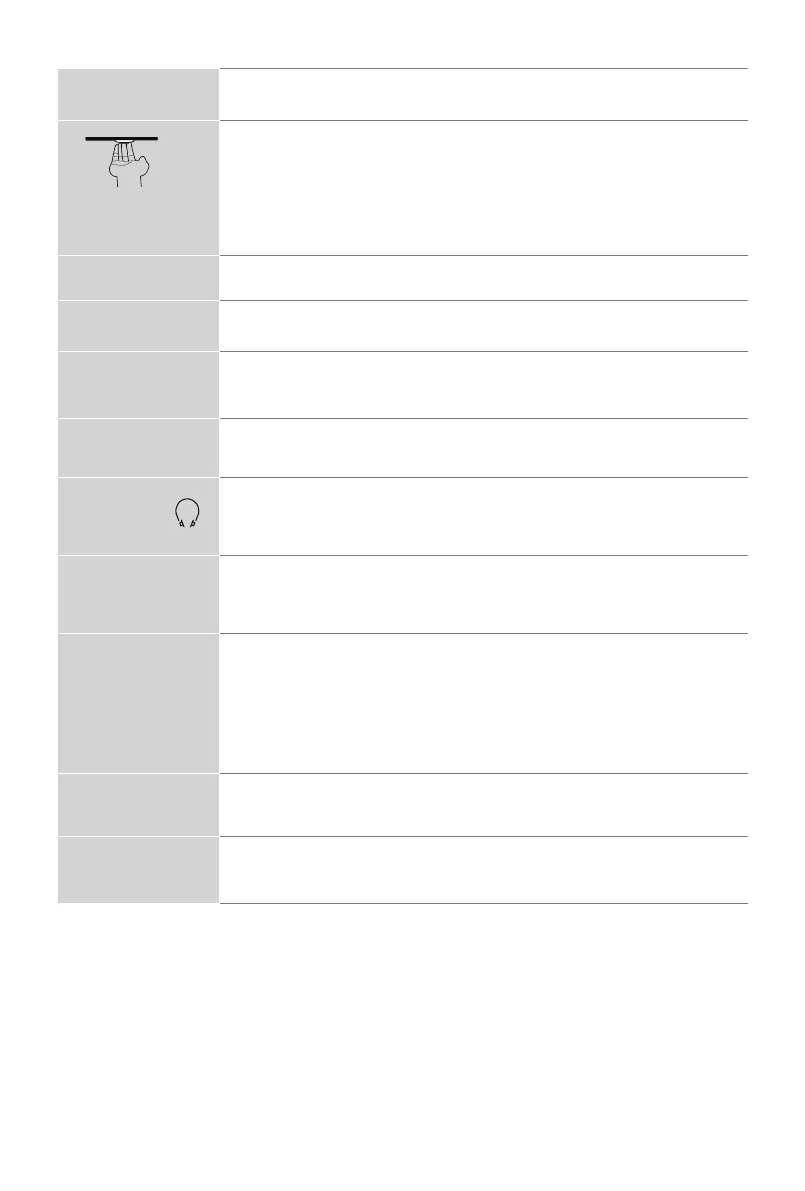
Power indicator
The light is white in standby mode.
Power button
(Standby/Source)
When the TV is in standby mode, quick press the power button,
and TV will be turned on.
When the TV is on, quick press the power button to call up the
menu:
•Quickpresstochangetheselection.
•Long press to confirm your selection.
SERIAL
Service use only.
ANT/CABLE
Connect an outdoor VHF/UHF antenna.
HDMI
ConnectaHighDenitionMultimediaInterface(HDMI)cablefrom
an external device.
AV IN
Connect a composite video cable and left-right audio cables from
an external AV device.
HEADPHONE /
Connect headphones to hear audio from the TV. Headphones
with microphones are not supported.
RESET
Power off / restart (quick press)
Reset your TV back to the factory setting (long press for 5
seconds)
USB
Connect a USB device for browsing photos, music and movies.
The rate of speed of USB 3.0 port 10 times faster than the USB 2.0
port.
NOTE: You can still plug a USB 2.0 device into a USB 3.0 port;
however, the rate of speed will not be as fast. USB 3.0 devices
are also backwards compatible with USB 2.0 ports.
LAN
Connect an Ethernet cable to access a network or the Internet.
The TV also has a wireless connectivity feature.
DIGITAL AUDIO OUT
Connect an optical cable from an external digital audio system.



 To Next Page