EasyManua.ls Logo

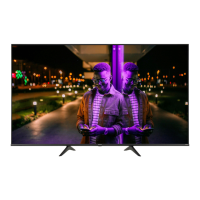
Hisense 65U8K - User Manual

Hisense 65U8K
17 pages
Print Icon
To Next Page IconTo Next Page
Loading...
ES-A230218-1
English
Before using the TV, please read this guide thoroughly and
retain it for future reference.

Questions and Answers

Summary

Quick Setup Guide Overview

Finding Information and Package Contents

Getting Started with Your TV

Attaching the TV Stand

Detailed instructions and diagrams for securely attaching the TV's base stands.

Attaching the Wall Mount Bracket

Guidelines and precautions for mounting the TV using a third-party wall mount bracket.

Connecting Devices and Initial Setup

Connecting External Devices to the TV

Illustrates and explains how to connect various input sources and accessories to the TV.

TV Ports and Controls Overview

Details the functions of TV ports and buttons, including power, inputs, USB, and audio out.

Using TV Features and Controls

Google Assistant Functionality

How to use the Google Assistant for voice commands and information, including screenless mode.

Remote Control Setup and Usage

Powering On and Network Setup

Troubleshooting Common Issues

Resolving TV Problems

A guide to common issues like no sound/picture and their solutions.

Summary

Quick Setup Guide Overview

Finding Information and Package Contents

Getting Started with Your TV

Attaching the TV Stand

Detailed instructions and diagrams for securely attaching the TV's base stands.

Attaching the Wall Mount Bracket

Guidelines and precautions for mounting the TV using a third-party wall mount bracket.

Connecting Devices and Initial Setup

Connecting External Devices to the TV

Illustrates and explains how to connect various input sources and accessories to the TV.

TV Ports and Controls Overview

Details the functions of TV ports and buttons, including power, inputs, USB, and audio out.

Using TV Features and Controls

Google Assistant Functionality

How to use the Google Assistant for voice commands and information, including screenless mode.

Remote Control Setup and Usage

Powering On and Network Setup

Troubleshooting Common Issues

Resolving TV Problems

A guide to common issues like no sound/picture and their solutions.

Hisense 65U8K Specifications

General IconGeneral
Screen shapeFlat
LED backlightYes
Response time8 ms
Display diagonal65 \
Display brightness1500 cd/m²
Display technologyLCD
Native aspect ratio16:9
Native refresh rate144 Hz
LED backlighting typeMini LED
Contrast ratio (typical)-
Display diagonal (metric)165.1 cm
Motion interpolation technologyMotion Rate 480
PC in (D-Sub)No
HDMI ports quantity4
USB 2.0 ports quantityUSB 2.0 ports have a data transmission speed of 480 Mbps, and are backwards compatible with USB 1.1 ports. You can connect all kinds of peripheral devices to them.
USB 3.2 Gen 1 (3.1 Gen 1) Type-A ports quantity1
Tuner typeAnalog & digital
Digital signal format systemATSC
Smart modesFilmmaker
App distribution platformGoogle Play
Operating system installedGoogle TV
Audio decodersDolby Atmos
RMS rated power50 W
Audio output channels2.1.2 channels
Wi-Fi standardsWi-Fi 6E (802.11ax)
Bluetooth version5.2
Stand typeLegs stand
Product colorBlack
Panel mounting interface400 x 400 mm
Game featuresAuto Low Latency Mode (ALLM), Game Bar, Variable Refresh Rate (VRR)
AMD FreeSync typeFreeSync Premium Pro
High Dynamic Range (HDR) technologyDolby Vision, High Dynamic Range 10 (HDR10), High Dynamic Range 10+ (HDR10 Plus), Hybrid Log-Gamma (HLG)
Number of OSD languages3
On Screen Display (OSD) languagesENG, ESP, FRE
AC input voltage100 - 240 V
AC input frequency50/60 Hz
Power consumption (max)260 W
Power consumption (standby)0.5 W
Power consumption (typical)- W
Cables includedAC
Package depth1628 mm
Package width995.7 mm
Package height223.5 mm
Package weight36015 g
Weight and Dimensions IconWeight and Dimensions
Depth (with stand)320 mm
Width (with stand)1452.9 mm
Height (with stand)901.7 mm
Weight (with stand)26399 g
Depth (without stand)76.2 mm
Height (without stand)840.7 mm
Weight (without stand)25583 g

Related product manuals