EasyManua.ls Logo

Hisense AX3100G - User Manual

Hisense AX3100G
24 pages
Print Icon
To Next Page IconTo Next Page
Loading...
Before using the soundbar, please read this manual thoroughly and retain
it for future reference.
280W
Max Audio Power
Model: AX3100G
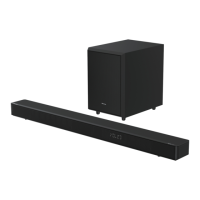
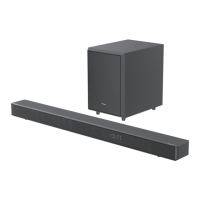
3.1CH Soundbar with Wireless Subwoofer

Other manuals for Hisense AX3100G

Questions and Answers

Hisense AX3100G Specifications

General IconGeneral
Audio decodersDTS, DTS-HD Master Audio, DTS:X, Dolby Atmos, Dolby Digital Plus
RMS rated power280 W
Audio output channels3.1 channels
Enhanced Audio Return Channel (eARC)Yes
Soundbar speaker RMS power- W
Woofer diameter (imperial)4 \
Subwoofer connectivityWireless
Woofer diameter (subwoofer)6.5 \
Display typeLED
Product colorBlack
Audio formats supportedFLAC, MP3, WAV, WMA
Wi-FiNo
Bluetooth version5.0
USB 2.0 ports quantityUSB 2.0 ports have a data transmission speed of 480 Mbps, and are backwards compatible with USB 1.1 ports. You can connect all kinds of peripheral devices to them.
AC input voltage100 - 240 V
AC input frequency50 - 60 Hz
Soundbar power consumption20 W
Power consumption (standby)0.5 W
Subwoofer power consumption15 W
Cables includedAC, HDMI, Optical
Package weight1016 g
Weight and Dimensions IconWeight and Dimensions
Depth90 mm
Width920 mm
Height60 mm
Soundbar weight2540 g
Subwoofer depth304 mm
Subwoofer width214 mm
Subwoofer height294 mm
Subwoofer weight5170 g

Summary

Important Safety Instructions

Safety

General safety instructions and precautions for operating the unit.

Warning

Warnings related to battery usage, voltage, magnetic fields, and cleaning.

Identifying the Parts

Main Unit

Identifies and describes the main soundbar unit and its controls.

Wireless Subwoofer

Identifies and describes the wireless subwoofer and its indicator.

Remote Control

Details the buttons and functions of the remote control.

Connections

Use the HDMI eARC Socket

How to connect the soundbar via HDMI eARC/ARC for audio return.

Connect Power

Steps for connecting the soundbar and subwoofer to power.

Pair up with the Subwoofer

Instructions for automatically and manually pairing the subwoofer.

Basic Operation

OPTICAL; COAXIAL; HDMI eARC; AUX Operation

Bluetooth Operation

Pair Bluetooth-enabled Devices

Steps to pair Bluetooth devices with the soundbar.

USB Operation

Troubleshooting

Related product manuals