EasyManua.ls Logo

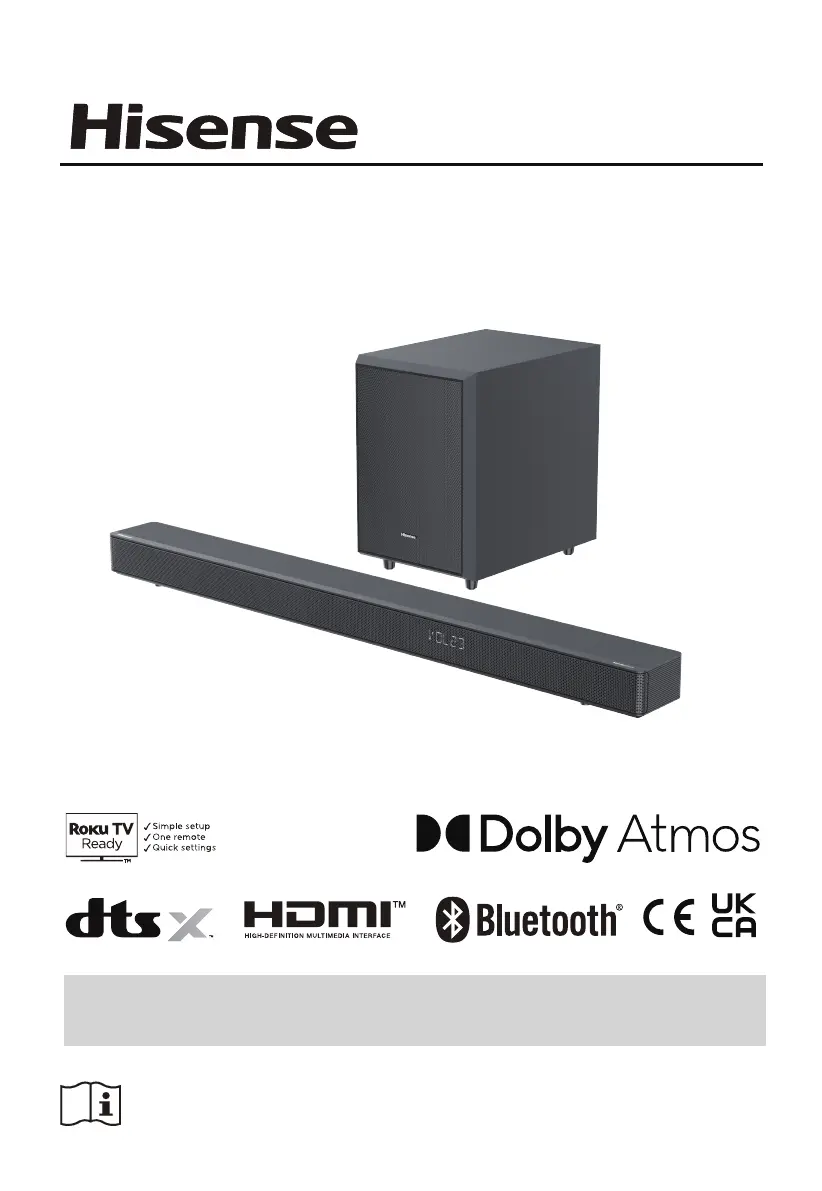
Hisense AX3125H - User Manual

Hisense AX3125H
24 pages
Print Icon
To Next Page IconTo Next Page
Loading...
Before using the soundbar, please read this manual thoroughly and retain
it for future reference.
440W
Max Audio Power
Model: AX3125H
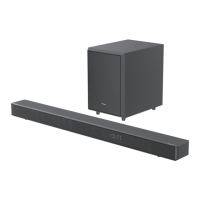
3.1.2 CH Soundbar with Wireless Subwoofer
USER MANUAL

Other manuals for Hisense AX3125H

Questions and Answers

  • T
    Travis RossJul 29, 2025
    Why is there no sound coming from my Hisense AX3125H Speaker System?
    • A
      Amanda MorenoJul 29, 2025
      If you're not getting any sound from your Hisense Speaker System, first ensure that the unit is not muted. Press the mute or VOL+/– button to resume normal listening. Also, try pressing the button on the unit or on the remote control to switch the soundbar to standby mode, and then press the button again to switch the soundbar on. Unplugging both the soundbar and the subwoofer from the mains socket, then plugging them again, may also help. Make sure the audio setting of the input source (e.g. TV, game console, DVD player, etc.) is set to PCM or Dolby Digital mode while using a digital connection (e.g., HDMI, OPTICAL).
  • J
    Jeffrey HollandAug 4, 2025
    How to fix a Hisense AX3125H that won't turn on?
    • S
      sboltonAug 4, 2025
      If your Hisense Speaker System isn't powering on, make sure the AC cord is properly connected to the unit and that there is power at the AC outlet. Also, press the standby button to turn the unit on.
  • A
    Ashley JenkinsAug 11, 2025
    What to do if my Hisense AX3125H subwoofer has no sound?
    • S
      Sheena WilkersonAug 11, 2025
      If you are experiencing no sound from the subwoofer of your Hisense Speaker System, it could be due to a few reasons. The subwoofer may be out of range; move it closer to the soundbar, ideally within 5 meters. Alternatively, the soundbar may have lost connection with the subwoofer; re-pair the units by following the steps in the section “Pairing the Wireless Subwoofer with the Soundbar.” Finally, the unit may not be able to decode all digital audio formats from the input source; this is not a defect.
  • E
    Eddie DonaldsonAug 16, 2025
    Why is the subwoofer of my Hisense Speaker System idle?
    • C
      Corey PierceAug 16, 2025
      If the subwoofer of your Hisense Speaker System is idle or its indicator light is off, unplug the power cord from the mains socket and plug it back in after 4 minutes to reset the subwoofer.
  • K
    Kristi JonesAug 22, 2025
    What to do if the Hisense AX3125H remote control does not work?
    • J
      james68Aug 22, 2025
      If the remote control for your Hisense Speaker System isn't working, try these steps: reduce the distance between the remote and the unit, ensure the battery is inserted with the correct polarities (+/-) as indicated, replace the battery, and aim the remote directly at the sensor on the front of the unit.

Summary

Important Safety Instructions

Safety

General safety precautions and instructions for operating the unit.

Warning

Crucial warnings regarding electrical shock, heat, liquids, and battery usage.

Identifying the Parts

Main Unit

Describes the main soundbar unit, including its display, buttons, and ports.

Remote Control

Explains the buttons and functions of the remote control for operating the soundbar.

Connections

Use the HDMI Socket

Guide on connecting devices using HDMI, including ARC/eARC capabilities.

Connect Power

How to safely connect the soundbar and subwoofer to the power supply.

Pair up with the Subwoofer

Procedures for automatically and manually pairing the wireless subwoofer.

Basic Operation

HDMI eARC;HDMI ARC, HDMI IN, OPTICAL, AUX Operation

Bluetooth Operation

Pair Bluetooth-enabled Devices

Step-by-step guide to pair Bluetooth devices like smartphones and tablets.

USB Operation

Setup Menu

Troubleshooting

Hisense AX3125H Specifications

General IconGeneral
BrandHisense
ModelAX3125H
TypeSoundbar
SubwooferYes
Wireless SubwooferYes
BluetoothYes
HDMI eARC/ARCYes
Optical InputYes
USB PortYes
Wall MountableYes
Channels3.1

Related product manuals