Need help?
Do you have a question about the Hisense HS2100 and is the answer not in the manual?
Read and retain safety and operating instructions for future reference.
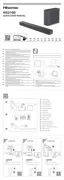
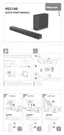
Instructions for connecting the soundbar to TVs and audio devices using various ports.
Steps for automatically or manually pairing the soundbar with the wireless subwoofer.
Managing power states and automatic standby/wake-up features.
Steps for pairing a Bluetooth device with the soundbar for the first time.
Solutions for problems like no power or the remote control not working.
Troubleshooting steps for audio issues, subwoofer connectivity, or idle status.
Tips for resolving issues when the Bluetooth name is not found or pairing fails.
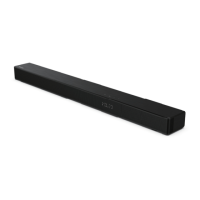
This document describes the Hisense HS2100 2.1CH Soundbar with Wireless Subwoofer, providing comprehensive instructions for its setup, operation, and maintenance. The soundbar is designed to enhance your audio experience, offering various connectivity options and sound modes.
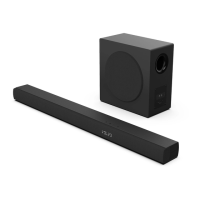
The Hisense HS2100 is a 2.1 channel soundbar system that includes a main soundbar unit and a wireless subwoofer. It is designed to deliver immersive audio for your entertainment setup, whether connected to a TV, external audio device, or streaming via Bluetooth. The 2.1 channel configuration means it has two main audio channels (left and right) and a dedicated subwoofer for low-frequency effects, providing a richer and more dynamic sound.
The soundbar supports several audio input methods, including HDMI ARC, Optical, AUX, and USB, making it versatile for connecting to various devices. It also features Bluetooth connectivity, allowing for wireless audio streaming from compatible devices. The wireless subwoofer simplifies setup by eliminating the need for an audio cable connection to the main unit, offering more flexibility in placement.
Key audio technologies integrated into the soundbar include Dolby Audio and DTS, ensuring high-quality sound reproduction and an enhanced listening experience for movies, music, and games. The soundbar is also Roku TV Ready, indicating seamless integration and control with Roku TV systems.
The HS2100 offers a range of features designed for ease of use and a customizable audio experience:
Connectivity:
Wireless Subwoofer Pairing: The subwoofer and soundbar are designed for automatic pairing when both are powered on. In case of pairing issues, a manual pairing process is available by pressing the PAIR button on the subwoofer and then turning on the soundbar. The Pair Indicator on the subwoofer helps monitor the connection status.
Basic Operation:
Hisense EzPlay Function: When connected to a Hisense TV via HDMI ARC, the soundbar integrates with the TV's menu system through Hisense EzPlay. This allows users to control soundbar settings directly from the TV's interface using the TV remote, simplifying the user experience.
Remote Control: A full-function remote control is included, providing convenient access to all soundbar features from a distance.
To ensure the longevity and optimal performance of the Hisense HS2100, the manual provides several maintenance guidelines:
 General
| Type | Soundbar |
|---|---|
| Channels | 2.1 |
| Wireless Subwoofer | Yes |
| Bluetooth | Yes |
| HDMI ARC | Yes |
| Optical Input | Yes |
| Bluetooth Version | 5.0 |
| Connectivity | HDMI ARC, Optical |
| Frequency Response | 50Hz - 20kHz |


 To Next Page