EasyManua.ls Logo

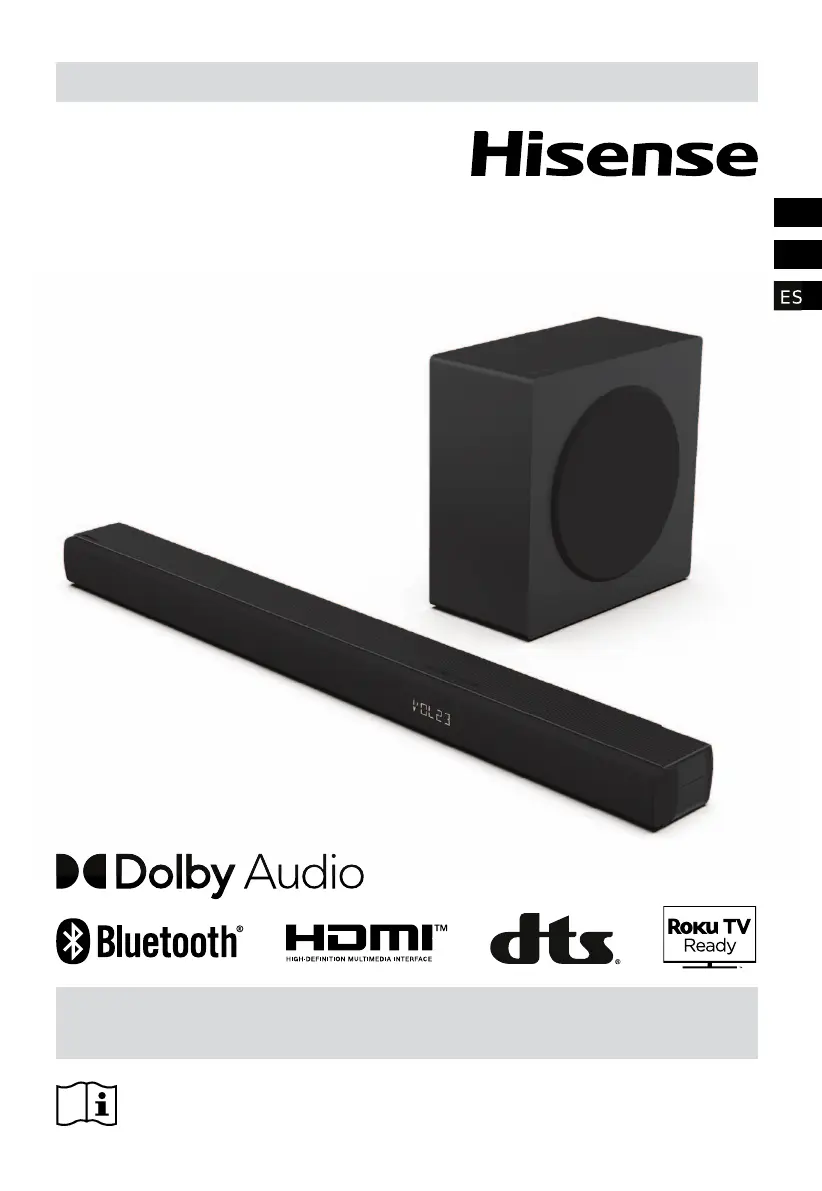
Hisense HS3100 - User Manual

Hisense HS3100
51 pages
Print Icon
To Next Page IconTo Next Page
Loading...
Before using the soundbar, please read this manual thoroughly and retain
it for future reference.
USER MANUAL
3.1CH Soundbar with Wireless Subwoofer
Model: HS3100
EN
FR
ES
ES

Other manuals for Hisense HS3100

Questions and Answers

  • C
    Carolyn CollierAug 13, 2025
    Why is my Hisense HS3100 Speaker System remote control not working?
    • M
      Michael KaneAug 13, 2025
      If the remote control for your Hisense Speaker System isn't working, first select the correct source before pressing any playback control button. Try reducing the distance between the remote and the soundbar. Make sure the batteries are inserted with the correct polarities (+/?). If not, replace the battery. Aim the remote control directly at the sensor on the front of the soundbar.
  • B
    beasleyjoannaAug 19, 2025
    How to troubleshoot a Hisense HS3100 Speaker System that has no power?
    • L
      Lauren JonesAug 19, 2025
      If your Hisense Speaker System has no power, ensure that the AC cord is properly connected and that there is power at the AC outlet. Press the standby button to turn the soundbar on.
  • S
    Scott GallowayAug 26, 2025
    Why can't I find the Bluetooth name of my Hisense HS3100 on my device?
    • L
      Lisa KingAug 26, 2025
      If you can’t find the Bluetooth name of your Hisense soundbar, first ensure that Bluetooth is activated on your device. Make sure you have paired the soundbar with your Bluetooth device. Also, keep your Bluetooth device within 8 meters of the soundbar, as the soundbar can only receive a signal within that range.
  • D
    Dawn LongAug 31, 2025
    Why does my Hisense HS3100 Speaker System turn off after 15 minutes?
    • M
      Michelle GoodmanAug 31, 2025
      If your Hisense soundbar turns off automatically after 15 minutes, it is likely due to the unit's external input signal level being too low. To prevent this, increase the volume level of your external device.
  • O
    omullenNov 6, 2025
    What to do if my Hisense HS3100 has no sound?
    • C
      Cynthia FordNov 6, 2025
      If your Hisense Speaker System has no sound, first ensure it is not muted by pressing the MUTE or + (VOL) button. Try switching the soundbar to standby mode and then back on using the power button on the soundbar or remote. Unplug both the soundbar and subwoofer from the mains socket, then plug them back in and switch the soundbar on. When using a digital connection (HDMI, OPTICAL), verify that the audio setting of your input source (TV, game console, DVD player, etc.) is set to PCM or Dolby Digital mode. If you are using a subwoofer, move it closer to the soundbar, ensuring it's within 5 meters. If the subwoofer has lost connection, repair the units by following the steps in the section “Pair up with the Subwoofer”. The soundbar also may not be able to decode all digital audio formats fro...

Summary

Safety and Precautions

General Safety Guidelines

Essential safety precautions for operating the Hisense HS3100 soundbar.

Battery Safety and Disposal

Guidance on battery installation, usage, and proper environmental disposal.

Product Setup and Connections

Whats Included and Component Identification

Lists included accessories and identifies soundbar/subwoofer parts.

Remote Control and Battery Replacement

Details remote control functions and guides battery replacement.

Placement and Mounting

Instructions for positioning the soundbar or mounting it on a wall.

Audio and Power Connections

Connects via HDMI ARC, OPTICAL, AUX, and to power outlets.

Subwoofer Wireless Pairing

Covers automatic and manual methods for subwoofer pairing.

Operation and Features

Basic Operation and Power Management

Turning the soundbar on/off and managing auto-standby features.

Playback Controls and Sound Settings

Selecting modes, adjusting volume, EQ, bass, treble, and surround sound.

Media Playback (USB & Bluetooth)

Playing music from USB drives and streaming audio via Bluetooth.

Setup Menu and Brightness

Navigating the setup menu and adjusting display brightness.

Troubleshooting and Specifications

Troubleshooting Common Problems

Solutions for frequently encountered issues with the soundbar.

Technical Specifications

Detailed technical data for the soundbar, subwoofer, and remote.

Legal and Regulatory Information

Trademarks and Compliance

Information about trademarks, licenses, and regulatory compliance.

Hisense HS3100 Specifications

General IconGeneral
BrandHisense
ModelHS3100
CategorySpeaker System
Speaker TypeSoundbar
Wireless SubwooferYes
Total Output Power300W
Dolby AtmosNo
BluetoothYes
InputsOptical, AUX, USB

Related product manuals