11
Multi
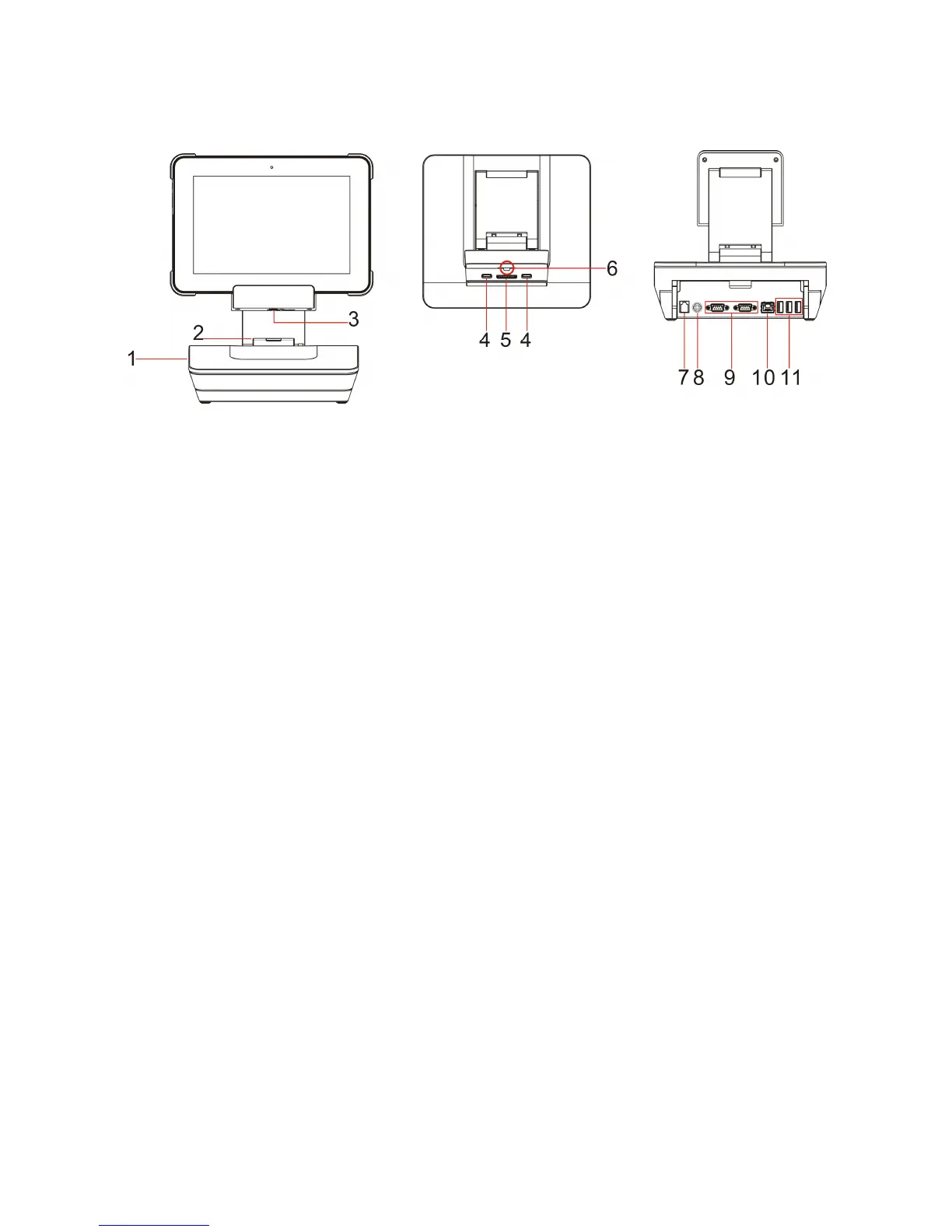
functional dock(optional)
Attach
the tablet to the dock Top view Rear view
1. Multifunctional dock
2. Printer cover
Cover for printer.(not supplied).
3. Keyhole
Inserts a key to lock the tablet.
4. Dock latch Attach the tablet to the dock
keeping the tablet fixed in palce
5. Pogo pin connector Connects the tablet to the dock.
6. Lock-tongue
Lock the tablet on the multifunctional dock.
7. Cashdrawer port
Acess Cashdrawer.
8. AC power adapter jack Connects to the AC power adapter.
9. COM
RS232 CO
M.
10. Ethernet port Connects to cable.
11. USB 2.0 port
Connects to USB devices .



 To Next Page